Verdict first
Mage-Flow is a compact family of image-generation and image-editing models from Microsoft. The family is more useful than the name suggests because it is not one checkpoint: it contains Base, RL-aligned, and Turbo variants for both text-to-image generation and instruction-based editing. After running all six variants at 1024×1024 on one RTX 4090, my recommendation is straightforward: choose Base when image quality and fine detail matter most, RL-aligned when prompt following and balanced production behavior matter, and Turbo when latency or batch throughput matters more than the last layer of fidelity.
The most important result is that the six models all completed ten representative cases successfully. In this Mage-Flow RTX 4090 test, the GPU handled the official 1024×1024 test size without lowering the resolution. Text-to-image runs used 16.94 GiB of allocated VRAM; editing used 16.96–17.78 GiB. Across ten cases, the fastest model was Edit Turbo at 4.21 seconds per image, while the slowest was Edit Base at 29.99 seconds per image. Those numbers are my local measurements, not the official A100 figures.
The quality is good for portraits, products, food, ordinary scenes, background replacement, color changes, and broad style changes. It is not consistently reliable for tiny structures, complicated spatial relationships, hands, distant people, or exact text inside an image. The original 1024×1024 files are clear; the remaining mistakes are model-behavior problems rather than thumbnail blur.
Official overview: Microsoft Mage repository, Mage-Flow project page, and Mage-Flow Turbo model card.
What Mage-Flow is
The official project describes Mage-Flow as an efficient native-resolution foundation model for image generation and editing. It is built around a compact 4B-scale generative stack. The family combines Mage-VAE, a lightweight latent tokenizer, with a Native-Resolution Multimodal Diffusion Transformer trained with rectified flow matching. The practical idea is simple: keep the model small enough to be useful on a single consumer GPU while supporting both image synthesis and natural-language image editing.
The model family is divided into two task groups:
| Family | Official variants | Main input and output | Practical role |
|---|---|---|---|
| Text-to-image | Mage-Flow Base, Mage-Flow RL-aligned, Mage-Flow Turbo | Text prompt → image | Create a new image from a description |
| Image editing | Mage-Flow Edit Base, Mage-Flow Edit RL-aligned, Mage-Flow Edit Turbo | Image + instruction → edited image | Change a scene, object, color, style, lighting, or detail |
The distinction between the three variants is important. Base is the quality-oriented checkpoint. RL-aligned is post-trained to follow prompts and preferences more consistently. Turbo is distilled for few-step inference. The same pattern appears in the editing family, although the editing checkpoints use a slightly different runtime profile.
The official project also emphasizes native-resolution operation. Its documented range is 512 to 2048 pixels with flexible aspect ratios, including wide canvases. My evaluation deliberately used 1024×1024 for every sample so that the models could be compared under one controlled condition. That does not mean 1024×1024 is the model's maximum; it is the common test size used in this review.
What I tested
I used the existing full evaluation material rather than selecting only a few attractive examples. The matrix contains six official checkpoints, ten cases per checkpoint, and sixty successful outputs in total. The generation set covers portrait, landscape, product, food, architecture, English text, Chinese text, spatial arrangement, illustration, and night scenes. The editing set uses the same 1024×1024 portrait reference image for background replacement, style conversion, color change, object addition, object removal, scene replacement, lighting change, artistic conversion, restoration, and viewpoint change.
The common generation prompts were translated into Chinese and English in the test record. The editing instructions were also recorded bilingually. Seeds were fixed by test direction: generation cases used the 102401–102410 range and editing cases used the 102501–102510 range. Each image was generated individually rather than in a batch, which makes the timing easier to interpret as a per-image workflow.
The runtime configuration was:
| Item | Test setting |
|---|---|
| GPU | NVIDIA GeForce RTX 4090, 24 GB class |
| Python | 3.12.13 |
| PyTorch | 2.13.0+cu130 |
| Transformers | 5.5.0 |
| Diffusers | 0.38.0 |
| Attention backend | SDPA fallback |
| Resolution | 1024×1024 for all 60 outputs |
| Generation steps | Base 30, RL-aligned 20, Turbo 4 |
| Editing steps | Base 30, RL-aligned 30, Turbo 4 |
| CFG | Base and RL-aligned 5, Turbo 1 |
| Sampling | One image at a time, fixed seeds |
The machine did not have a usable matching CUDA toolchain for the official flash-attention build, so the tested run used SDPA. CPU offload was enabled during the shared-GPU deployment. That is an important reproducibility detail: the results show what Mage-Flow did in this practical configuration, not an idealized benchmark with an empty GPU and a custom kernel stack.
RTX 4090 measurements
The table below reports wall-clock time for ten cases and the corresponding average. “Peak allocated VRAM” is the maximum allocated memory observed during the run; it is not the same as the driver-reported reserved memory.
| Model | Task | Steps | CFG | Resolution | Samples | Total time | Average | Peak allocated VRAM | Best use |
|---|---|---|---|---|---|---|---|---|---|
| Mage-Flow Base | Text-to-image | 30 | 5 | 1024×1024 | 10/10 | 283.6 s | 28.36 s/image | 16.94 GiB | Final-quality generation |
| Mage-Flow RL-aligned | Text-to-image | 20 | 5 | 1024×1024 | 10/10 | 212.2 s | 21.22 s/image | 16.94 GiB | General production and prompt following |
| Mage-Flow Turbo | Text-to-image | 4 | 1 | 1024×1024 | 10/10 | 64.3 s | 6.43 s/image | 16.94 GiB | Fast drafts and batch previews |
| Mage-Flow Edit Base | Image editing | 30 | 5 | 1024×1024 | 10/10 | 299.9 s | 29.99 s/image | 17.78 GiB | High-fidelity editing |
| Mage-Flow Edit RL-aligned | Image editing | 30 | 5 | 1024×1024 | 10/10 | 180.2 s | 18.02 s/image | 17.78 GiB | Instruction-led daily editing |
| Mage-Flow Edit Turbo | Image editing | 4 | 1 | 1024×1024 | 10/10 | 42.1 s | 4.21 s/image | 16.96 GiB | Rapid editing previews |
The speed gap is large enough to affect workflow design. Turbo is roughly 4.4 times faster than Base for generation in this test, and Edit Turbo is roughly 7.1 times faster than Edit Base. The comparison is not a claim that Turbo is always 4.4 or 7.1 times faster: the numbers depend on prompt content, image input, CPU offload, attention backend, and system load. It is a useful indication of the tradeoff visible in this fixed ten-case matrix.
The official project reports much lower latency on a single A100 for its Turbo variants at 1024×1024: approximately 0.59 seconds for generation and 1.02 seconds for editing. I have not merged those figures with the 4090 measurements because the hardware, software stack, and execution path are different. The official result is useful as a reference for the intended efficiency of the architecture; the RTX 4090 table is the relevant evidence for this review's local setup.
Output evidence from all six variants
The complete archive below keeps all 60 original 1024×1024 outputs: ten cases for each of the six official variants.
Complete 60-sample output archive
The following tables use every output from the evaluation: ten cases for each of the six official variants. Each row keeps the original 1024×1024 PNG and the exact English prompt or editing instruction used for that direction. The earlier compact table is a visual overview; this archive is the complete sample set.
Mage-Flow Base · Text-to-image · 10 cases
| # | Direction | Prompt or instruction | Original output |
|---|---|---|---|
| 01 | Portrait | A close-up editorial portrait of an elderly Chinese woman with silver hair and a gentle smile, natural skin texture, fine facial detail, soft window light, 85mm lens, shallow depth of field, photorealistic, high-end magazine photography. | 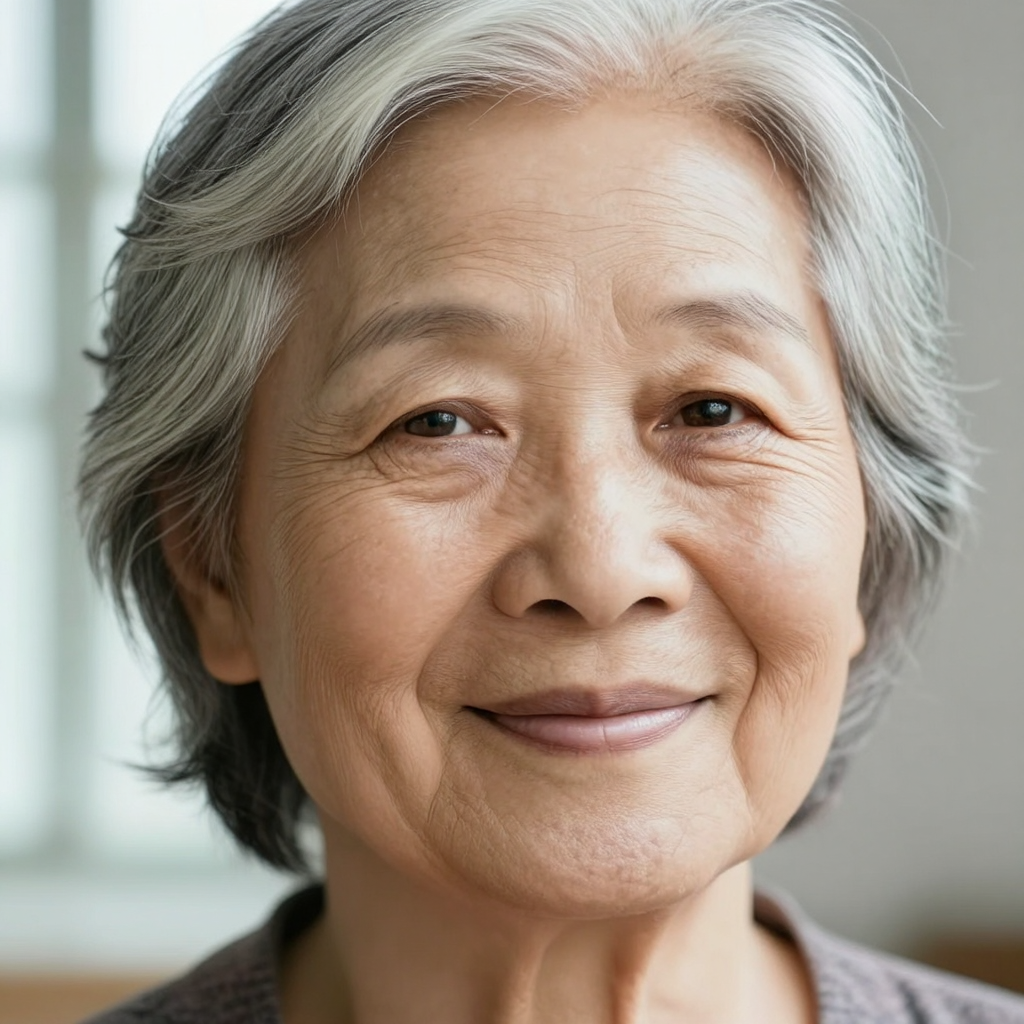 |
| 02 | Landscape | A dramatic Icelandic waterfall beneath vivid northern lights, detailed volcanic rocks, mist and water droplets, cinematic landscape photography, realistic natural textures, high dynamic range, carefully composed. | 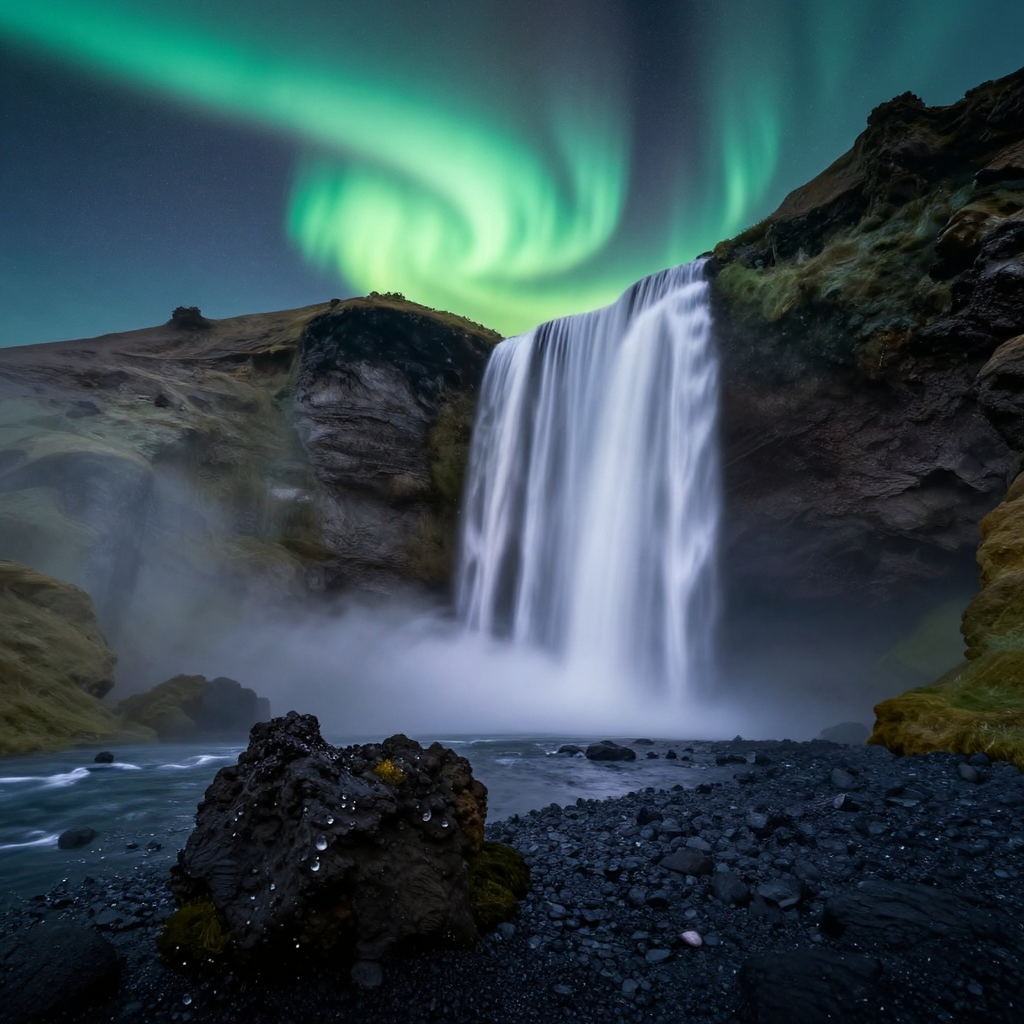 |
| 03 | Product | A premium white running shoe on a transparent acrylic pedestal, precise product edges, subtle softbox reflections, clean neutral studio background, commercial advertising photography, ultra detailed. | 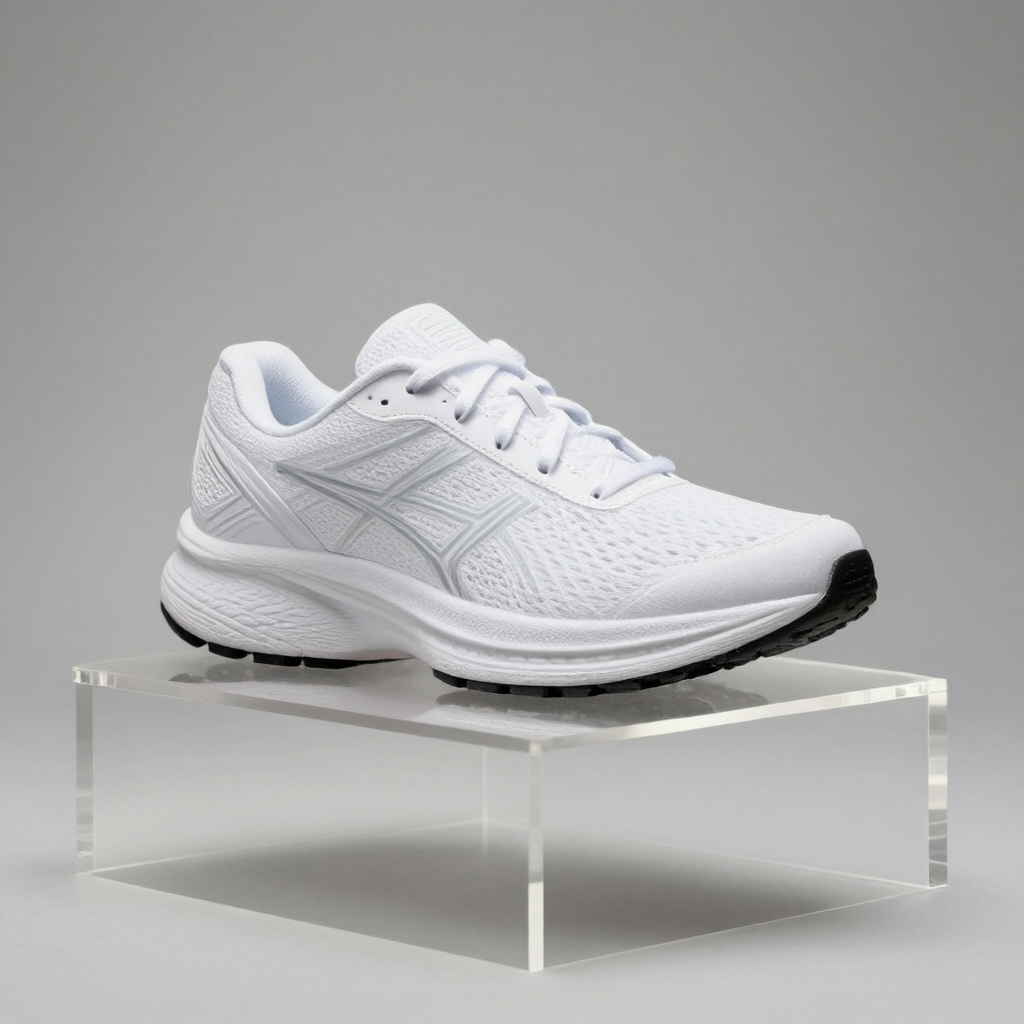 |
| 04 | Food | A steaming bowl of Sichuan mapo tofu with jasmine rice on a hand-thrown ceramic plate, glossy chili oil and herbs, warm restaurant window light, high-end food photography, detailed texture. | 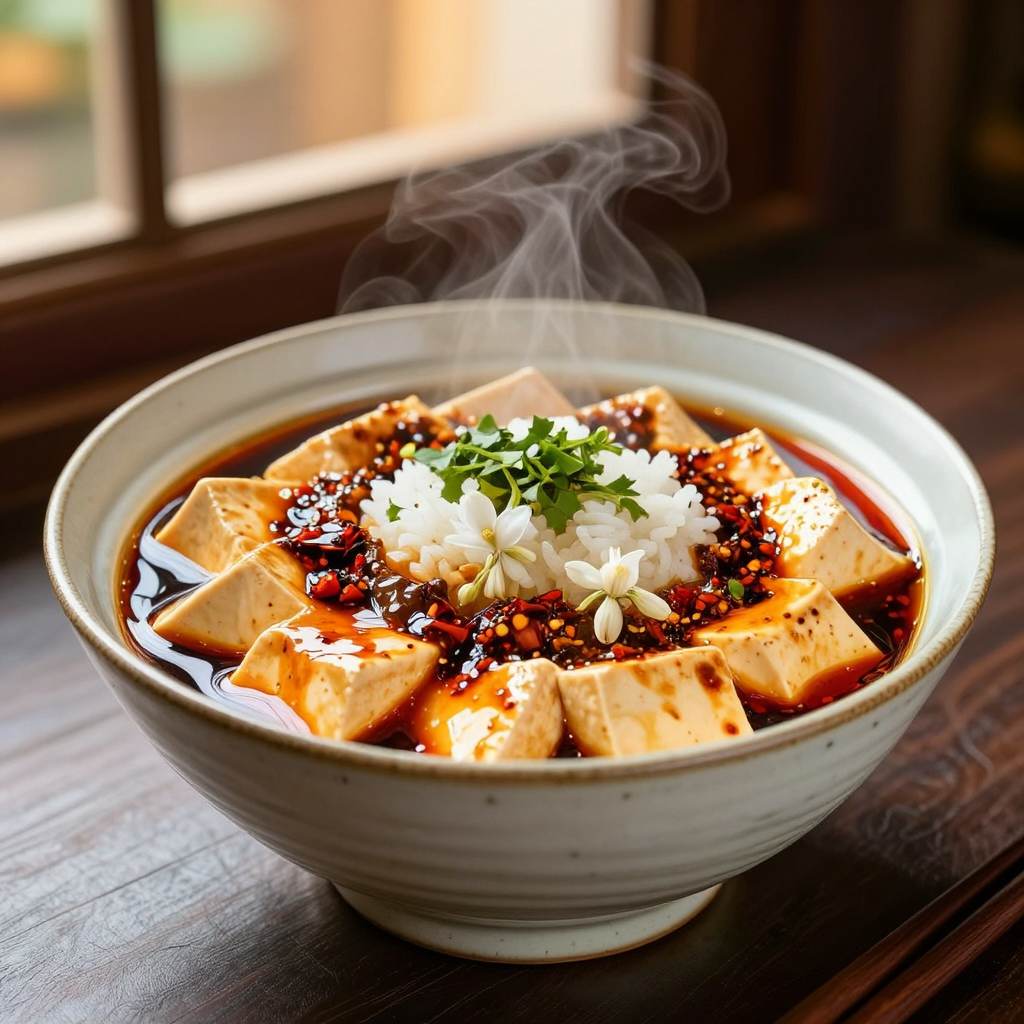 |
| 05 | Architecture | A quiet futuristic library with curved wooden balconies, indoor trees, skylights and a few readers, architectural visualization, balanced composition, realistic materials and light. | 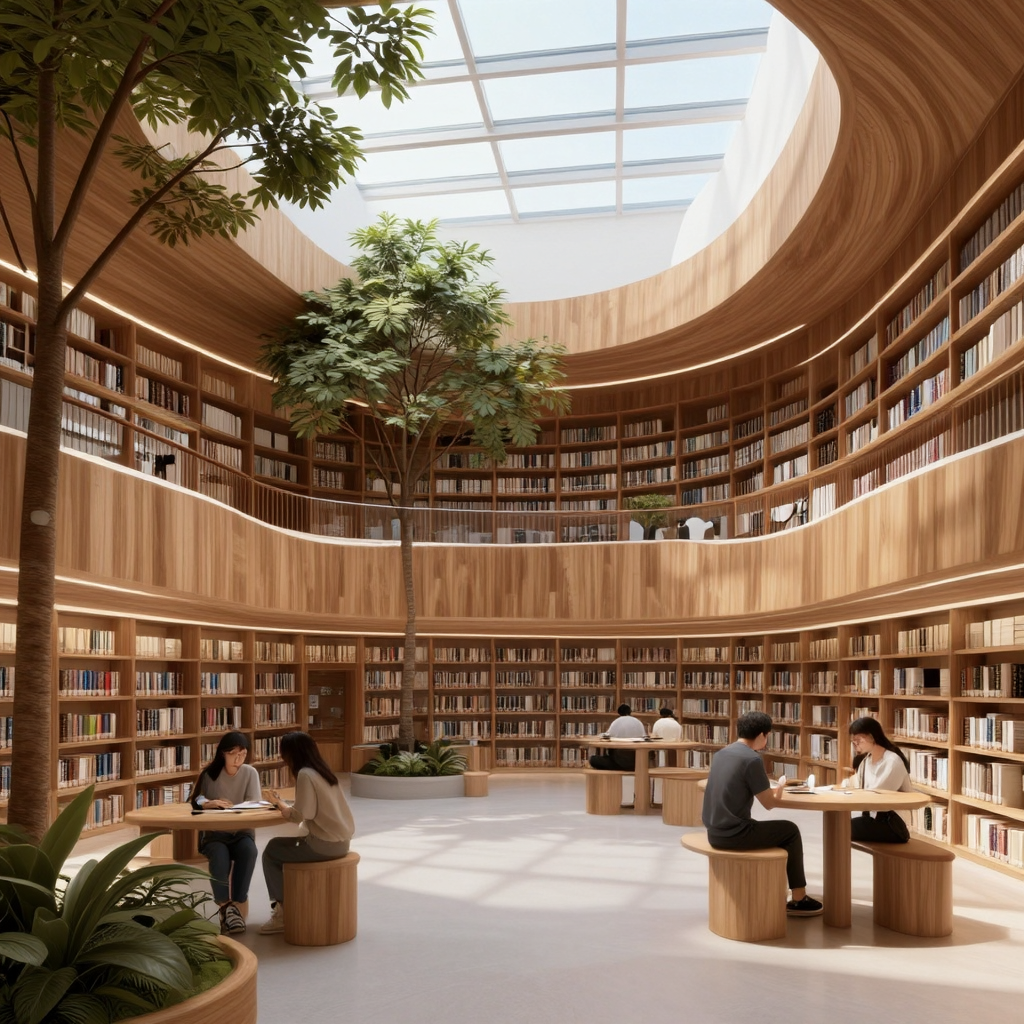 |
| 06 | English text | A modern cafe storefront in a rainy city, a clean readable neon sign that says “MAGE FLOW”, cinematic night photography, realistic reflections and typography. | 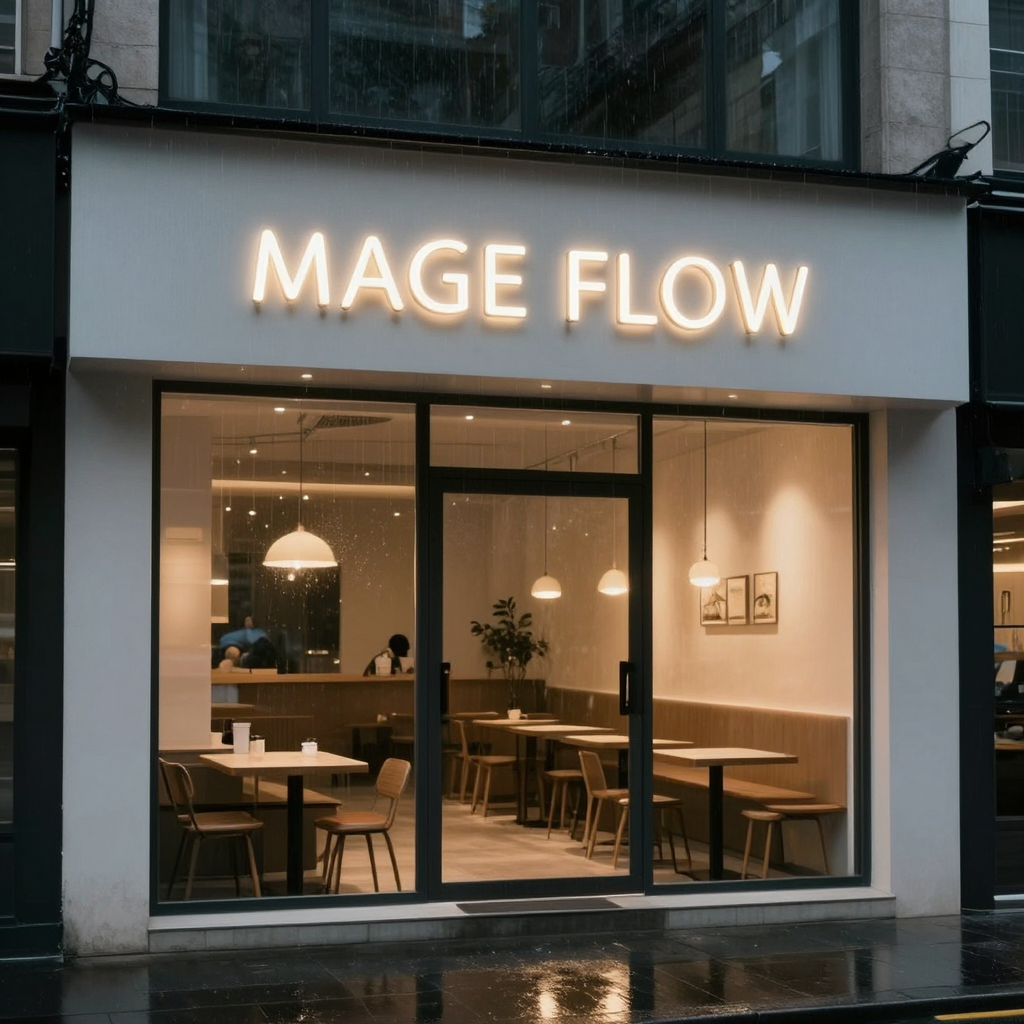 |
| 07 | Chinese text | A red paper lantern over a traditional Chinese street at dusk, a clear sign with the Chinese characters 春日安康, realistic travel photograph, detailed architecture. | 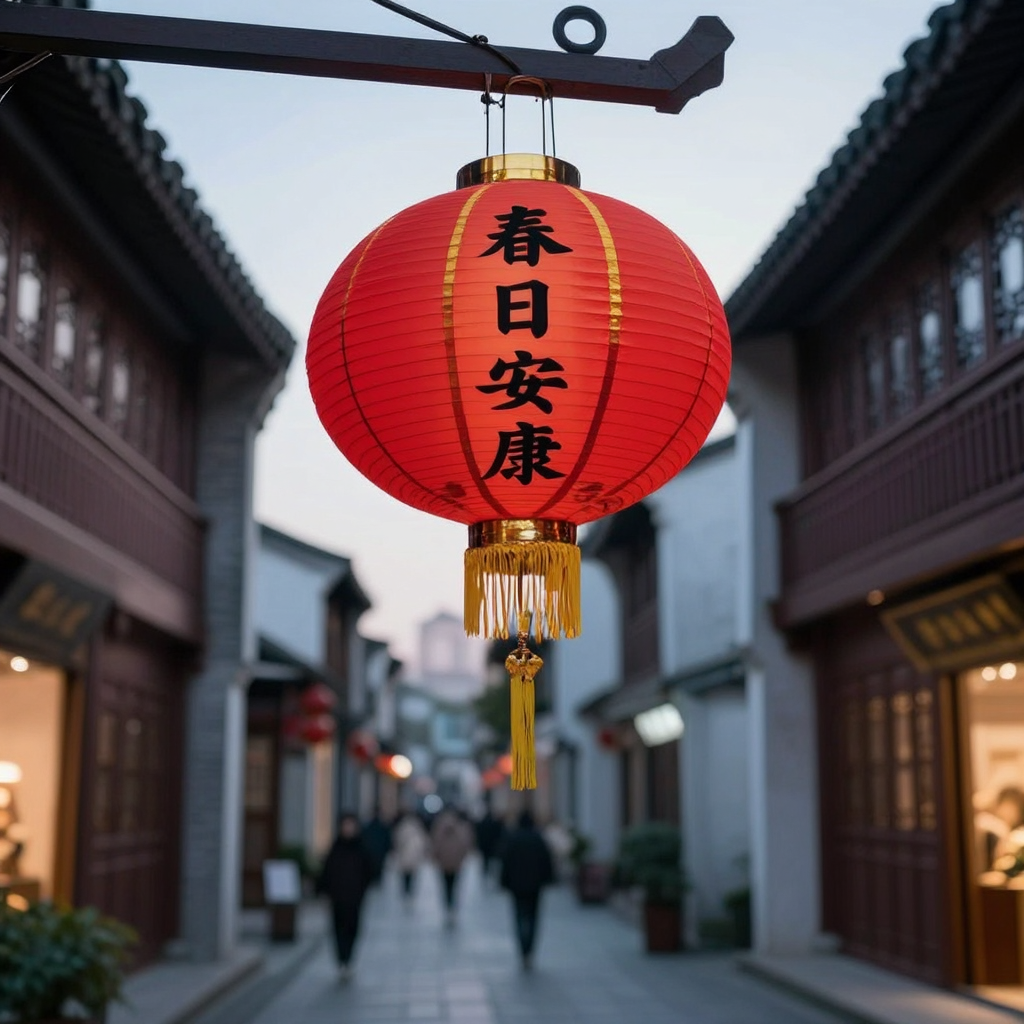 |
| 08 | Spatial arrangement | Three colorful ceramic vases of different heights arranged left to right on a wooden shelf, studio still life, precise spatial relationship, soft shadows. | 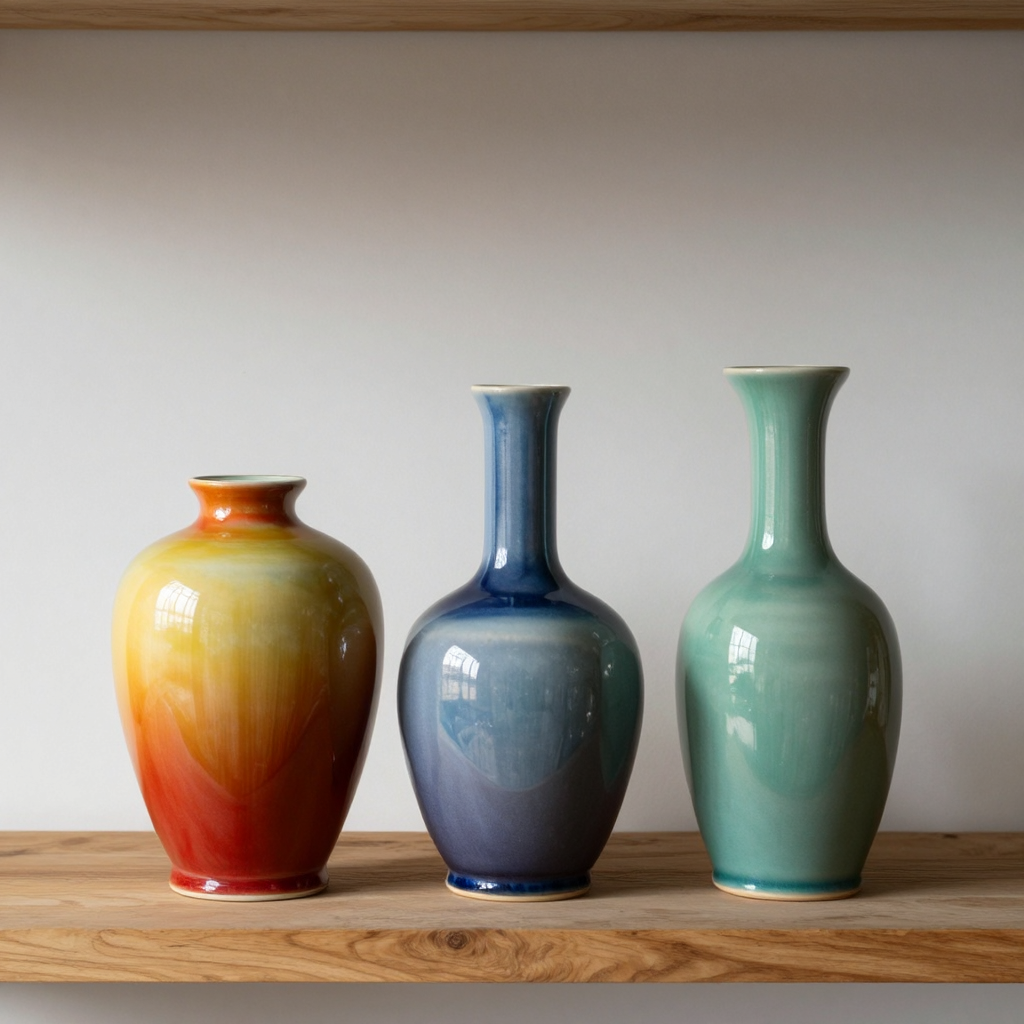 |
| 09 | Illustration | A paper-cut astronaut drinking tea on a tiny planet, whimsical editorial illustration, layered paper texture, rich colors, carefully composed. |  |
| 10 | Night scene | A cyclist crossing a foggy suspension bridge at night, wet pavement reflections, atmospheric fog, moody blue cinematic photography, detailed scene. | 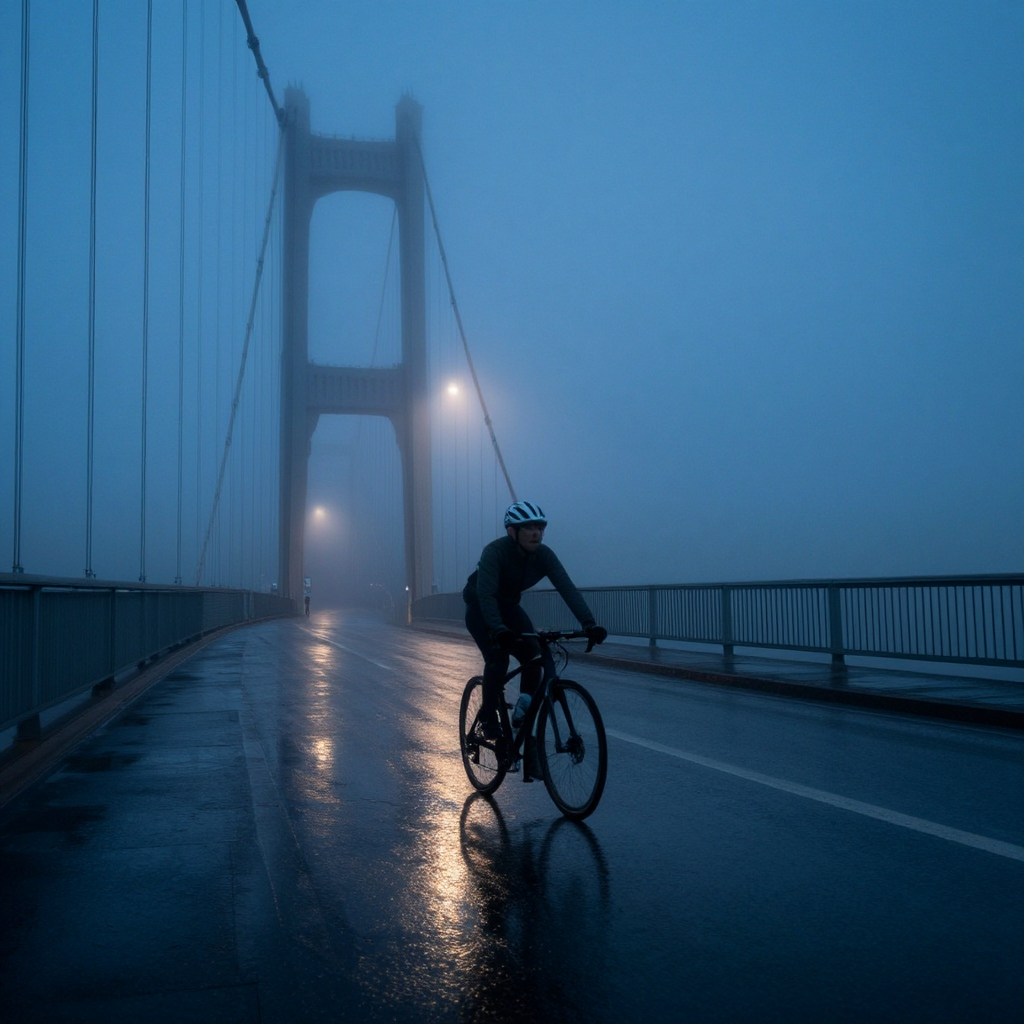 |
Mage-Flow RL-aligned · Text-to-image · 10 cases
| # | Direction | Prompt or instruction | Original output |
|---|---|---|---|
| 01 | Portrait | A close-up editorial portrait of an elderly Chinese woman with silver hair and a gentle smile, natural skin texture, fine facial detail, soft window light, 85mm lens, shallow depth of field, photorealistic, high-end magazine photography. | 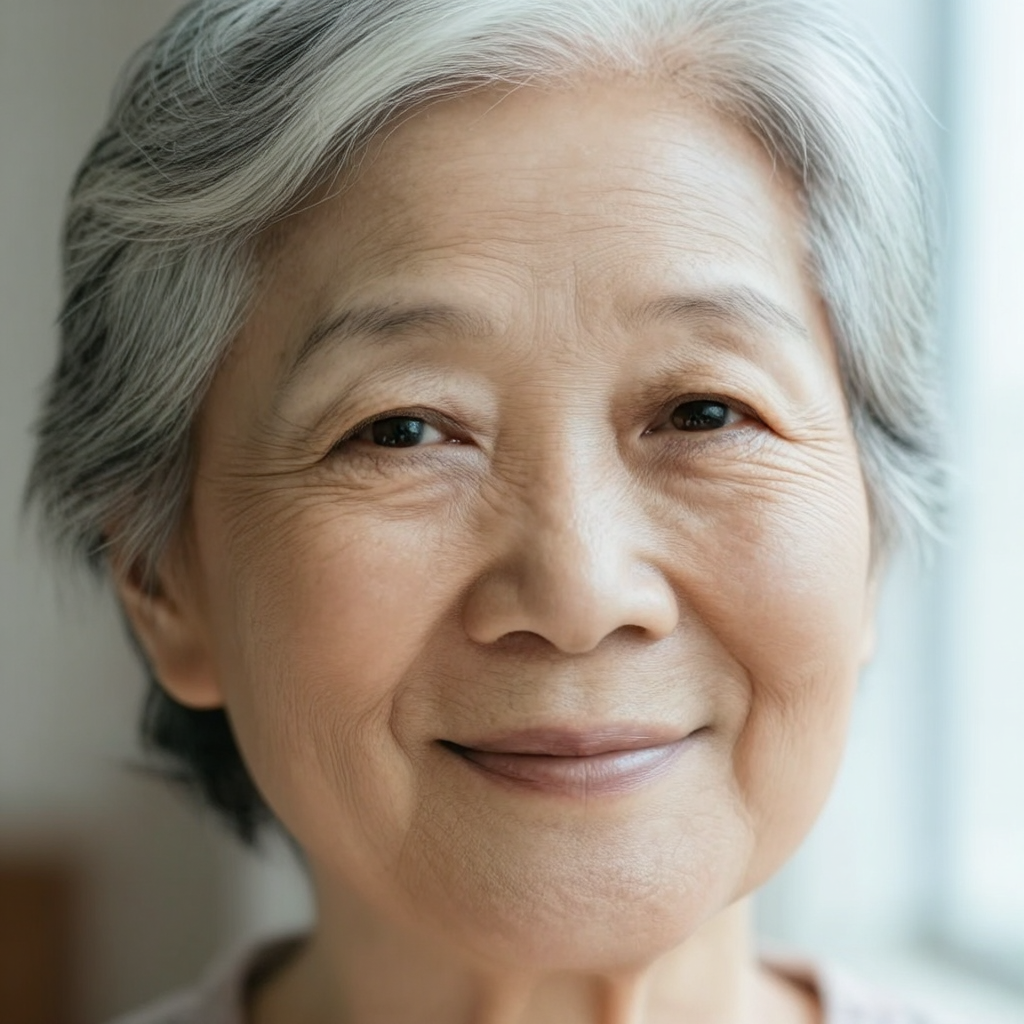 |
| 02 | Landscape | A dramatic Icelandic waterfall beneath vivid northern lights, detailed volcanic rocks, mist and water droplets, cinematic landscape photography, realistic natural textures, high dynamic range, carefully composed. | 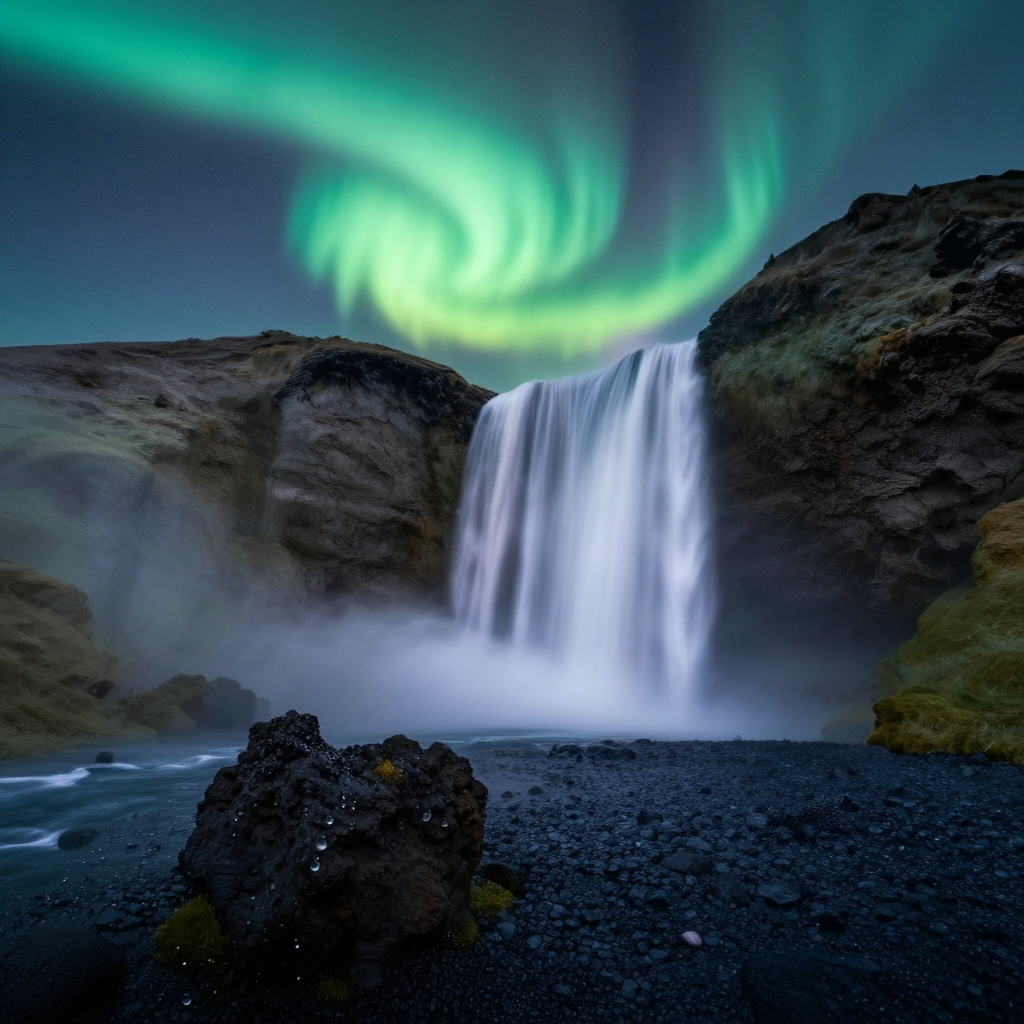 |
| 03 | Product | A premium white running shoe on a transparent acrylic pedestal, precise product edges, subtle softbox reflections, clean neutral studio background, commercial advertising photography, ultra detailed. | 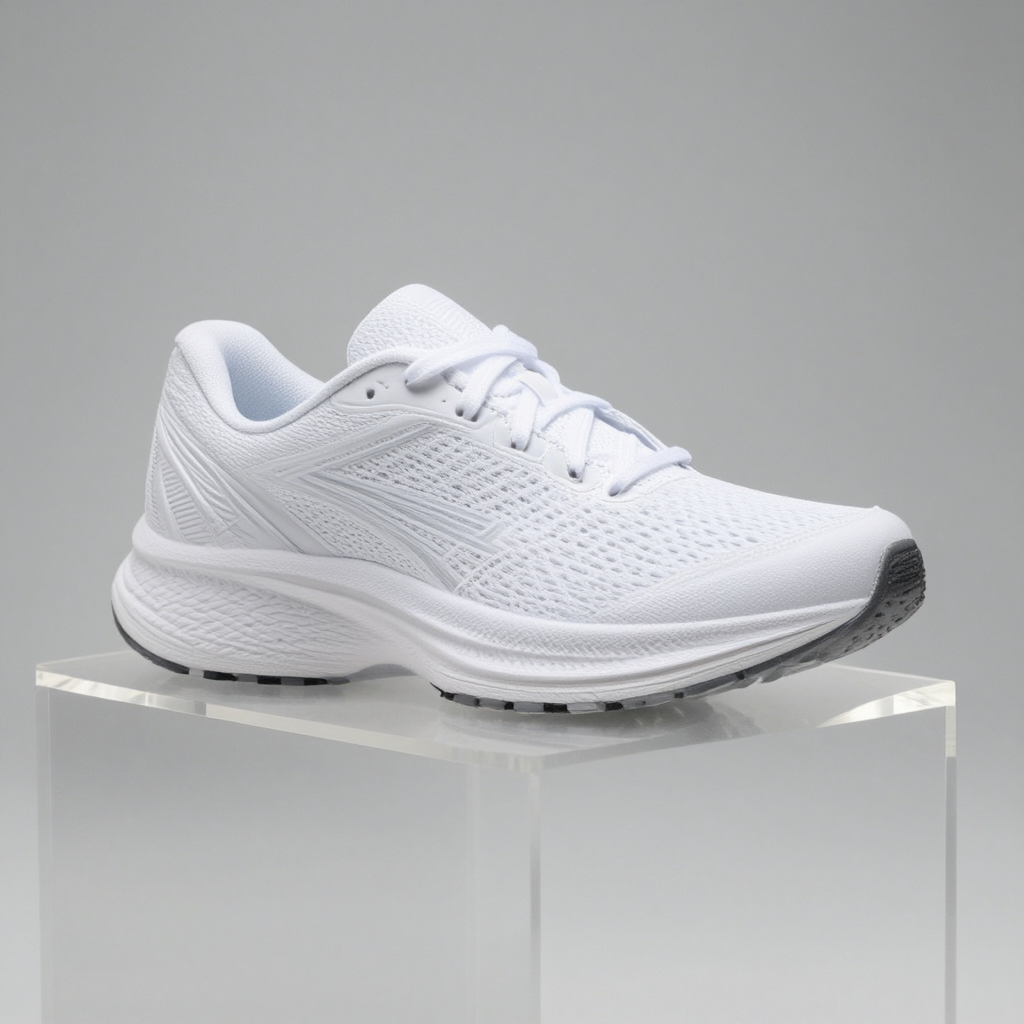 |
| 04 | Food | A steaming bowl of Sichuan mapo tofu with jasmine rice on a hand-thrown ceramic plate, glossy chili oil and herbs, warm restaurant window light, high-end food photography, detailed texture. | 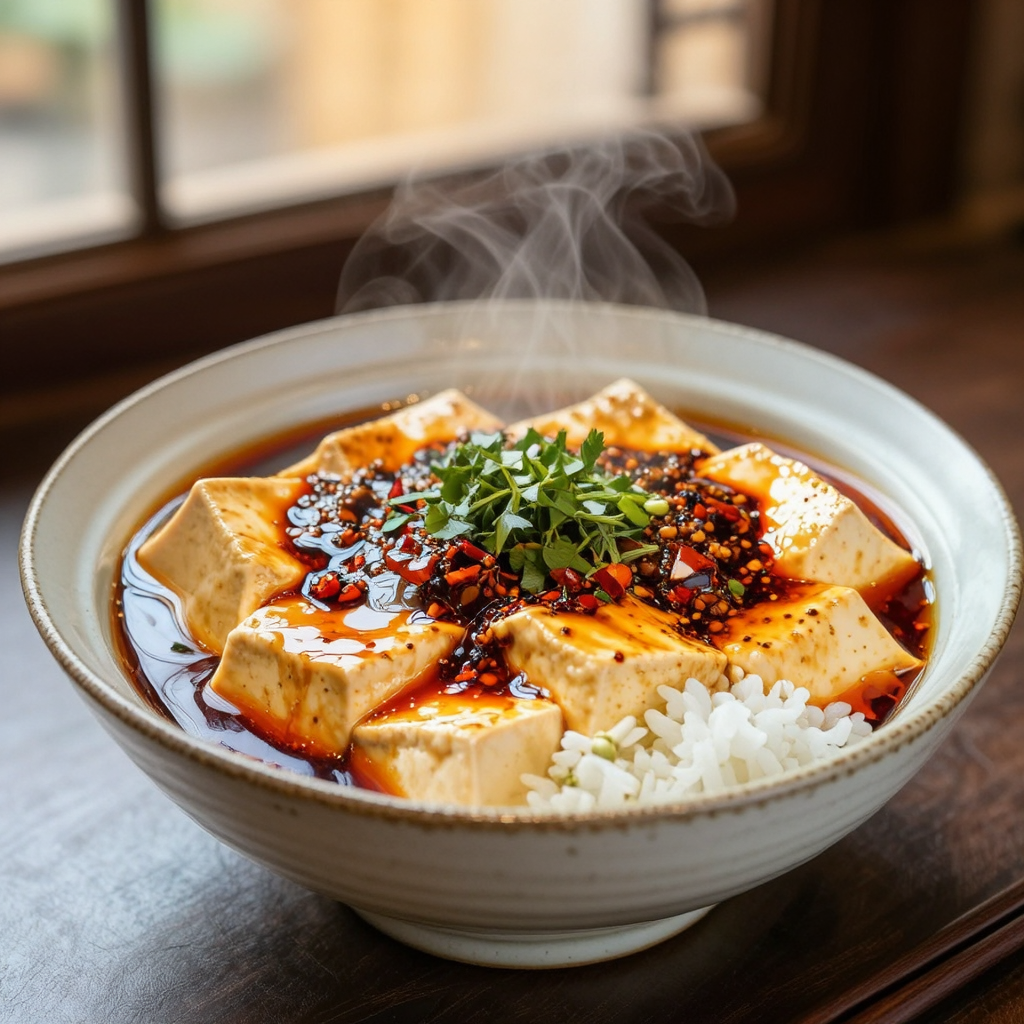 |
| 05 | Architecture | A quiet futuristic library with curved wooden balconies, indoor trees, skylights and a few readers, architectural visualization, balanced composition, realistic materials and light. | 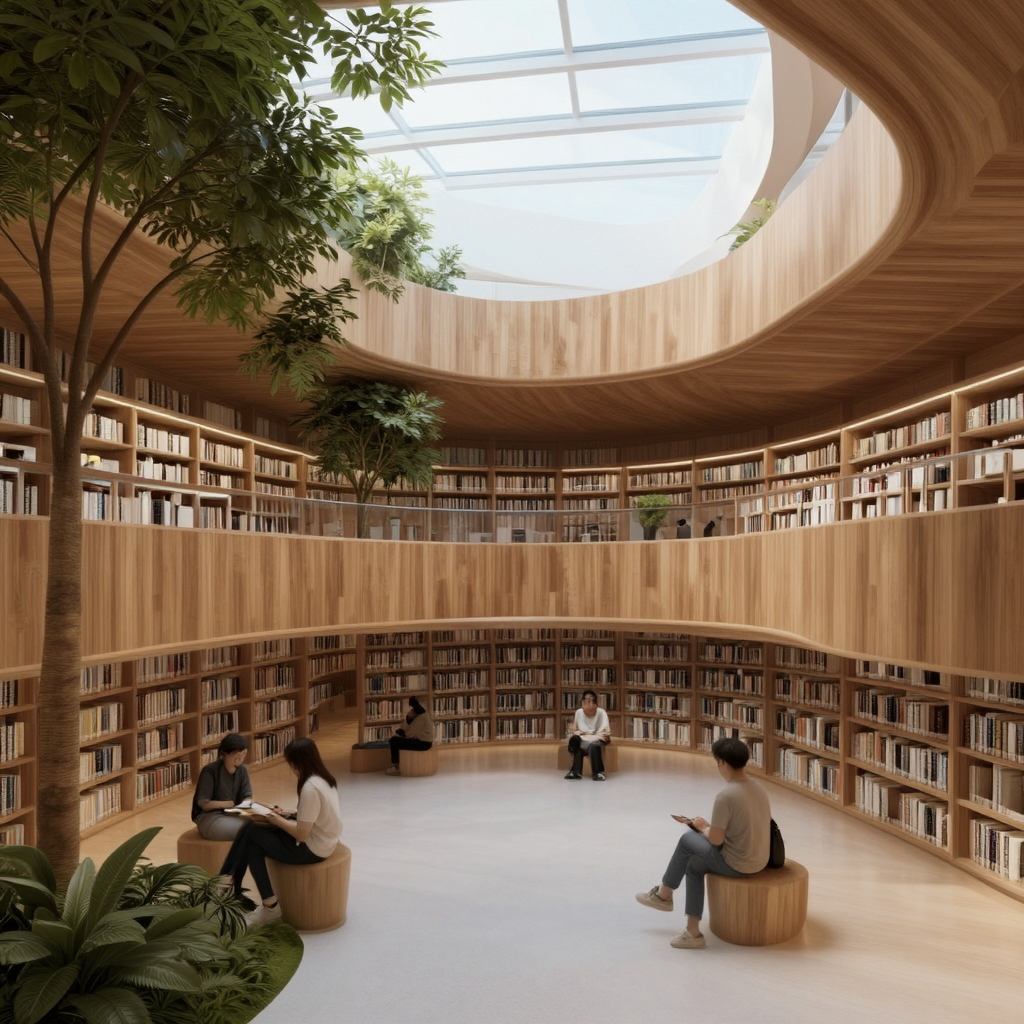 |
| 06 | English text | A modern cafe storefront in a rainy city, a clean readable neon sign that says “MAGE FLOW”, cinematic night photography, realistic reflections and typography. | 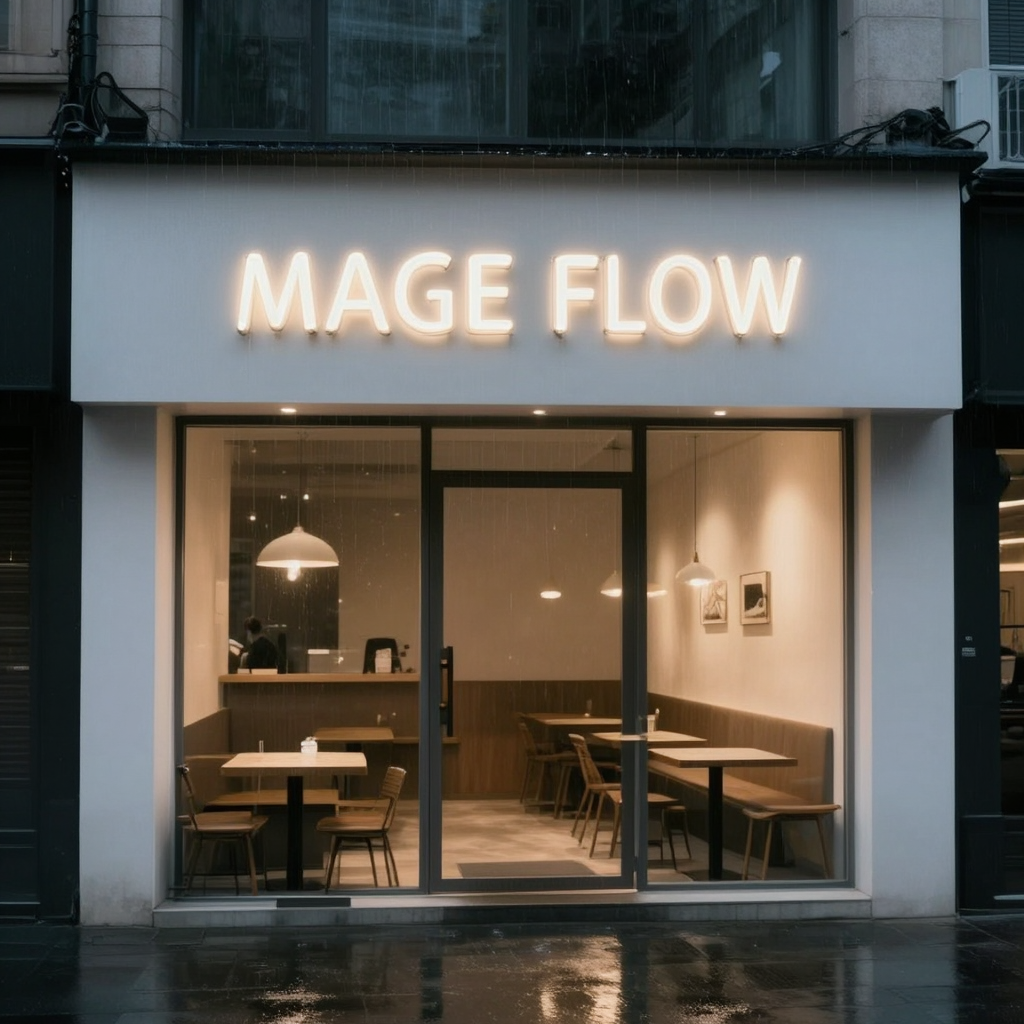 |
| 07 | Chinese text | A red paper lantern over a traditional Chinese street at dusk, a clear sign with the Chinese characters 春日安康, realistic travel photograph, detailed architecture. | 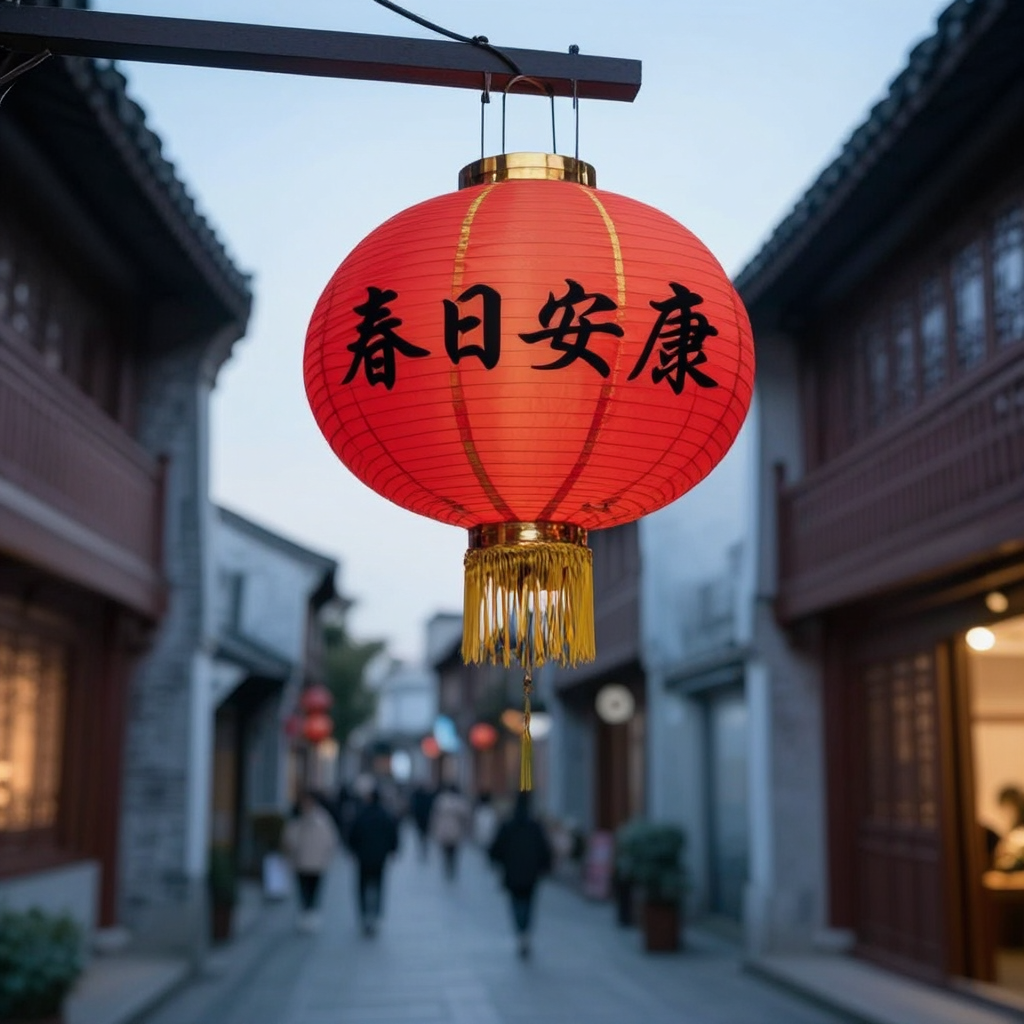 |
| 08 | Spatial arrangement | Three colorful ceramic vases of different heights arranged left to right on a wooden shelf, studio still life, precise spatial relationship, soft shadows. | 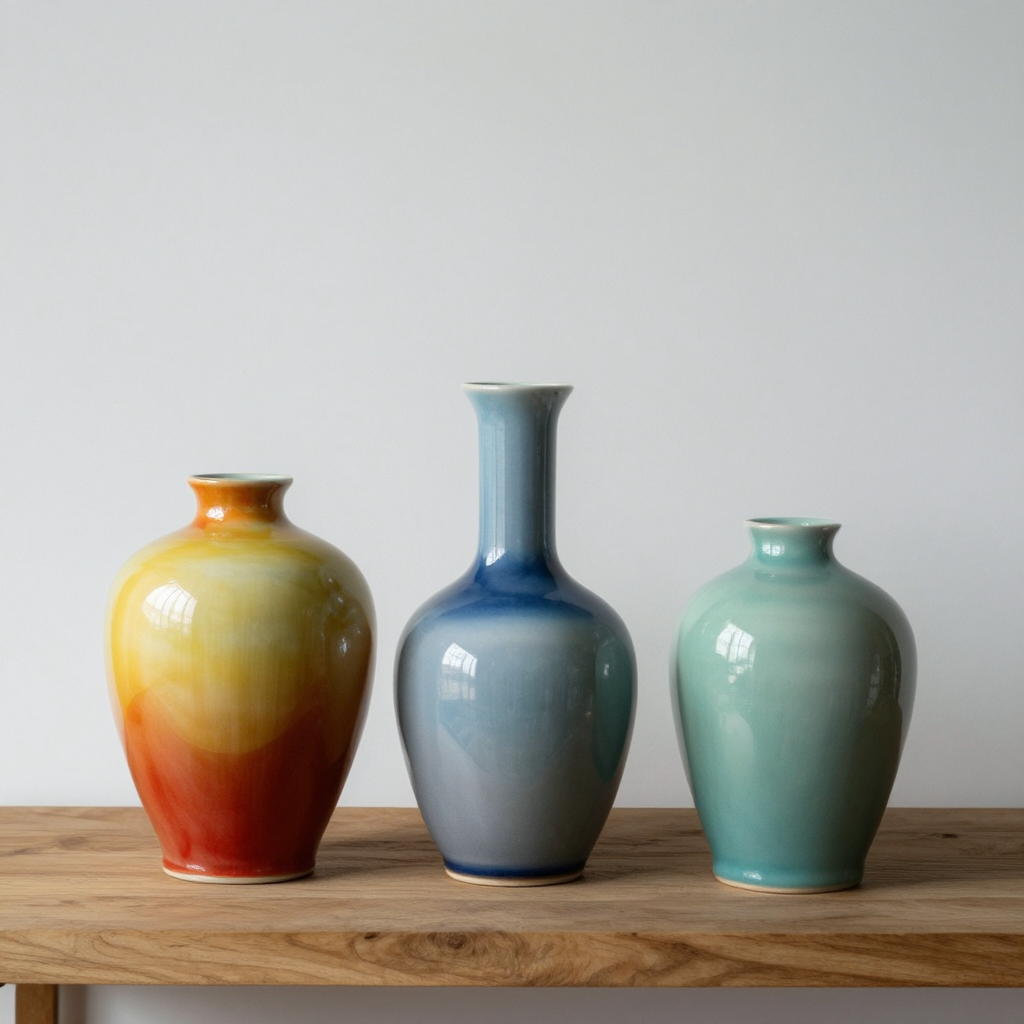 |
| 09 | Illustration | A paper-cut astronaut drinking tea on a tiny planet, whimsical editorial illustration, layered paper texture, rich colors, carefully composed. |  |
| 10 | Night scene | A cyclist crossing a foggy suspension bridge at night, wet pavement reflections, atmospheric fog, moody blue cinematic photography, detailed scene. | 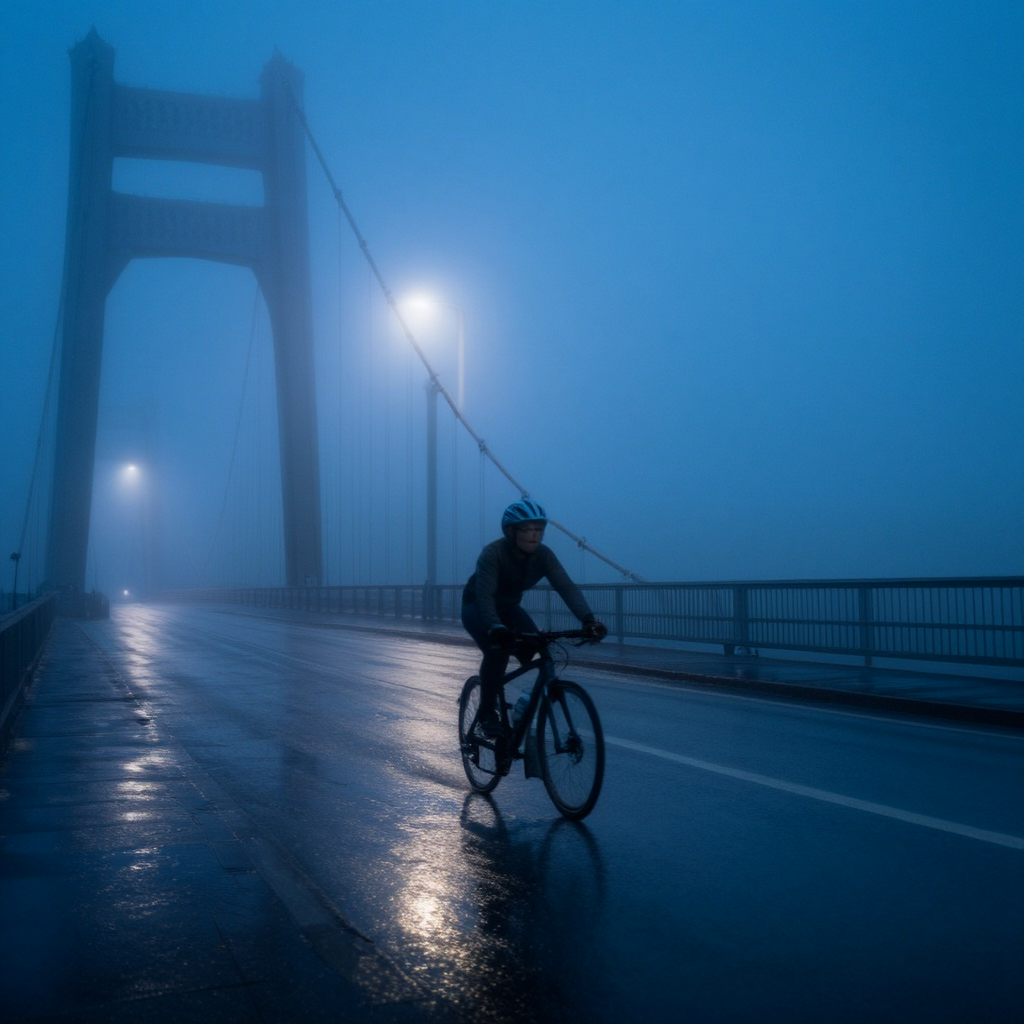 |
Mage-Flow Turbo · Text-to-image · 10 cases
| # | Direction | Prompt or instruction | Original output |
|---|---|---|---|
| 01 | Portrait | A close-up editorial portrait of an elderly Chinese woman with silver hair and a gentle smile, natural skin texture, fine facial detail, soft window light, 85mm lens, shallow depth of field, photorealistic, high-end magazine photography. | 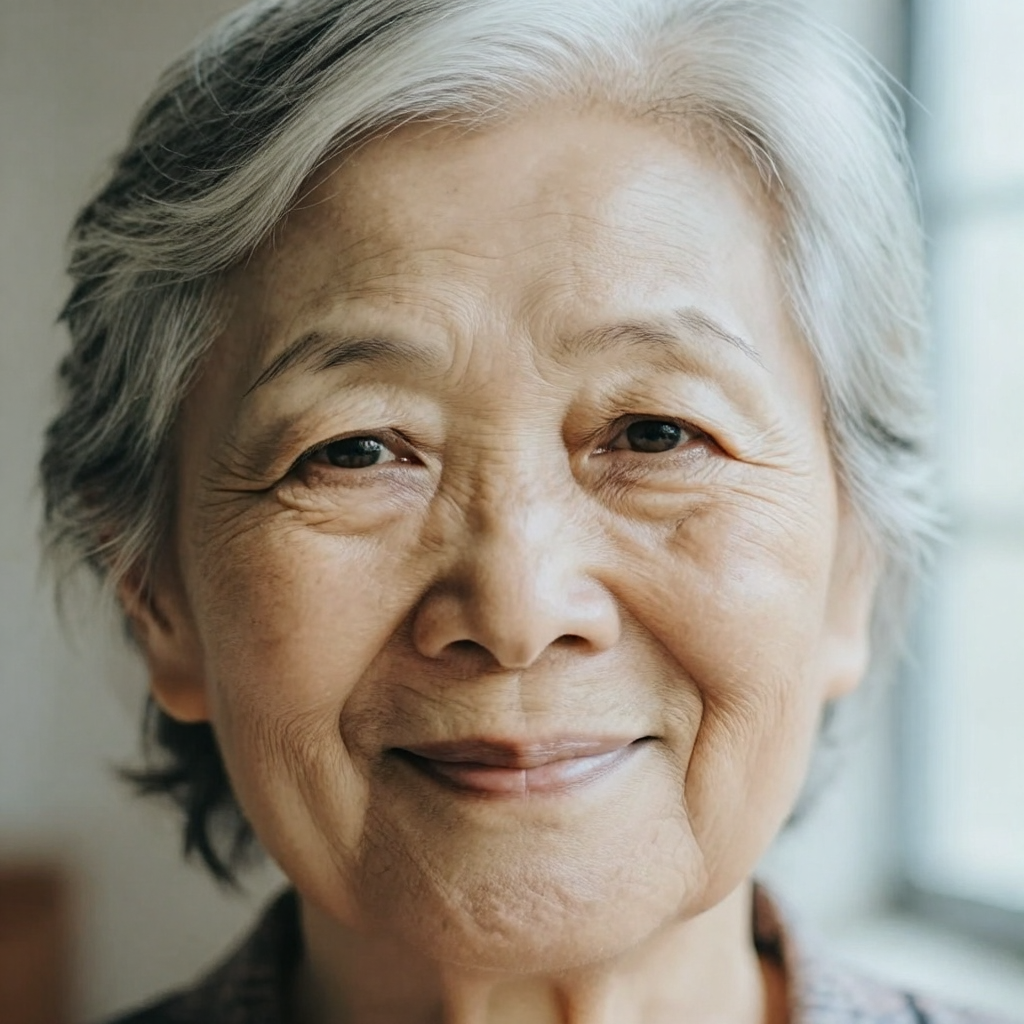 |
| 02 | Landscape | A dramatic Icelandic waterfall beneath vivid northern lights, detailed volcanic rocks, mist and water droplets, cinematic landscape photography, realistic natural textures, high dynamic range, carefully composed. | 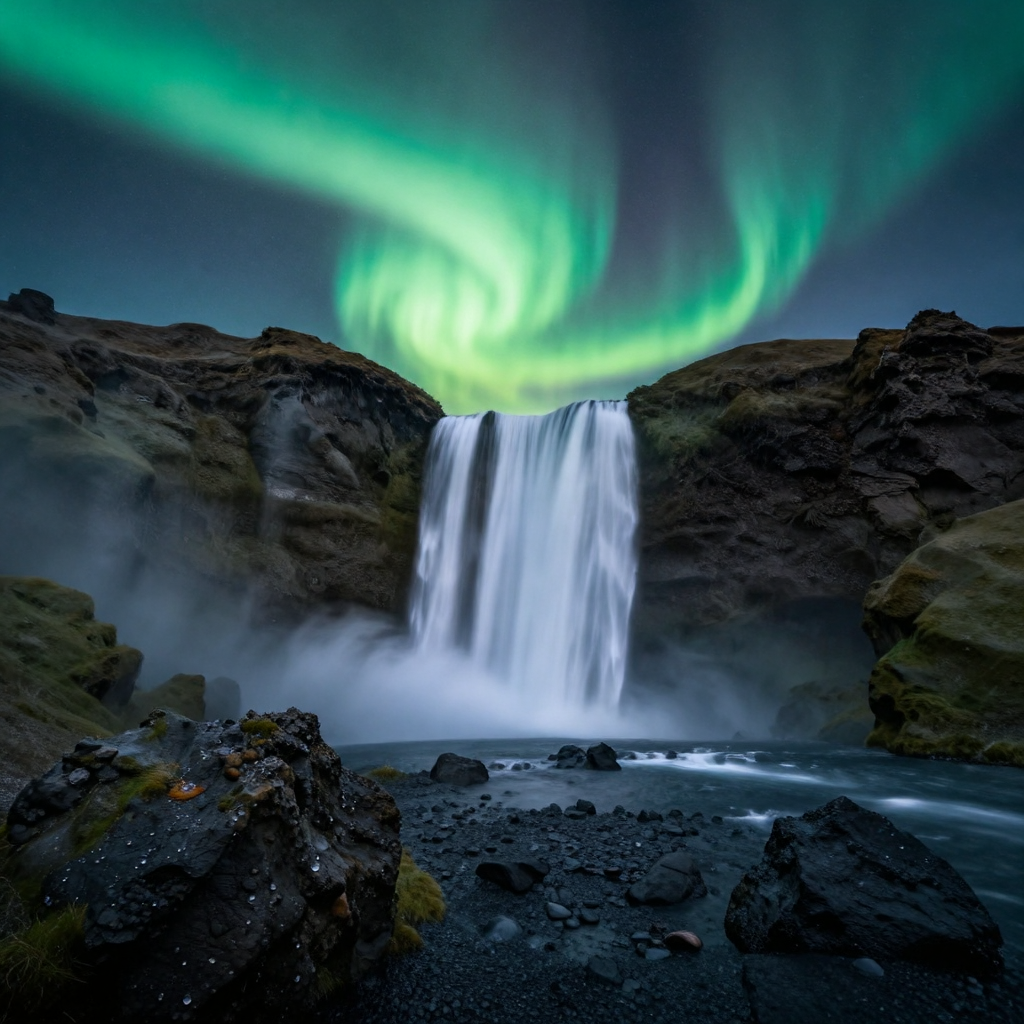 |
| 03 | Product | A premium white running shoe on a transparent acrylic pedestal, precise product edges, subtle softbox reflections, clean neutral studio background, commercial advertising photography, ultra detailed. | 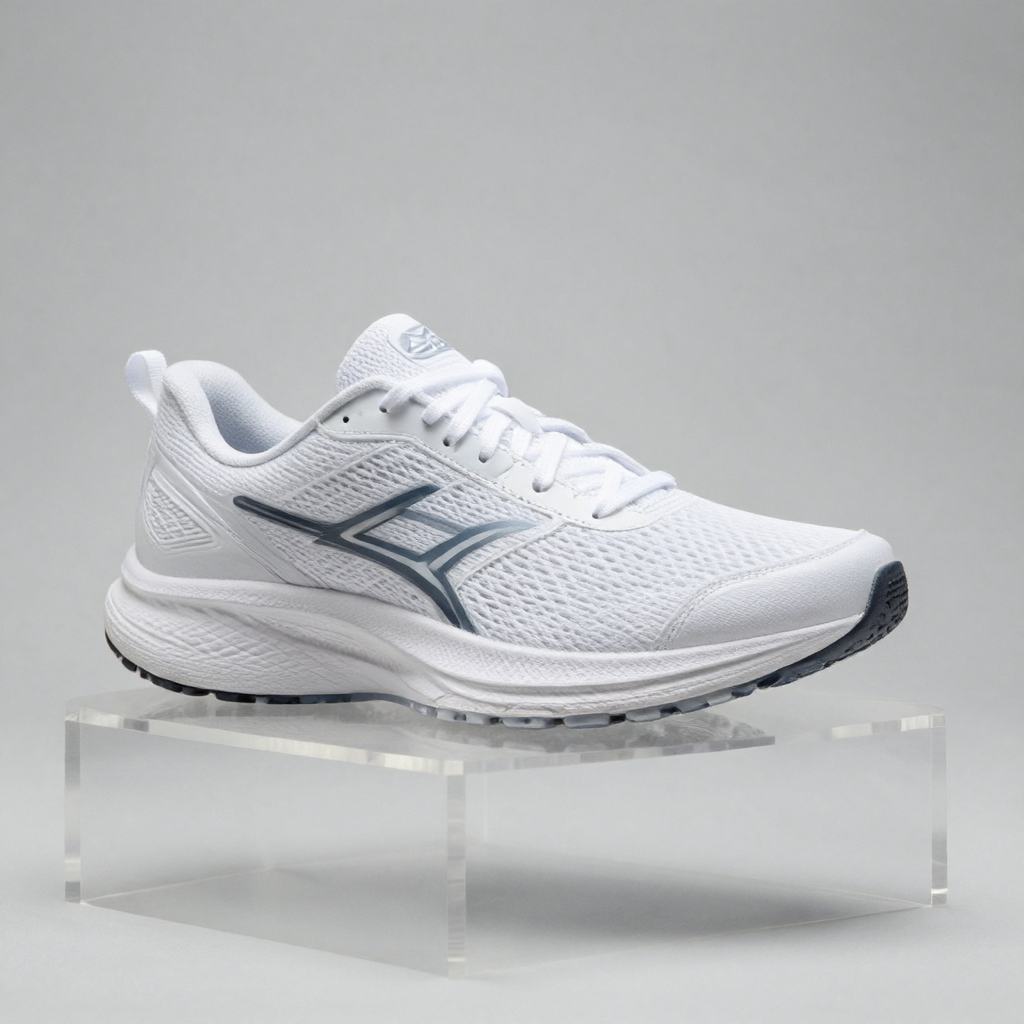 |
| 04 | Food | A steaming bowl of Sichuan mapo tofu with jasmine rice on a hand-thrown ceramic plate, glossy chili oil and herbs, warm restaurant window light, high-end food photography, detailed texture. | 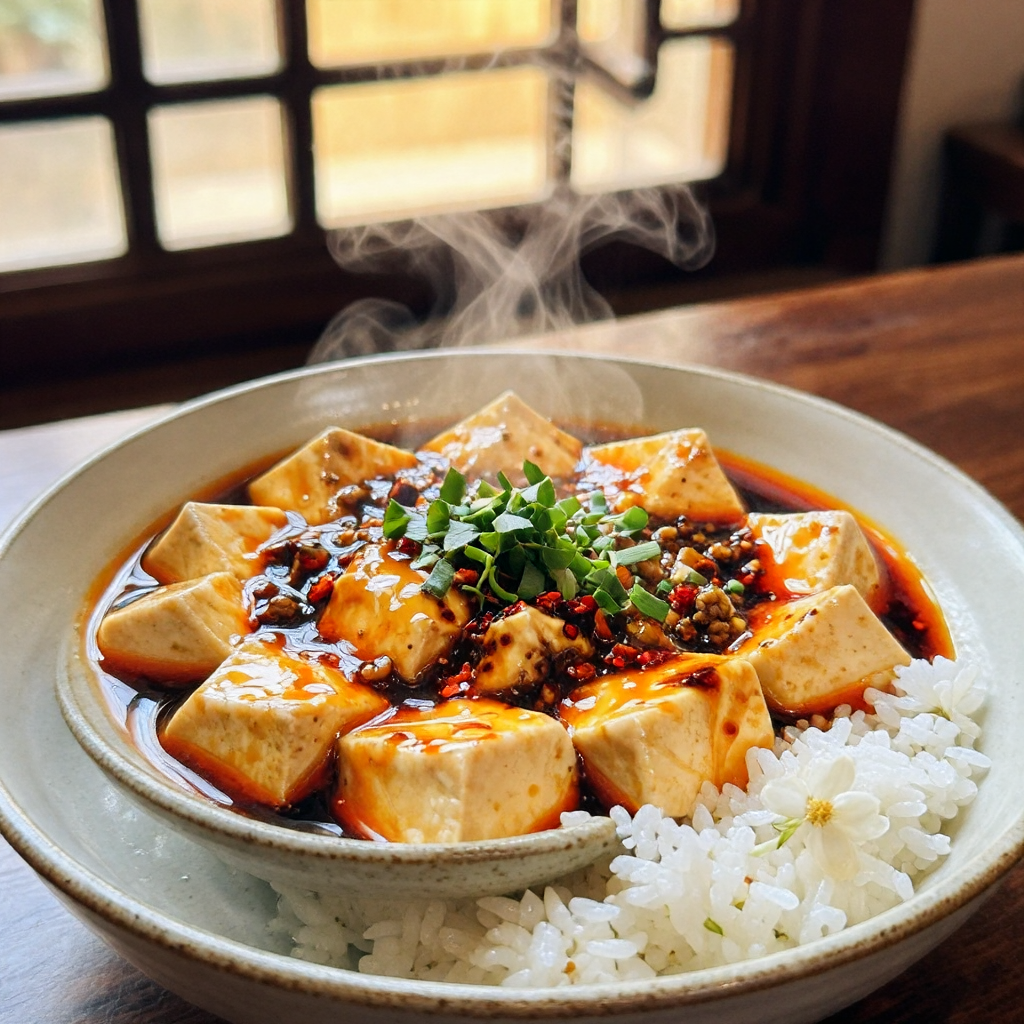 |
| 05 | Architecture | A quiet futuristic library with curved wooden balconies, indoor trees, skylights and a few readers, architectural visualization, balanced composition, realistic materials and light. | 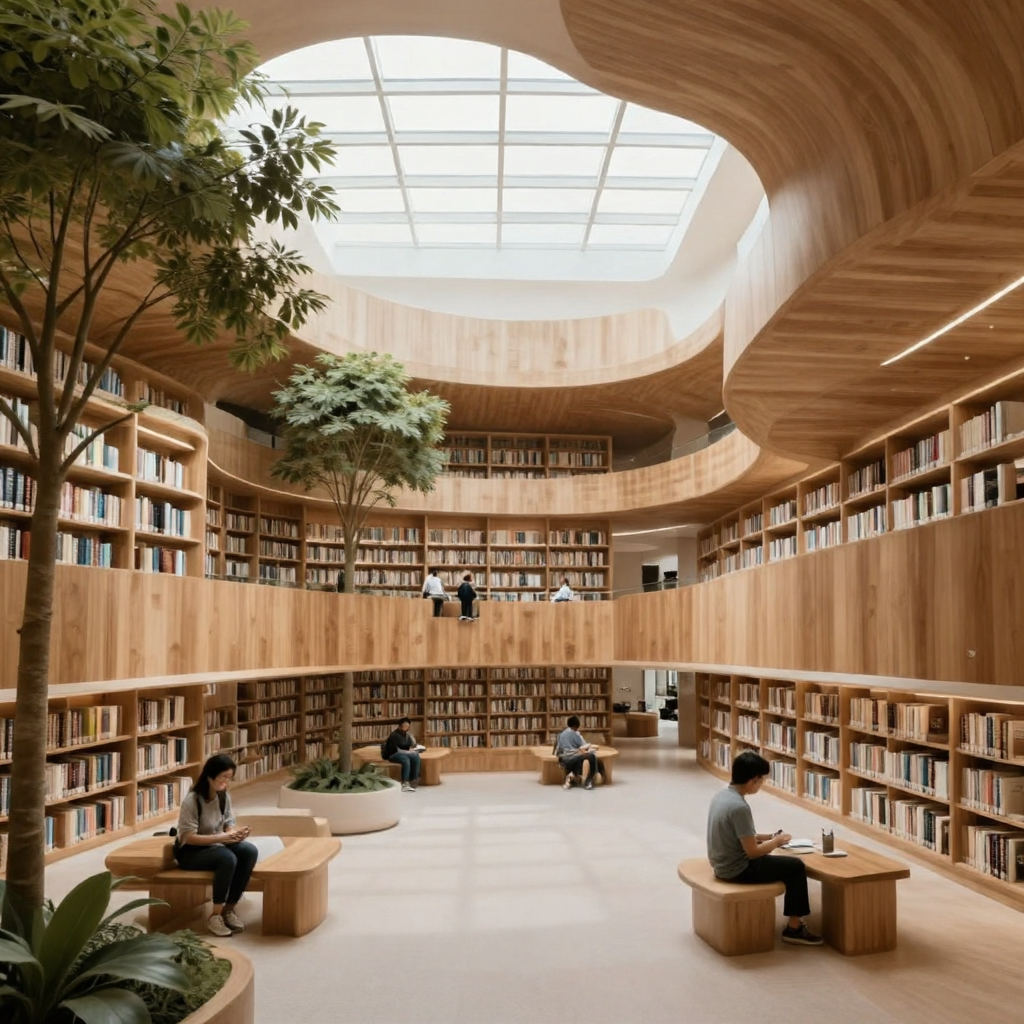 |
| 06 | English text | A modern cafe storefront in a rainy city, a clean readable neon sign that says “MAGE FLOW”, cinematic night photography, realistic reflections and typography. | 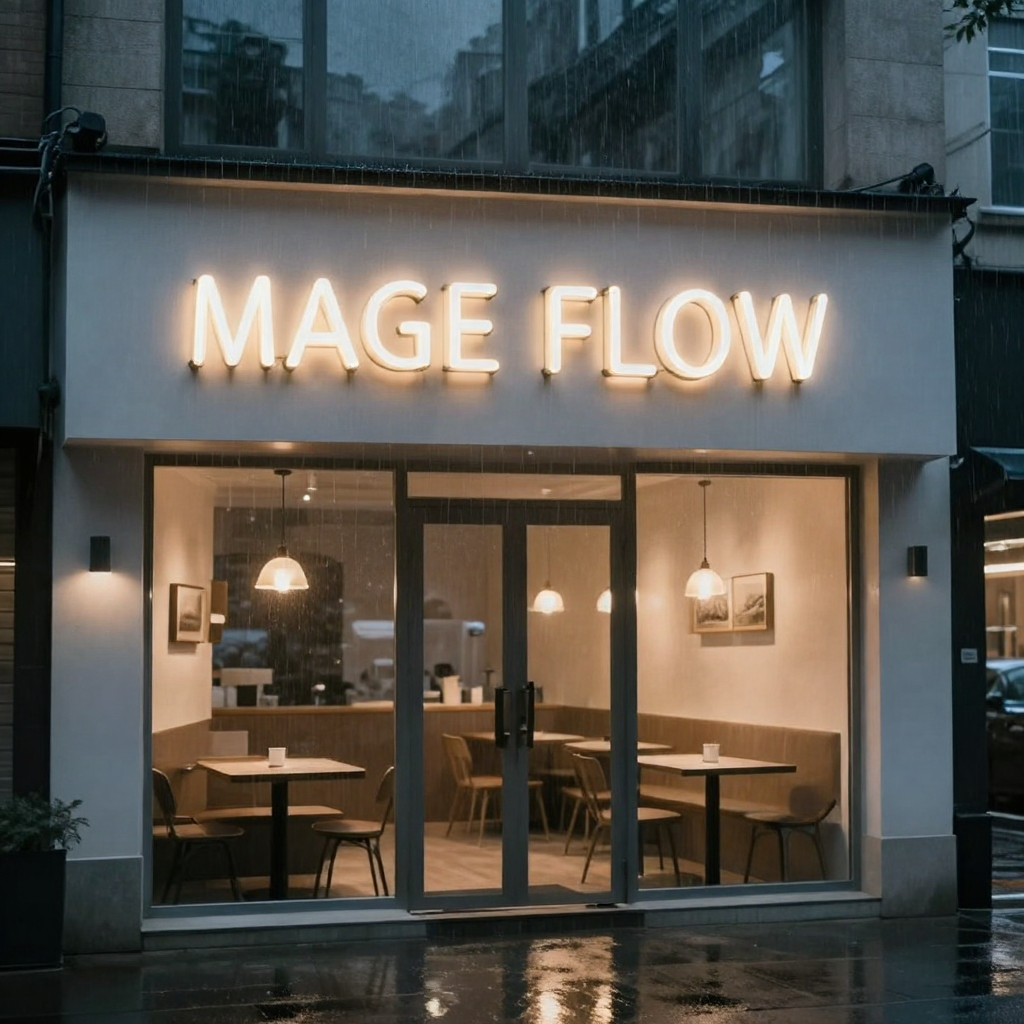 |
| 07 | Chinese text | A red paper lantern over a traditional Chinese street at dusk, a clear sign with the Chinese characters 春日安康, realistic travel photograph, detailed architecture. | 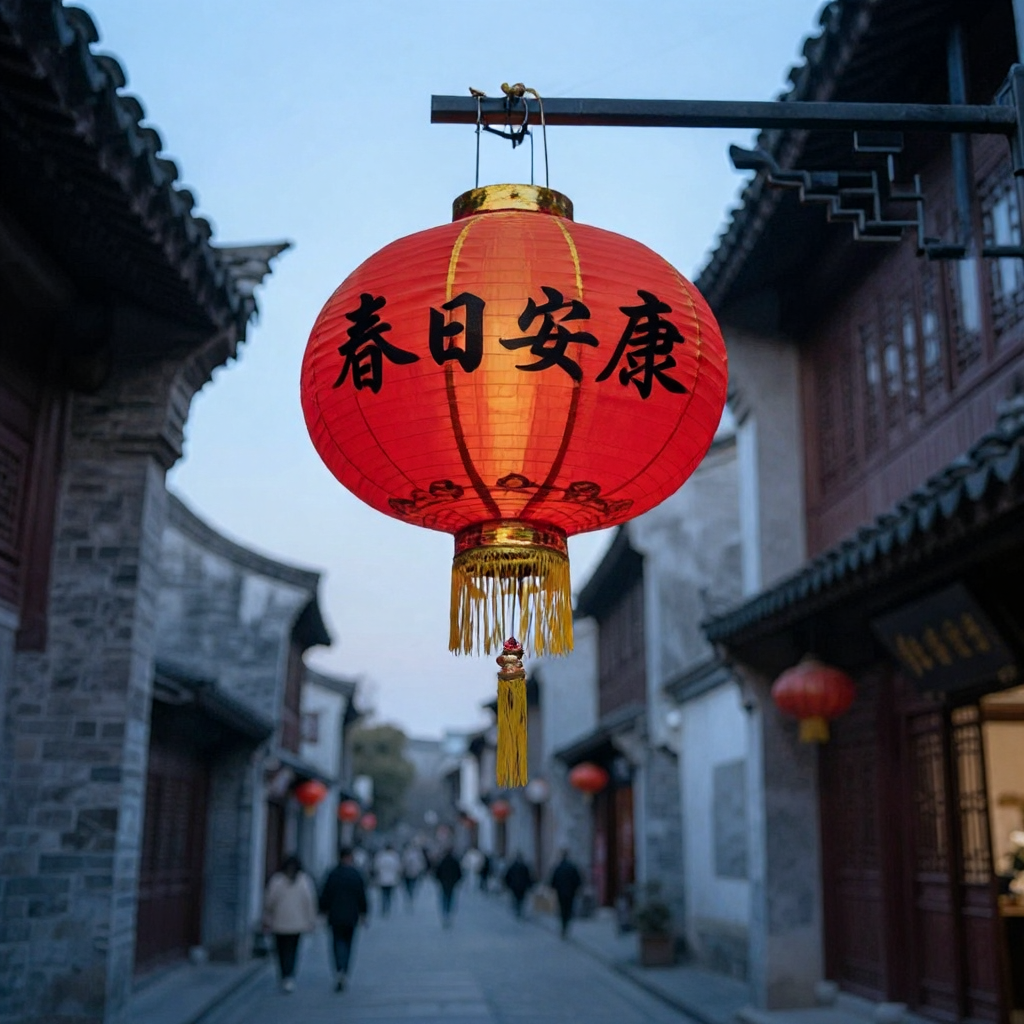 |
| 08 | Spatial arrangement | Three colorful ceramic vases of different heights arranged left to right on a wooden shelf, studio still life, precise spatial relationship, soft shadows. | 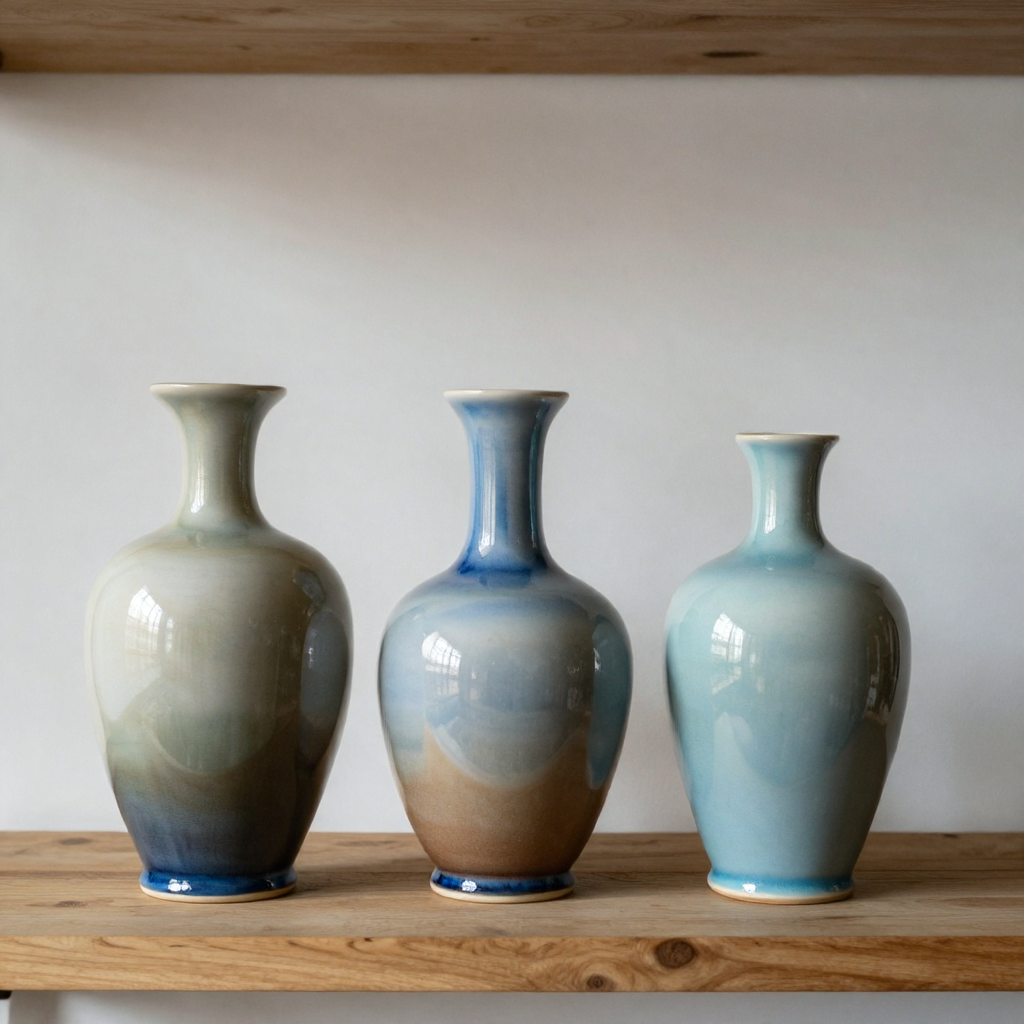 |
| 09 | Illustration | A paper-cut astronaut drinking tea on a tiny planet, whimsical editorial illustration, layered paper texture, rich colors, carefully composed. |  |
| 10 | Night scene | A cyclist crossing a foggy suspension bridge at night, wet pavement reflections, atmospheric fog, moody blue cinematic photography, detailed scene. | 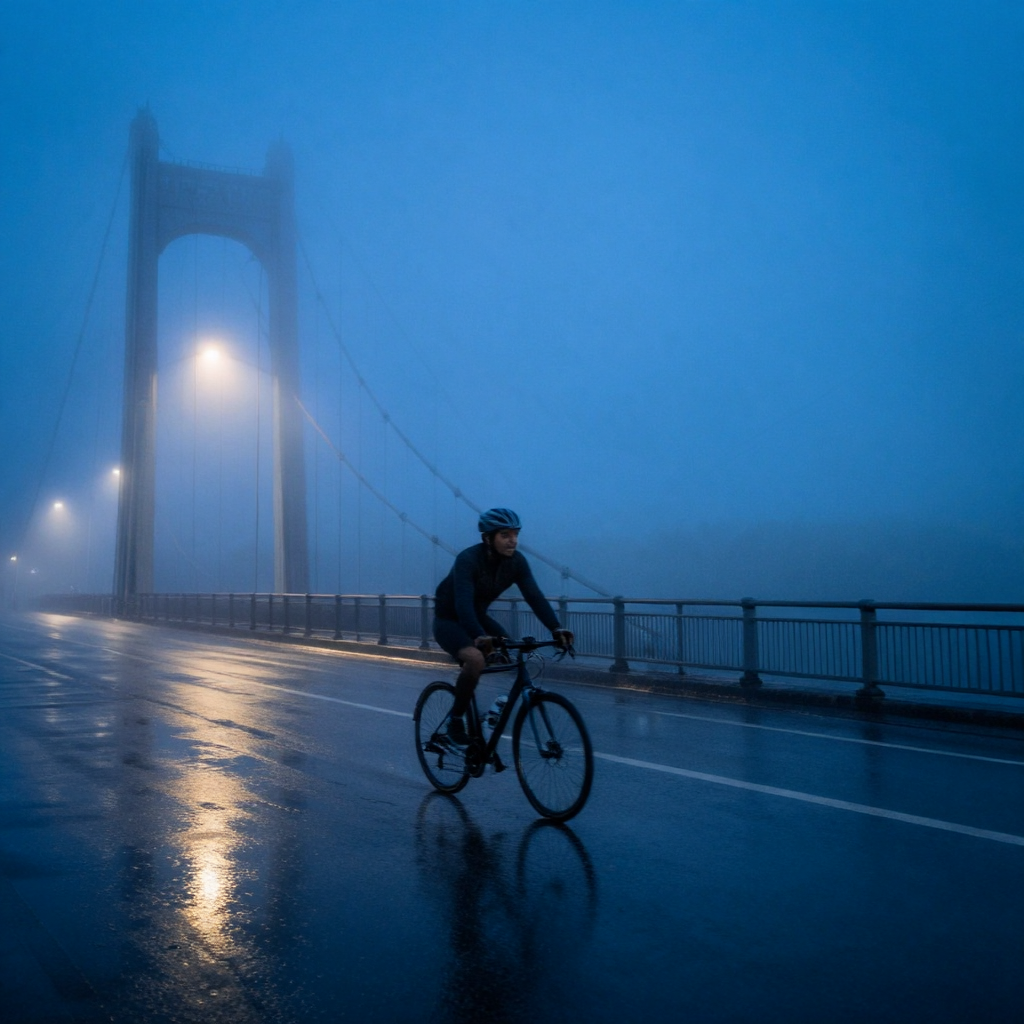 |
Mage-Flow Edit Base · Image editing · 10 cases
| # | Direction | Prompt or instruction | Original output |
|---|---|---|---|
| 01 | Background replacement | Replace the background with a field of sunflowers while preserving the subject, pose, face and lighting. | 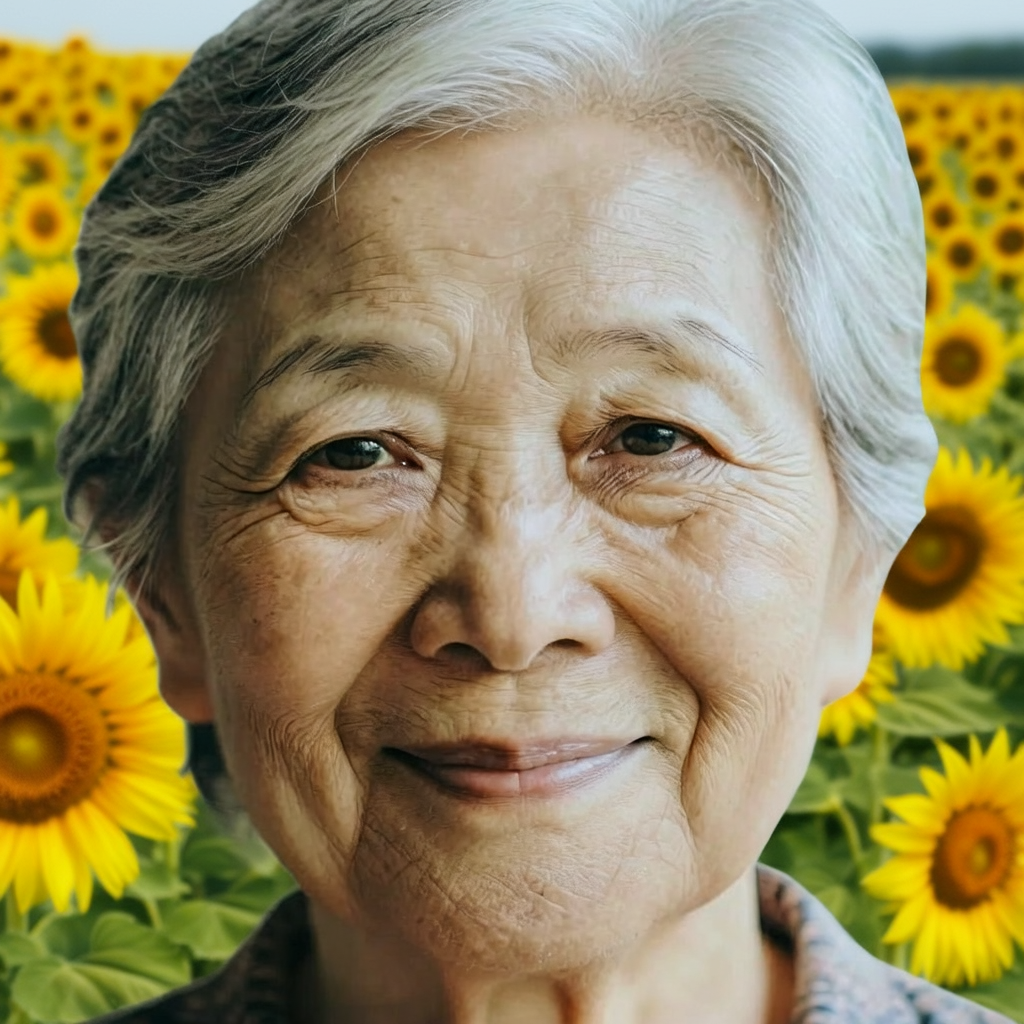 |
| 02 | Watercolor style | Transform the image into a detailed watercolor painting while preserving composition, facial identity and proportions. | 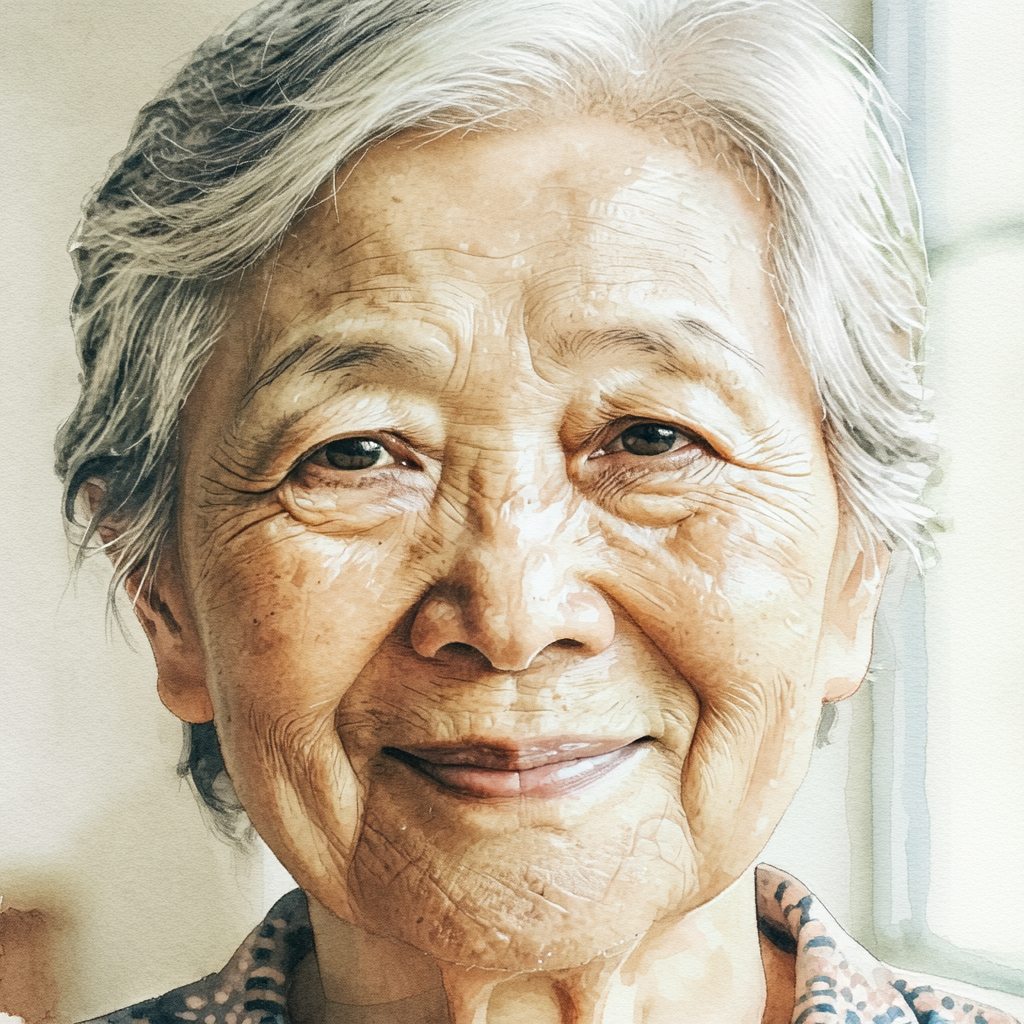 |
| 03 | Clothing color | Change the clothing color to deep emerald green while keeping the face, pose and background unchanged. | 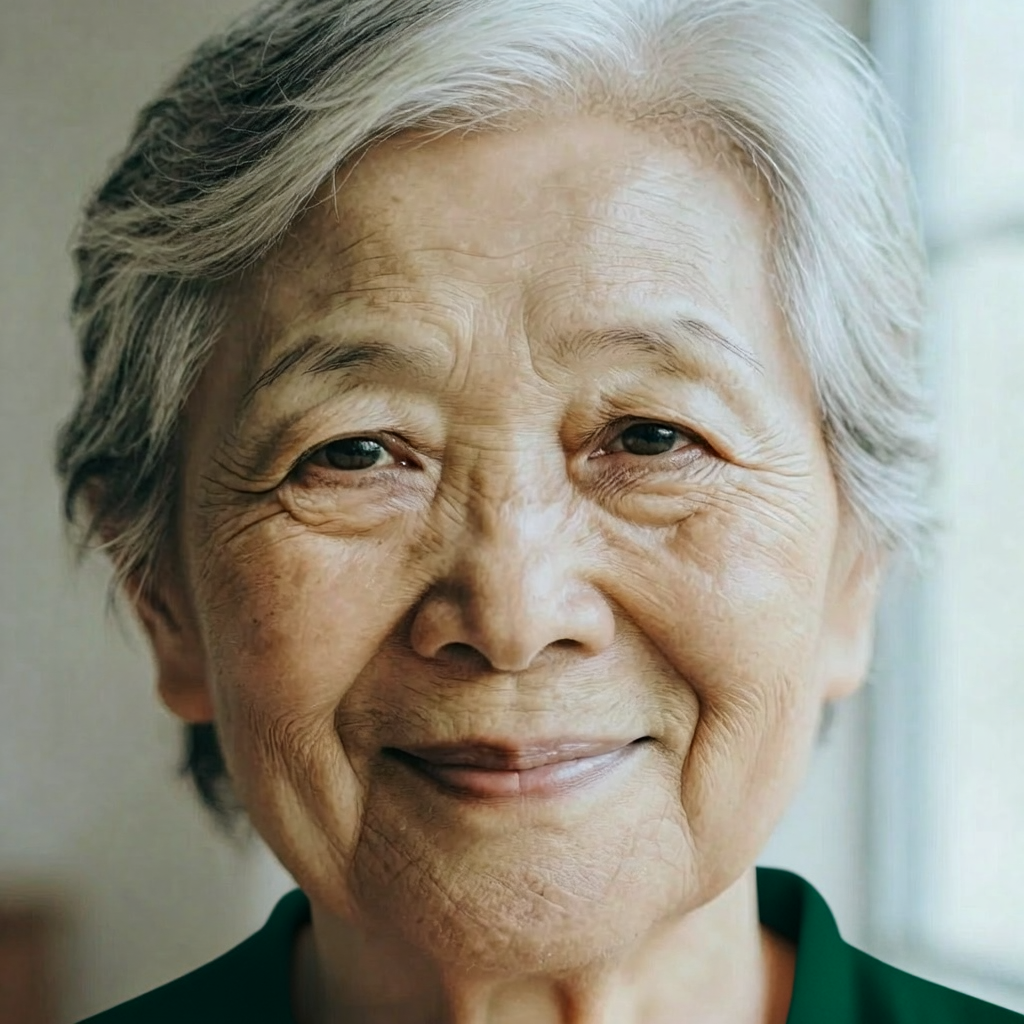 |
| 04 | Object addition | Add a small red umbrella in the subject's hand, matching the lighting, scale and perspective. | 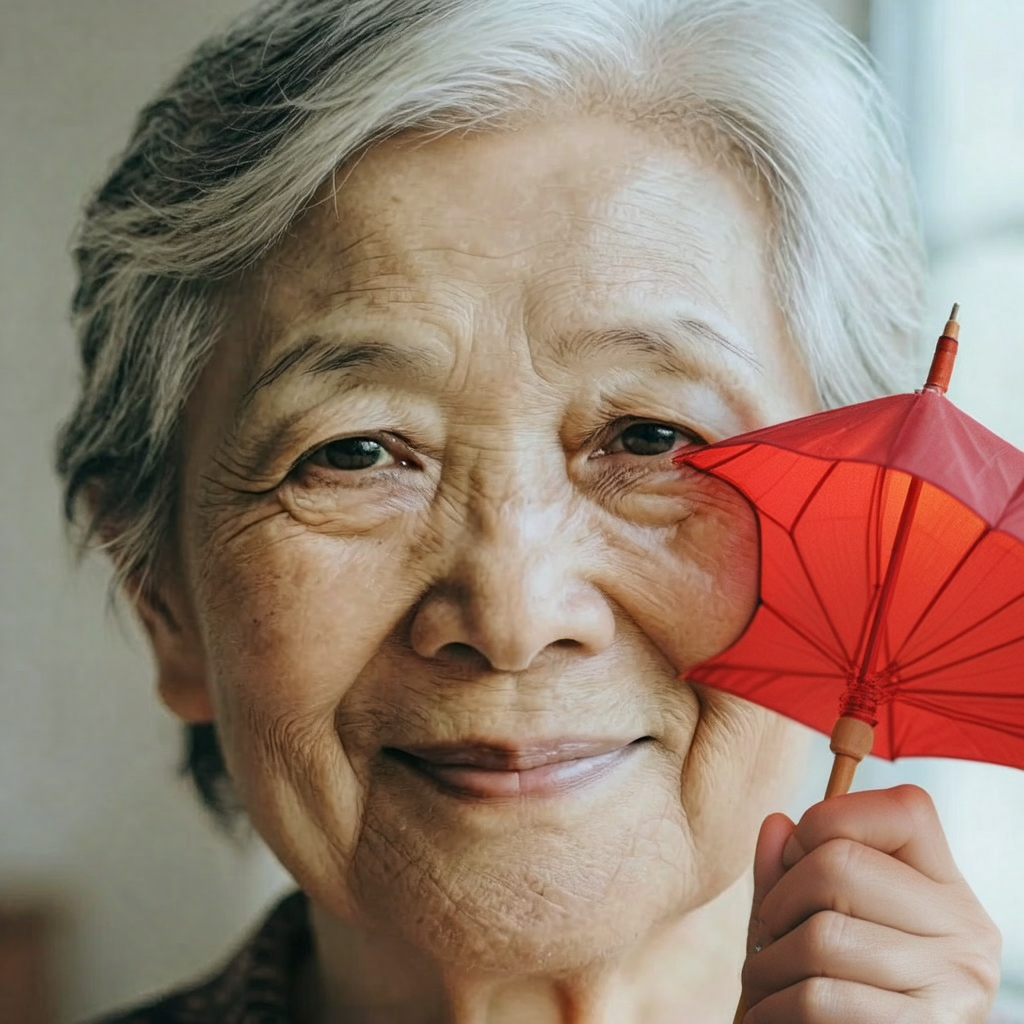 |
| 05 | Object removal | Remove the eyeglasses and reconstruct the face naturally, preserving identity and skin detail. | 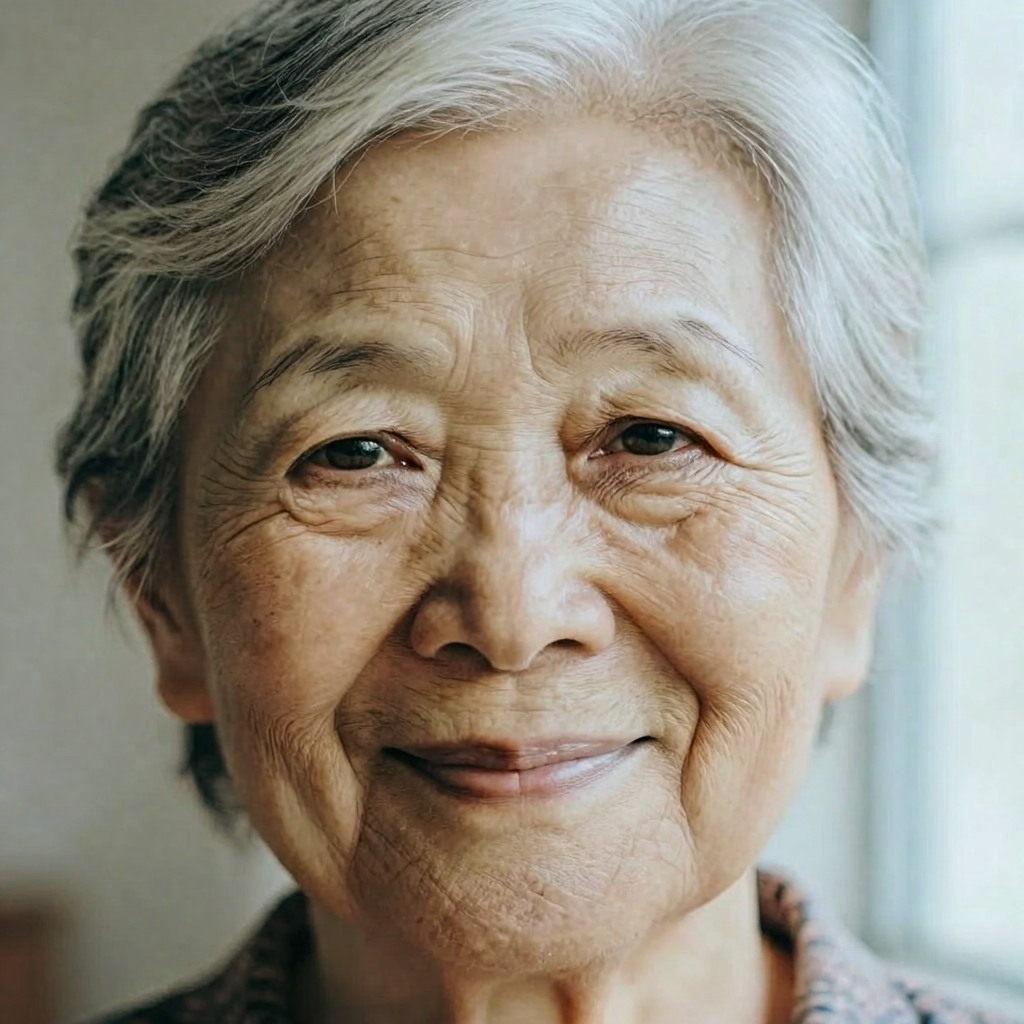 |
| 06 | Scene replacement | Place the subject in a quiet autumn park with golden leaves, preserving the pose and facial identity. | 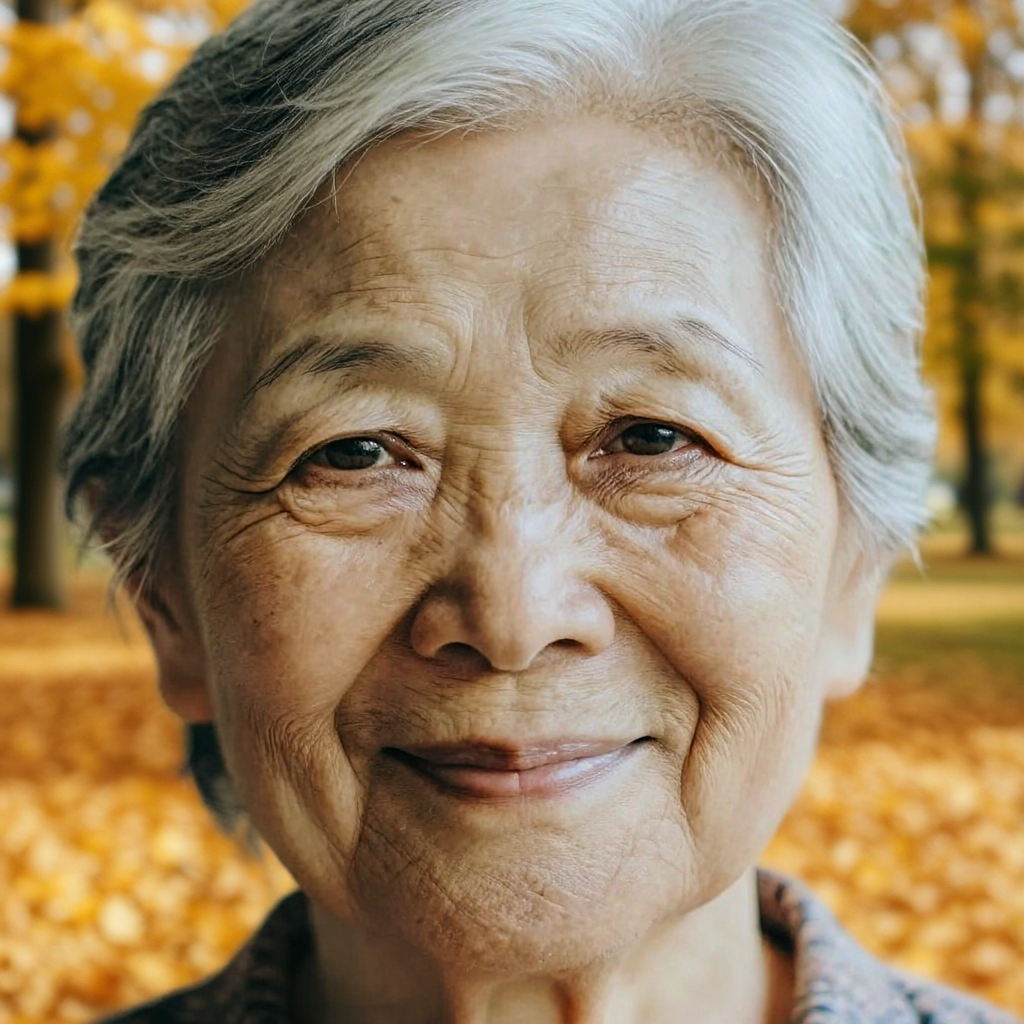 |
| 07 | Lighting change | Change the lighting to warm sunset light with realistic soft shadows while preserving the subject. | 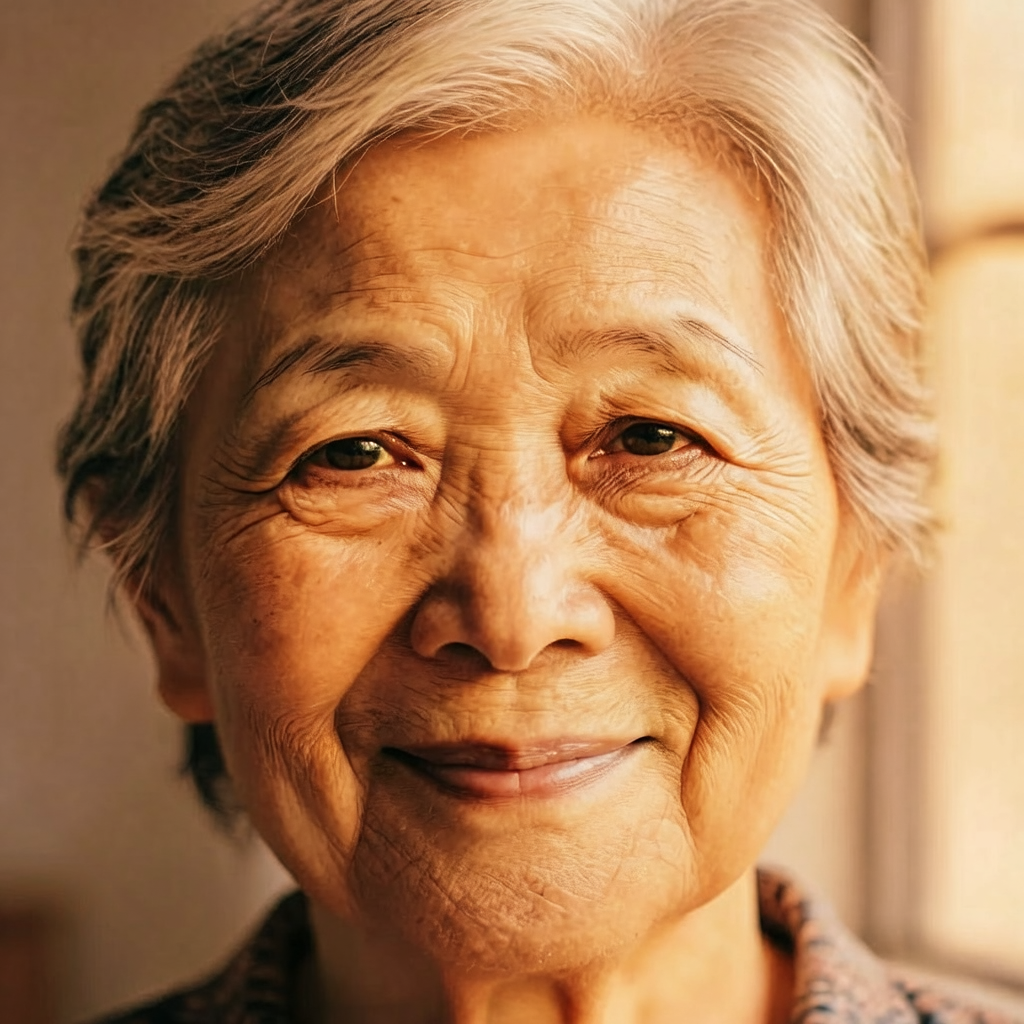 |
| 08 | Artistic conversion | Convert the image into a clean layered paper-cut illustration with tactile paper texture. | 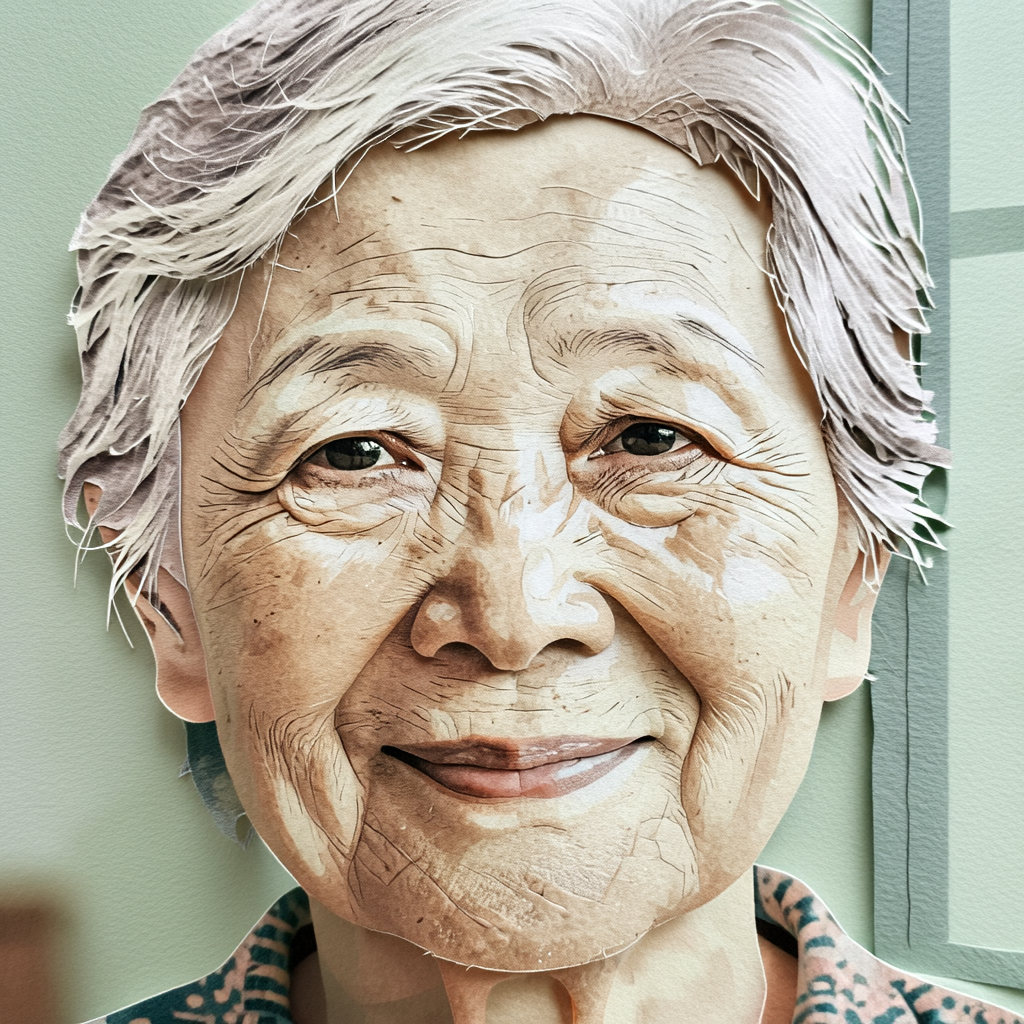 |
| 09 | Restoration | Restore fine detail and sharpness while keeping the original colors, composition and identity. | 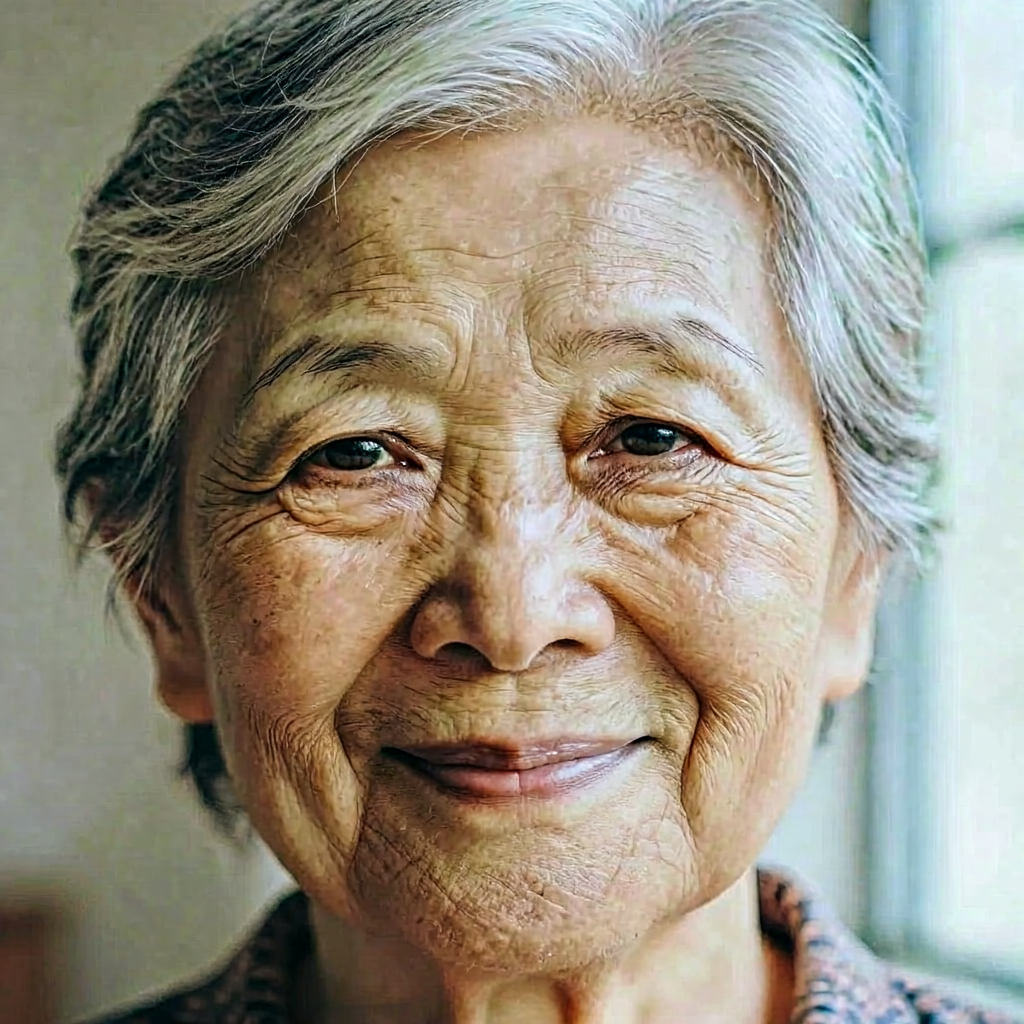 |
| 10 | Viewpoint change | Create a slightly wider portrait crop showing more of the surrounding environment, preserving the subject. | 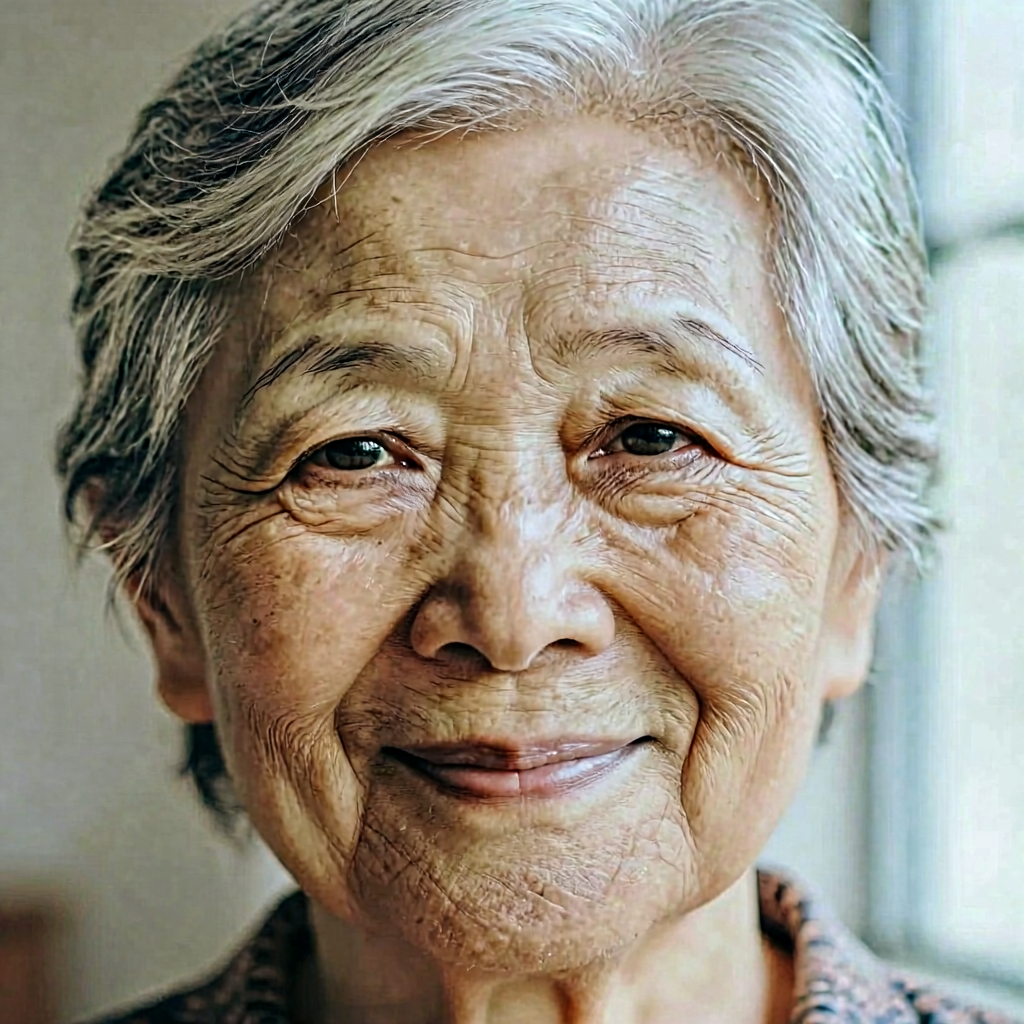 |
Mage-Flow Edit RL-aligned · Image editing · 10 cases
| # | Direction | Prompt or instruction | Original output |
|---|---|---|---|
| 01 | Background replacement | Replace the background with a field of sunflowers while preserving the subject, pose, face and lighting. | 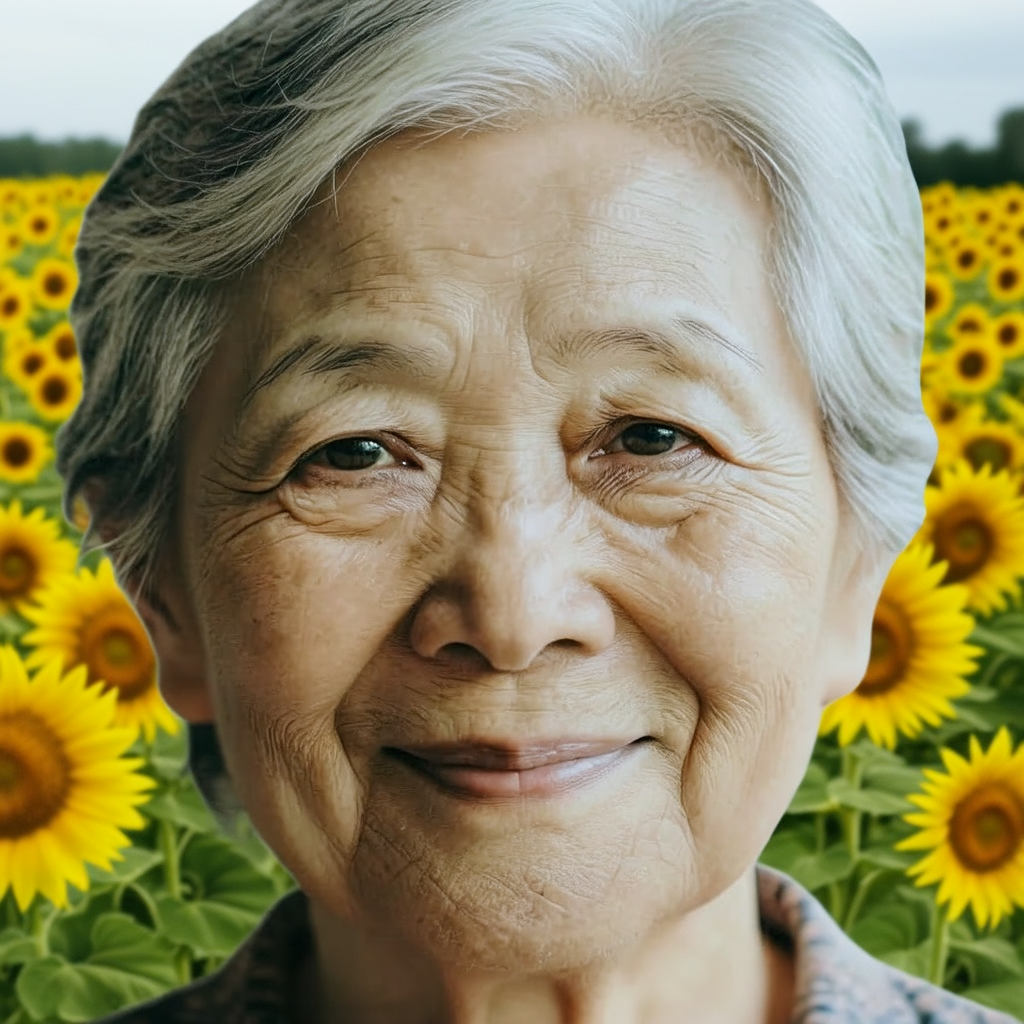 |
| 02 | Watercolor style | Transform the image into a detailed watercolor painting while preserving composition, facial identity and proportions. | 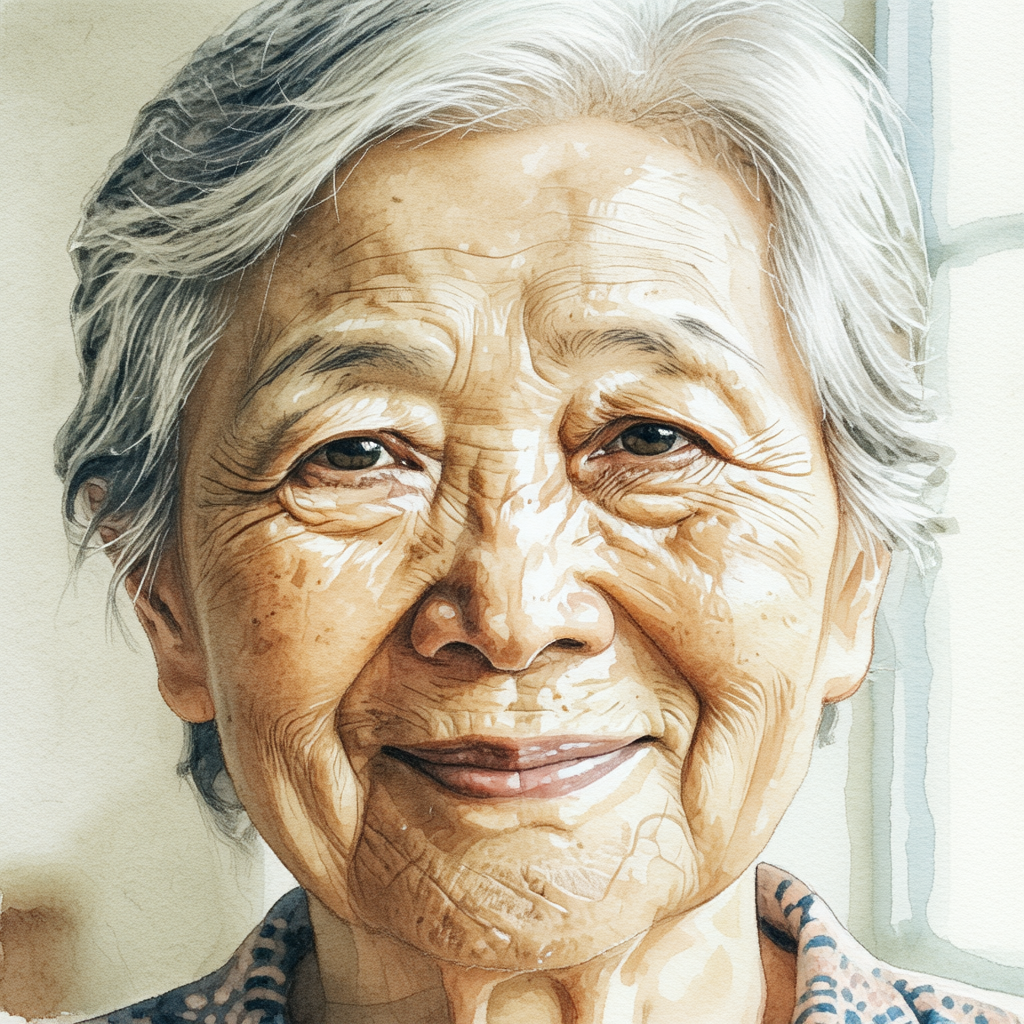 |
| 03 | Clothing color | Change the clothing color to deep emerald green while keeping the face, pose and background unchanged. | 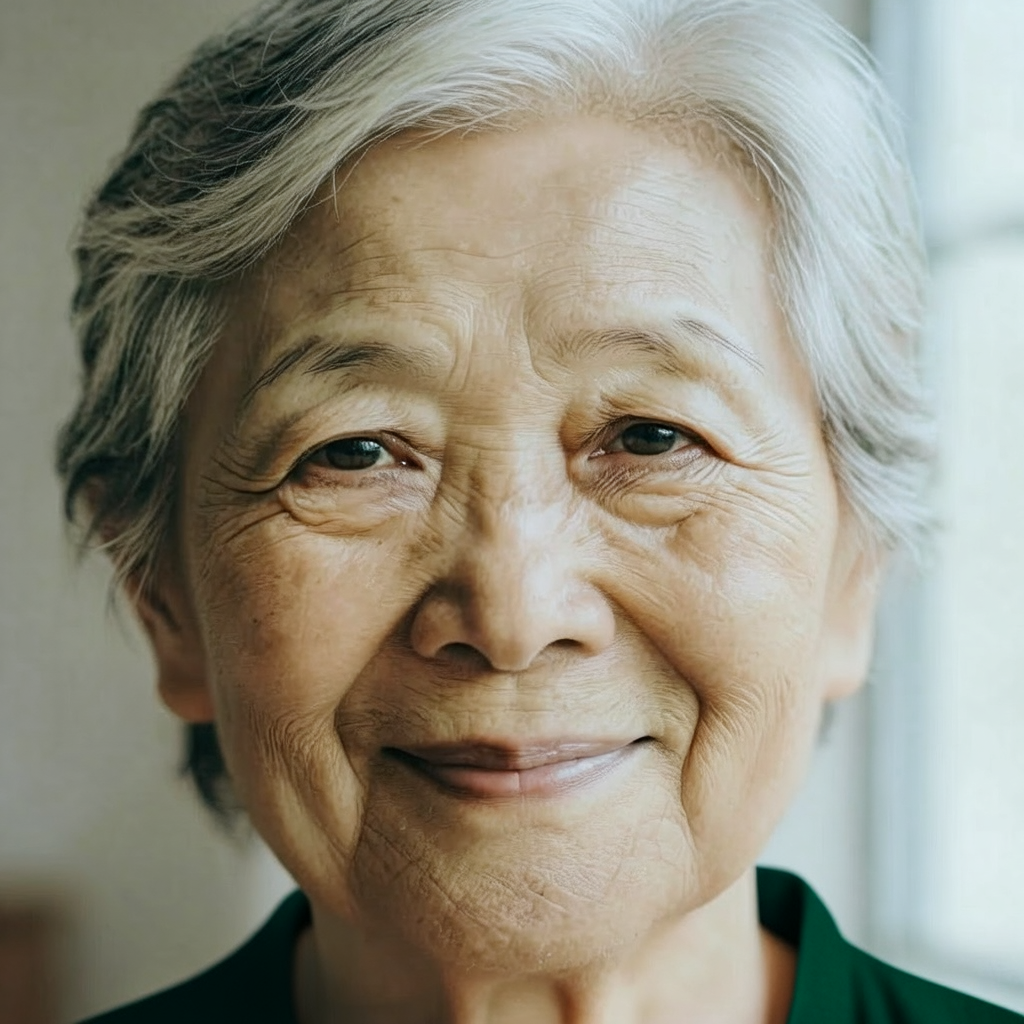 |
| 04 | Object addition | Add a small red umbrella in the subject's hand, matching the lighting, scale and perspective. | 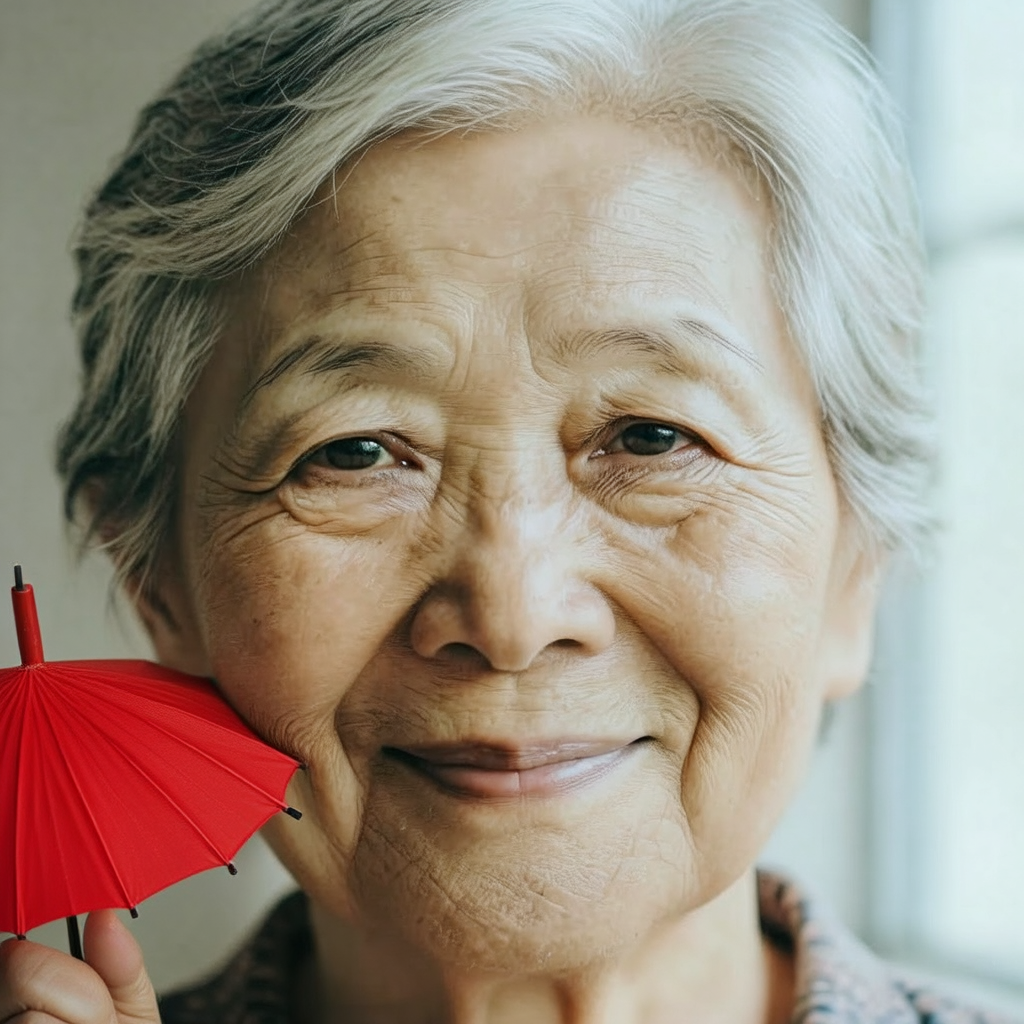 |
| 05 | Object removal | Remove the eyeglasses and reconstruct the face naturally, preserving identity and skin detail. | 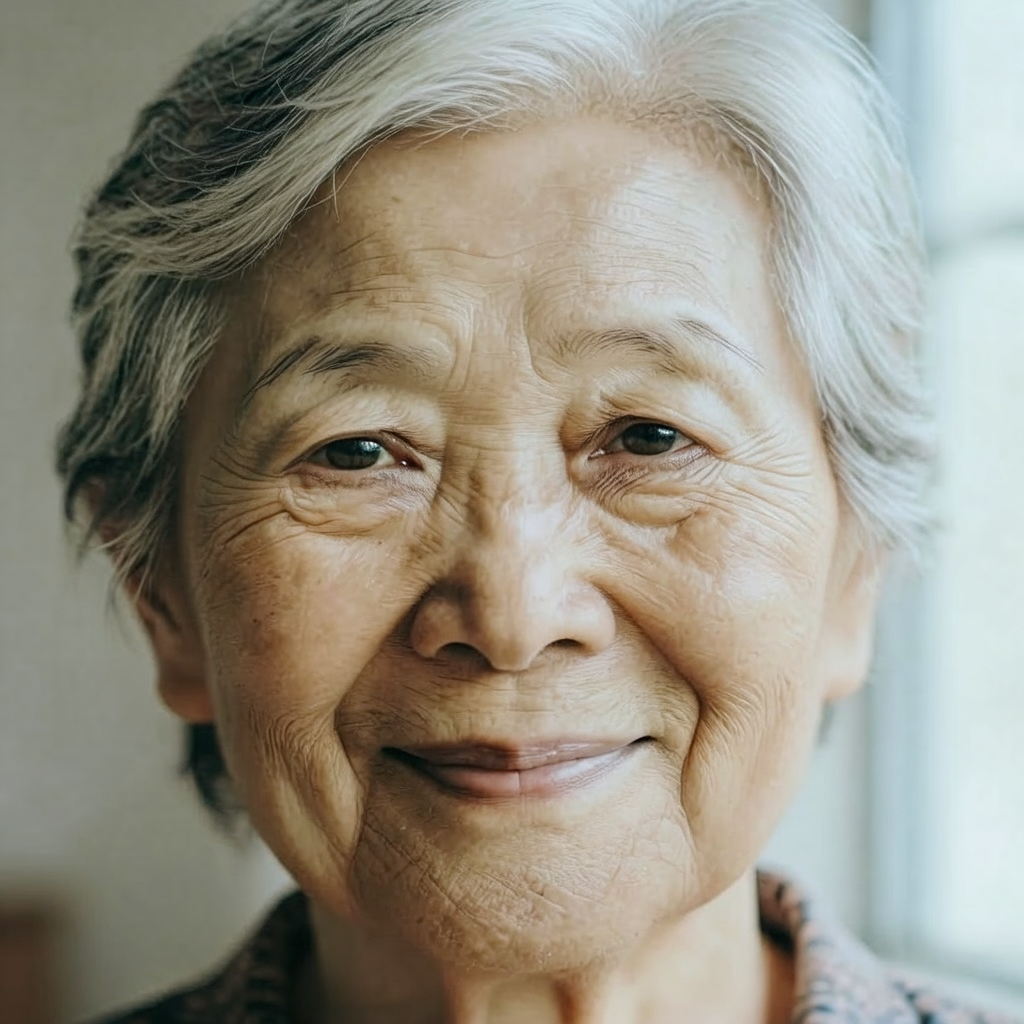 |
| 06 | Scene replacement | Place the subject in a quiet autumn park with golden leaves, preserving the pose and facial identity. | 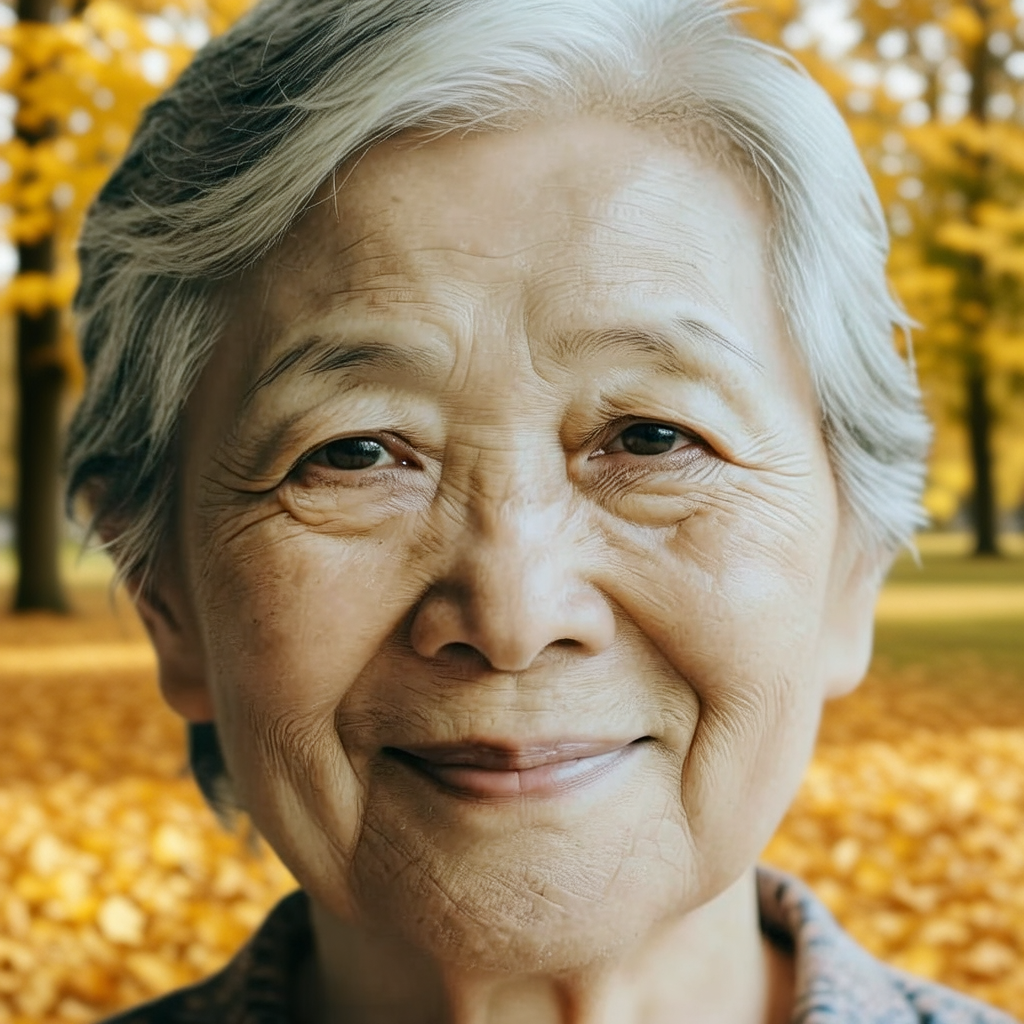 |
| 07 | Lighting change | Change the lighting to warm sunset light with realistic soft shadows while preserving the subject. | 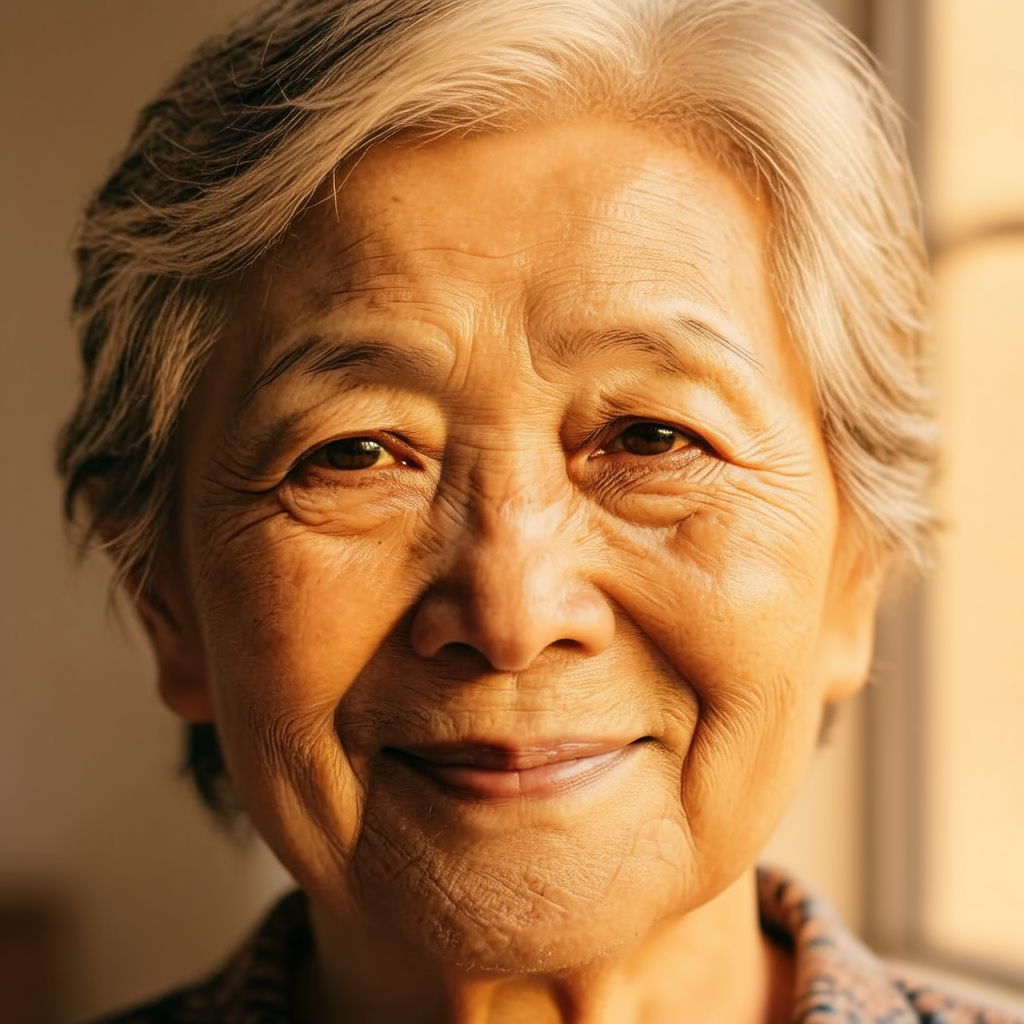 |
| 08 | Artistic conversion | Convert the image into a clean layered paper-cut illustration with tactile paper texture. | 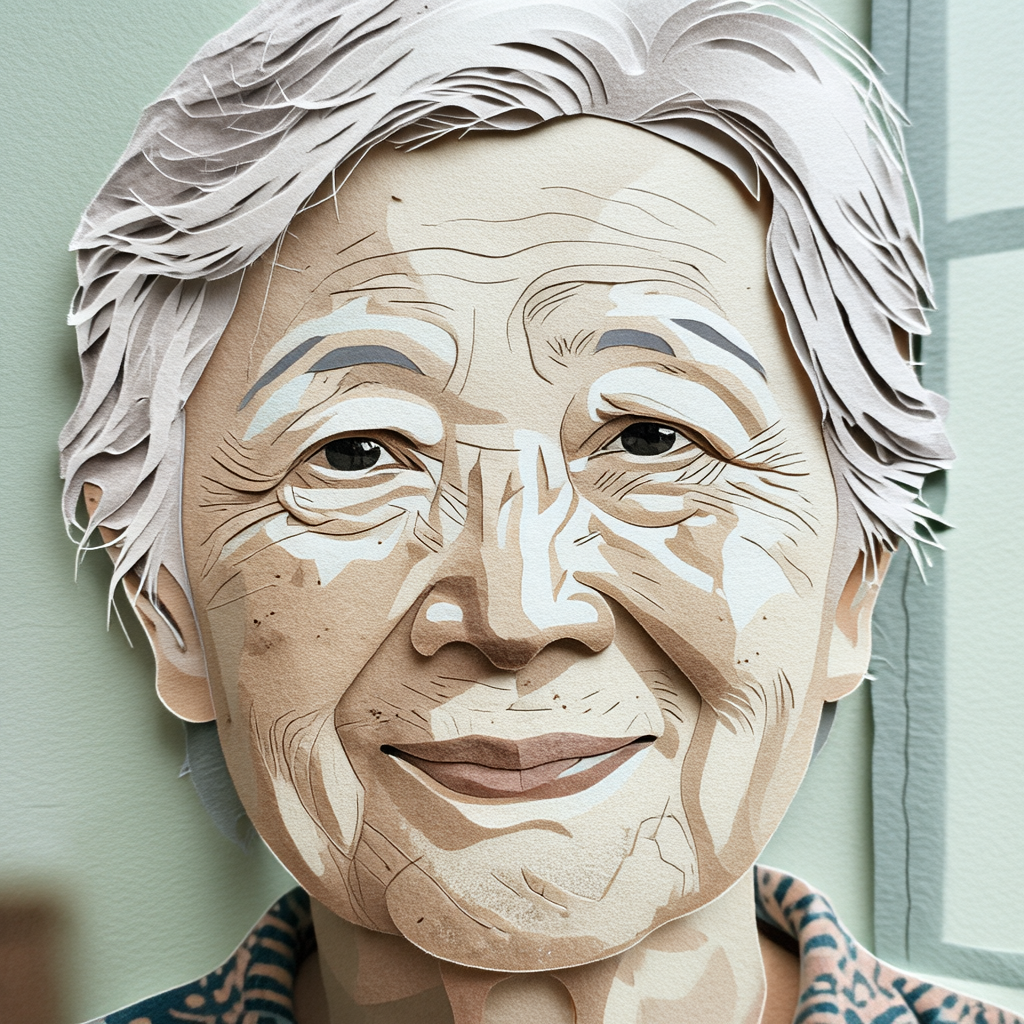 |
| 09 | Restoration | Restore fine detail and sharpness while keeping the original colors, composition and identity. | 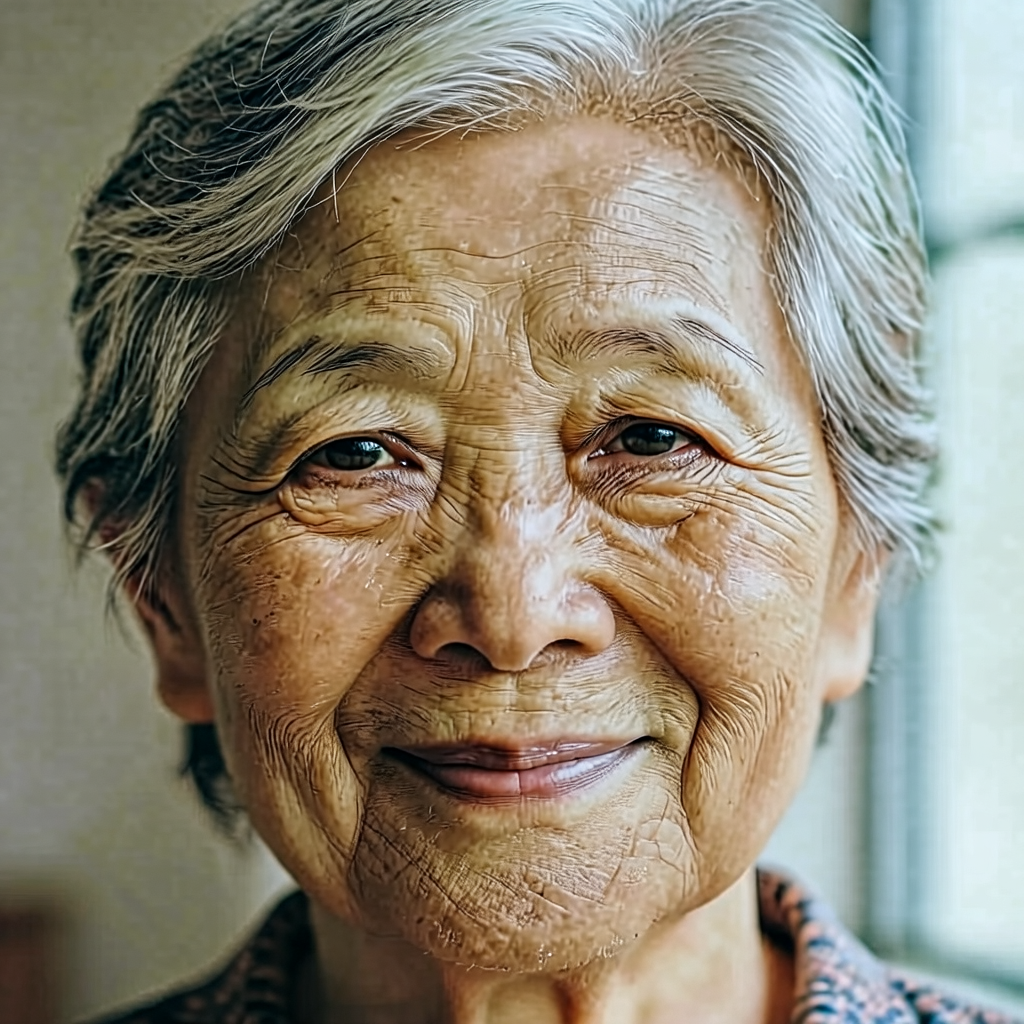 |
| 10 | Viewpoint change | Create a slightly wider portrait crop showing more of the surrounding environment, preserving the subject. | 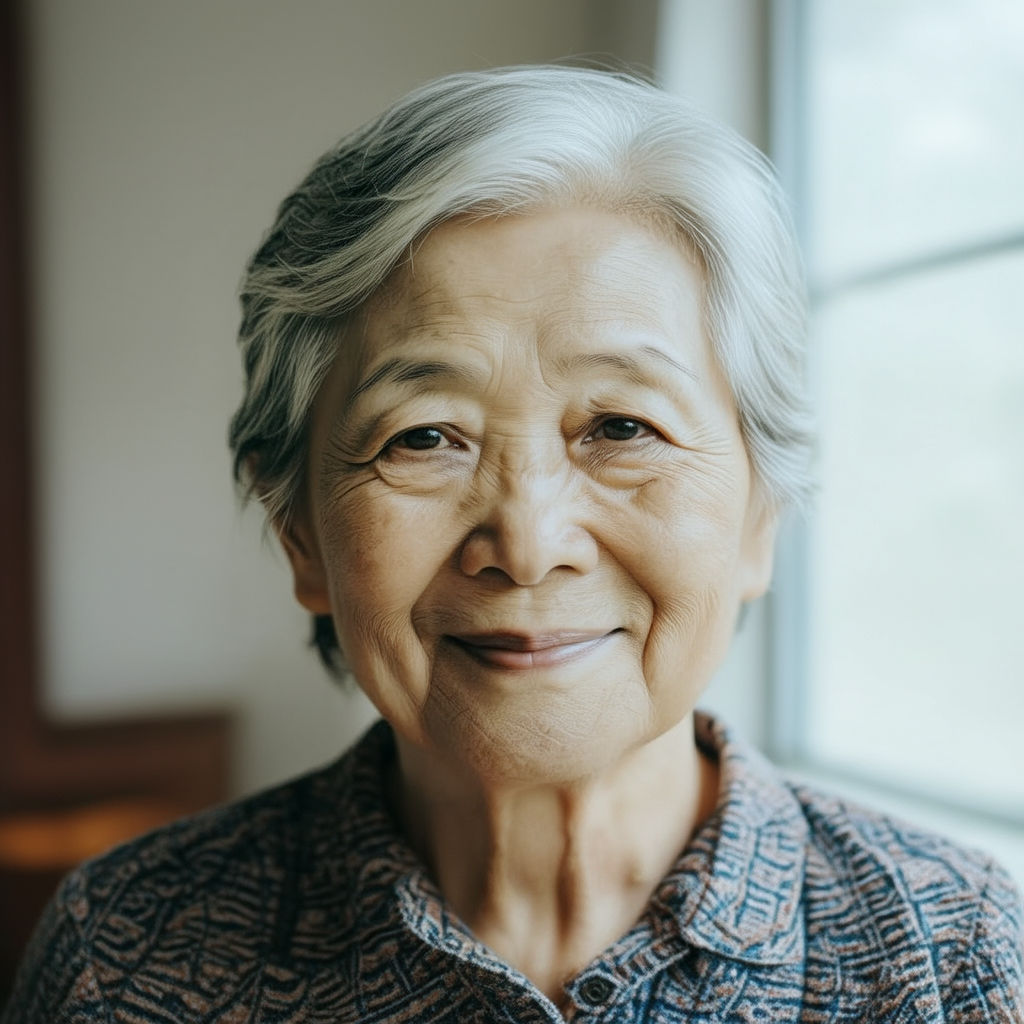 |
Mage-Flow Edit Turbo · Image editing · 10 cases
| # | Direction | Prompt or instruction | Original output |
|---|---|---|---|
| 01 | Background replacement | Replace the background with a field of sunflowers while preserving the subject, pose, face and lighting. | 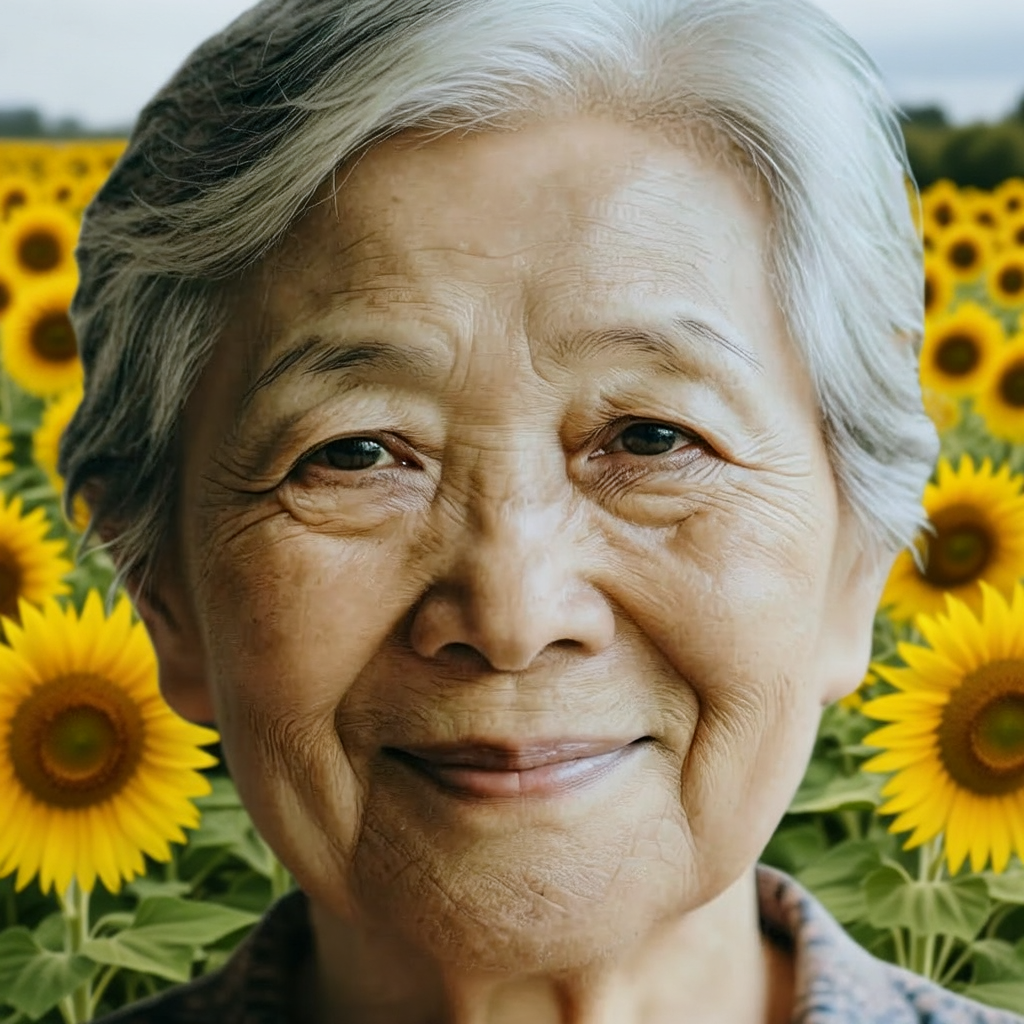 |
| 02 | Watercolor style | Transform the image into a detailed watercolor painting while preserving composition, facial identity and proportions. | 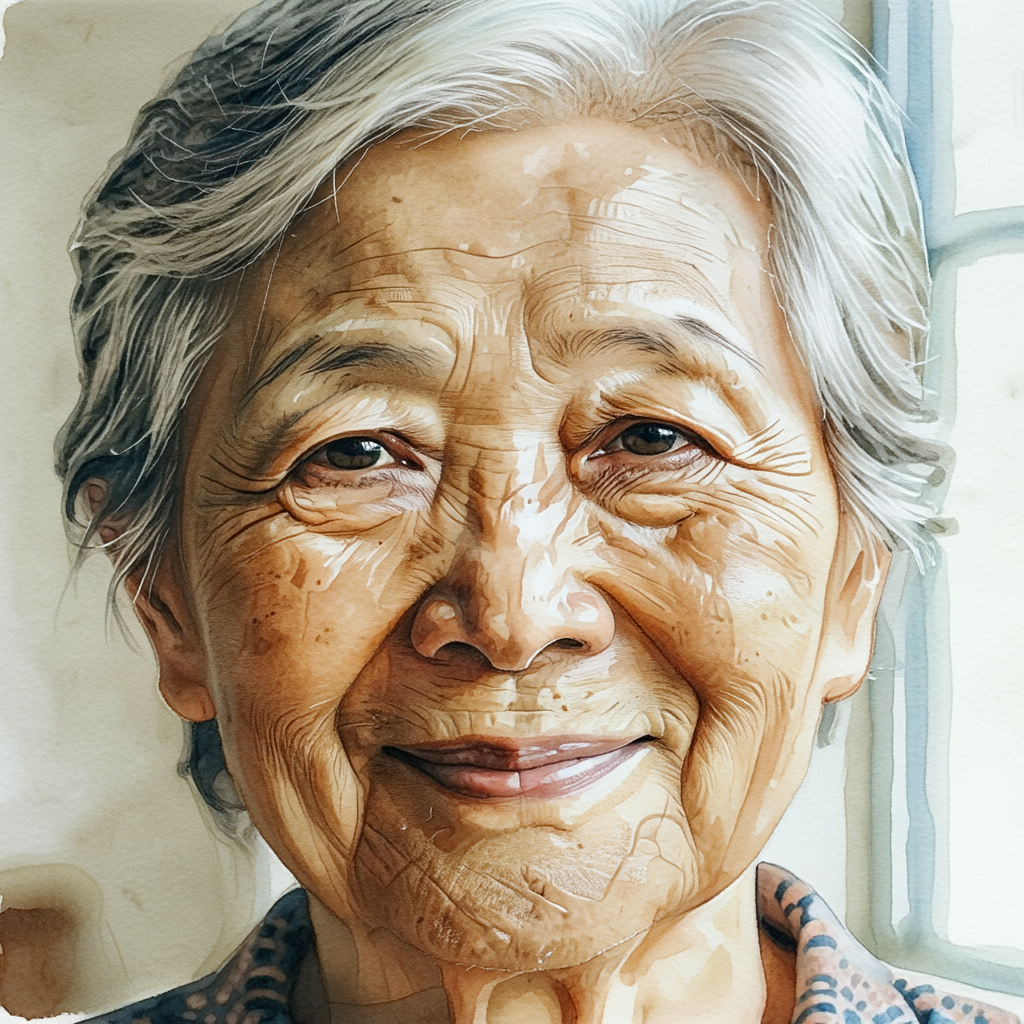 |
| 03 | Clothing color | Change the clothing color to deep emerald green while keeping the face, pose and background unchanged. | 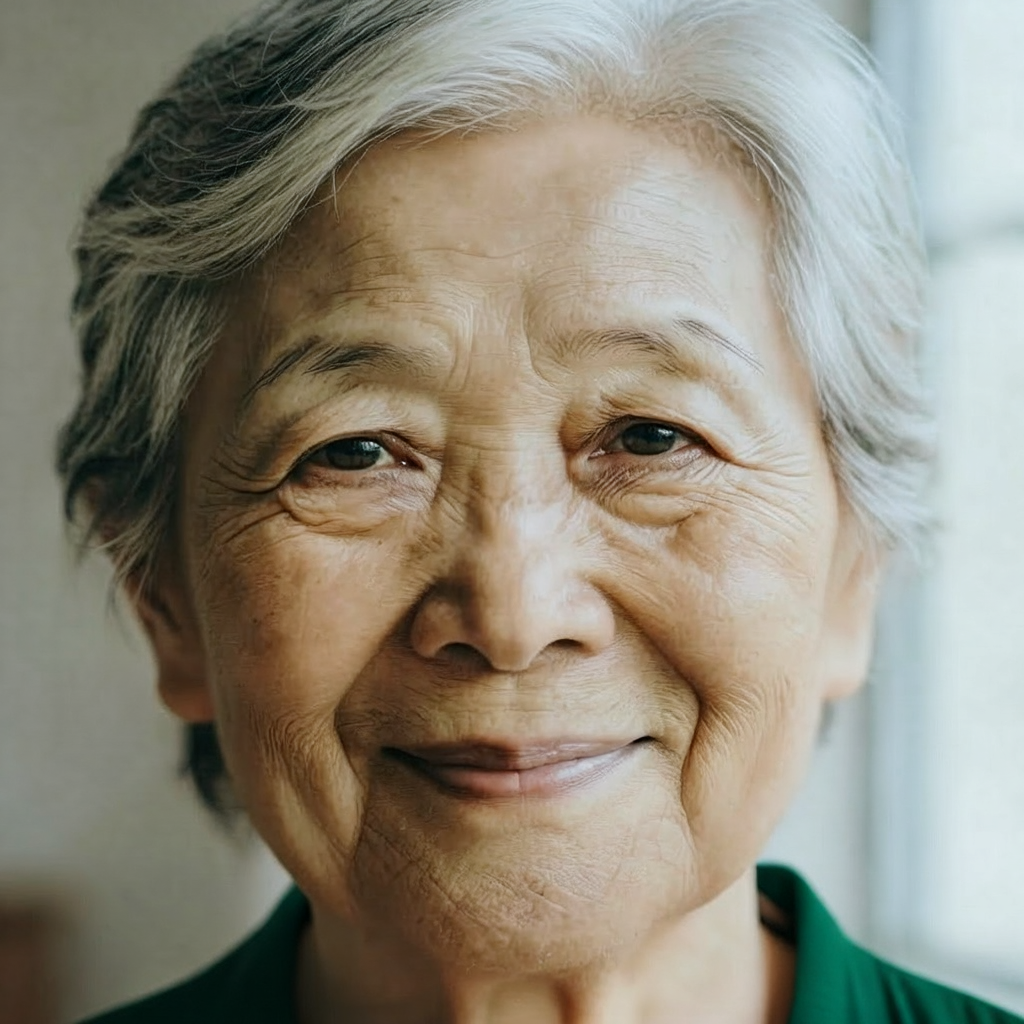 |
| 04 | Object addition | Add a small red umbrella in the subject's hand, matching the lighting, scale and perspective. | 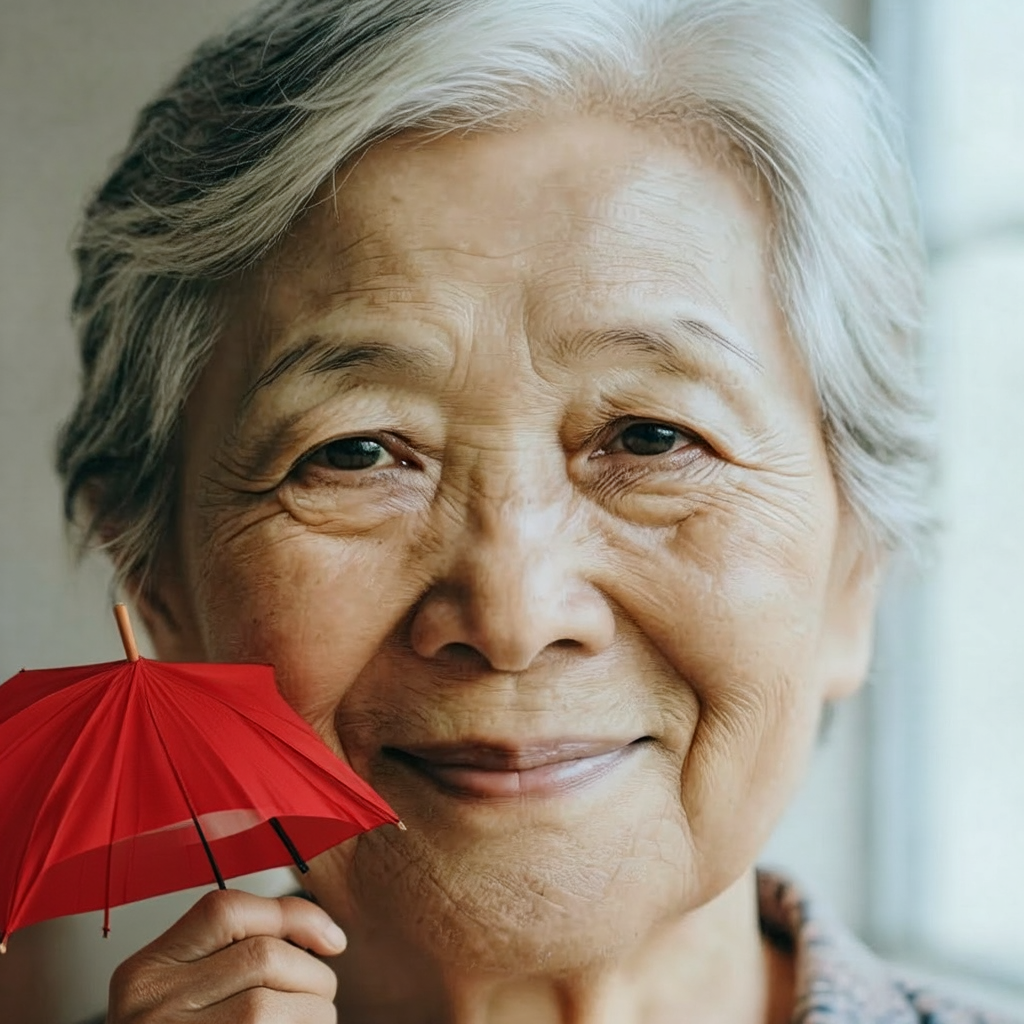 |
| 05 | Object removal | Remove the eyeglasses and reconstruct the face naturally, preserving identity and skin detail. | 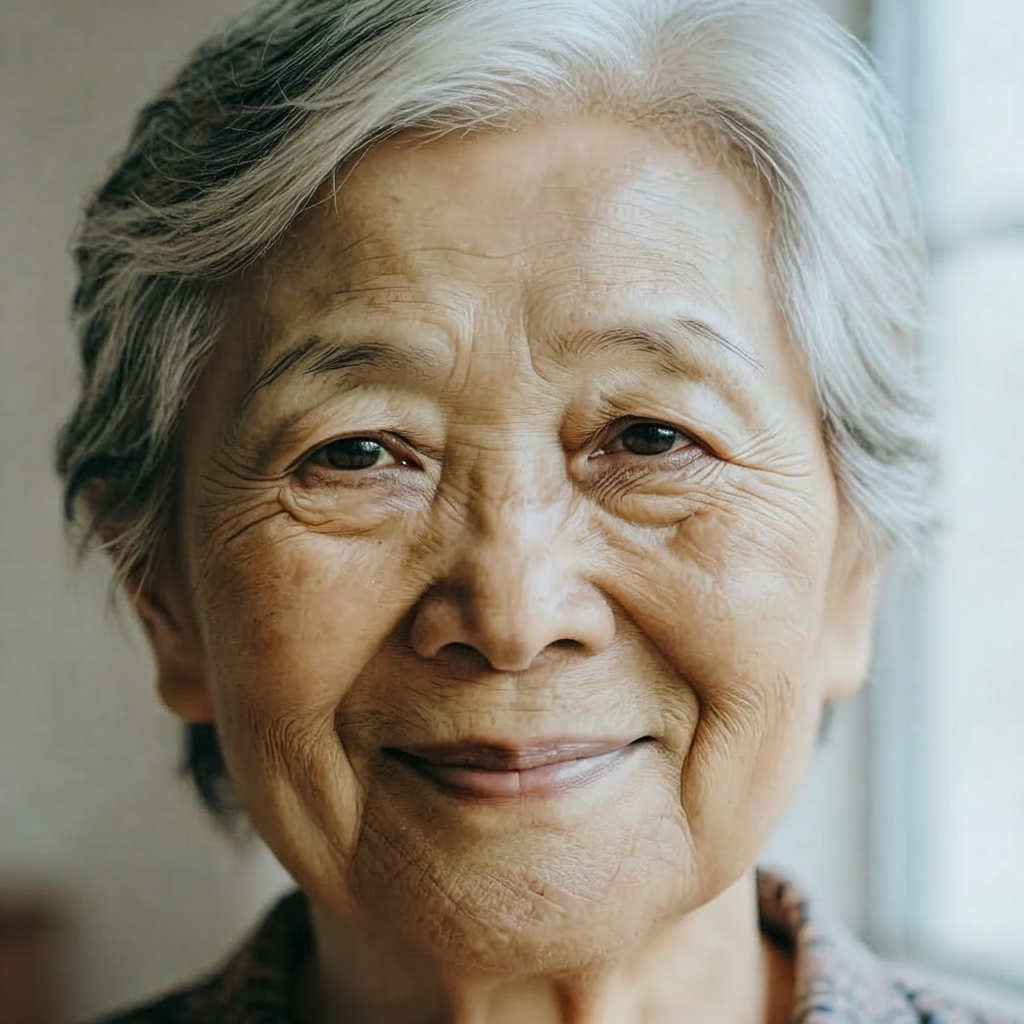 |
| 06 | Scene replacement | Place the subject in a quiet autumn park with golden leaves, preserving the pose and facial identity. | 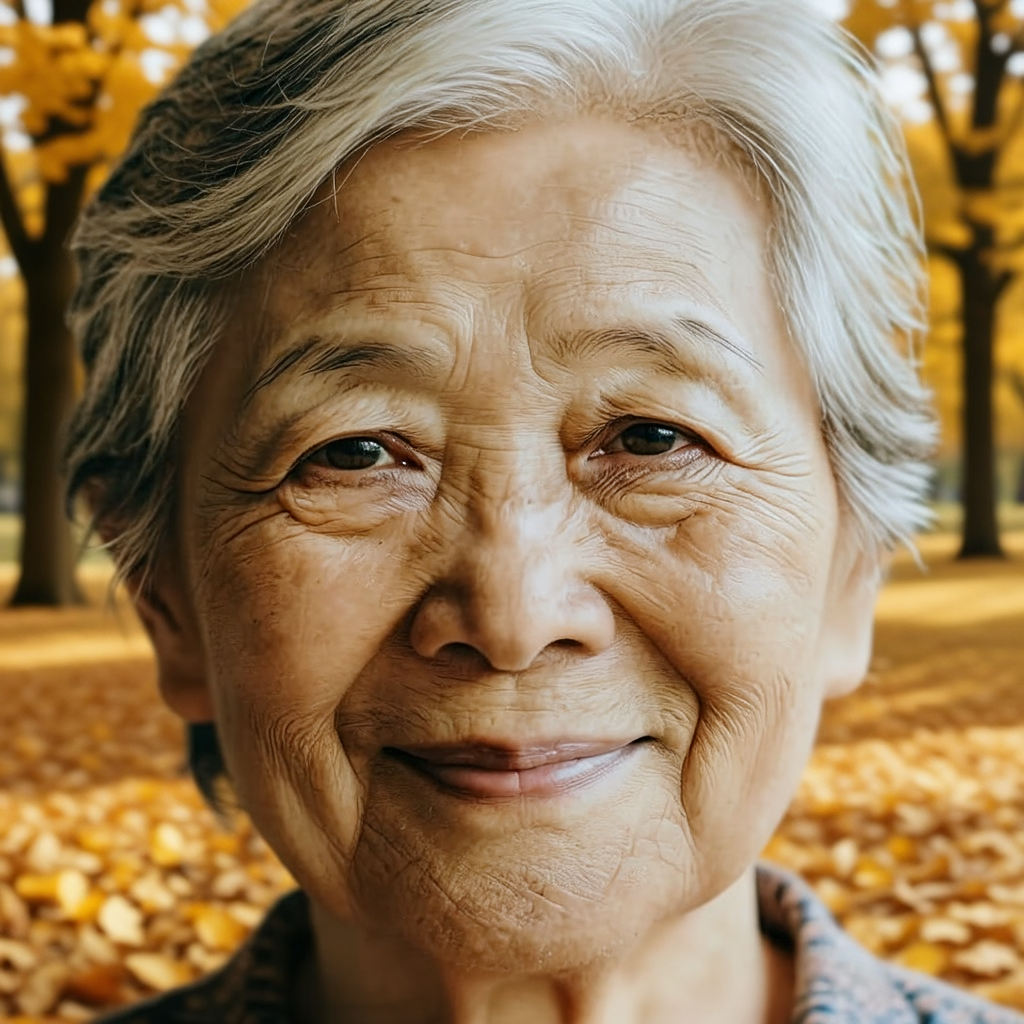 |
| 07 | Lighting change | Change the lighting to warm sunset light with realistic soft shadows while preserving the subject. | 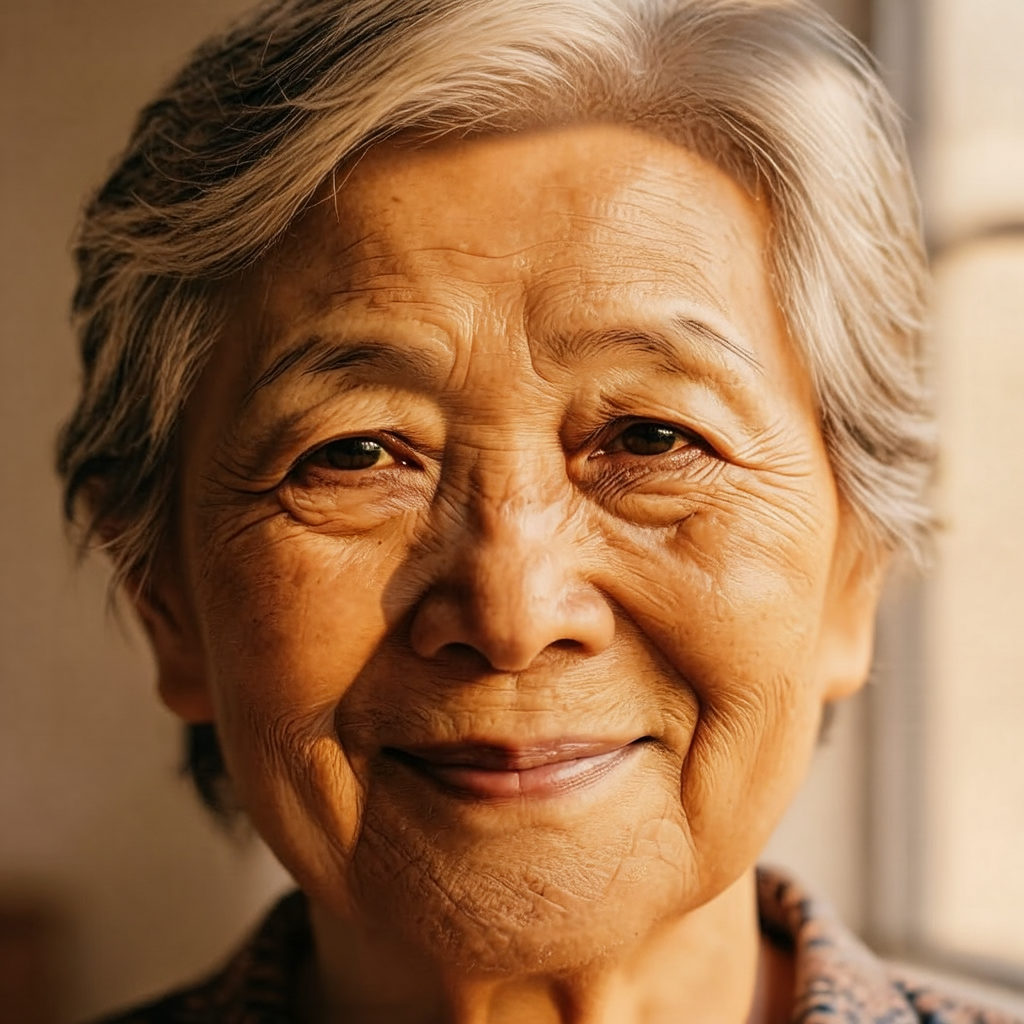 |
| 08 | Artistic conversion | Convert the image into a clean layered paper-cut illustration with tactile paper texture. | 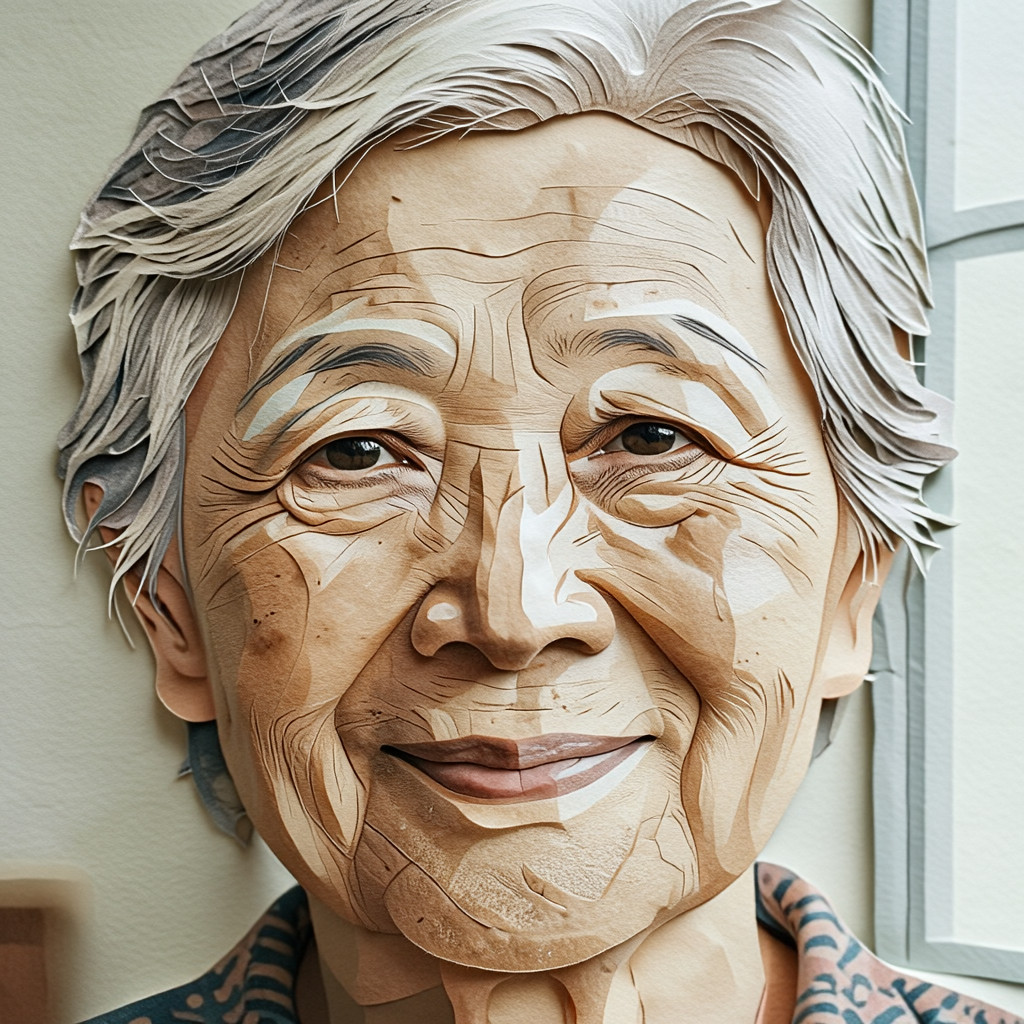 |
| 09 | Restoration | Restore fine detail and sharpness while keeping the original colors, composition and identity. | 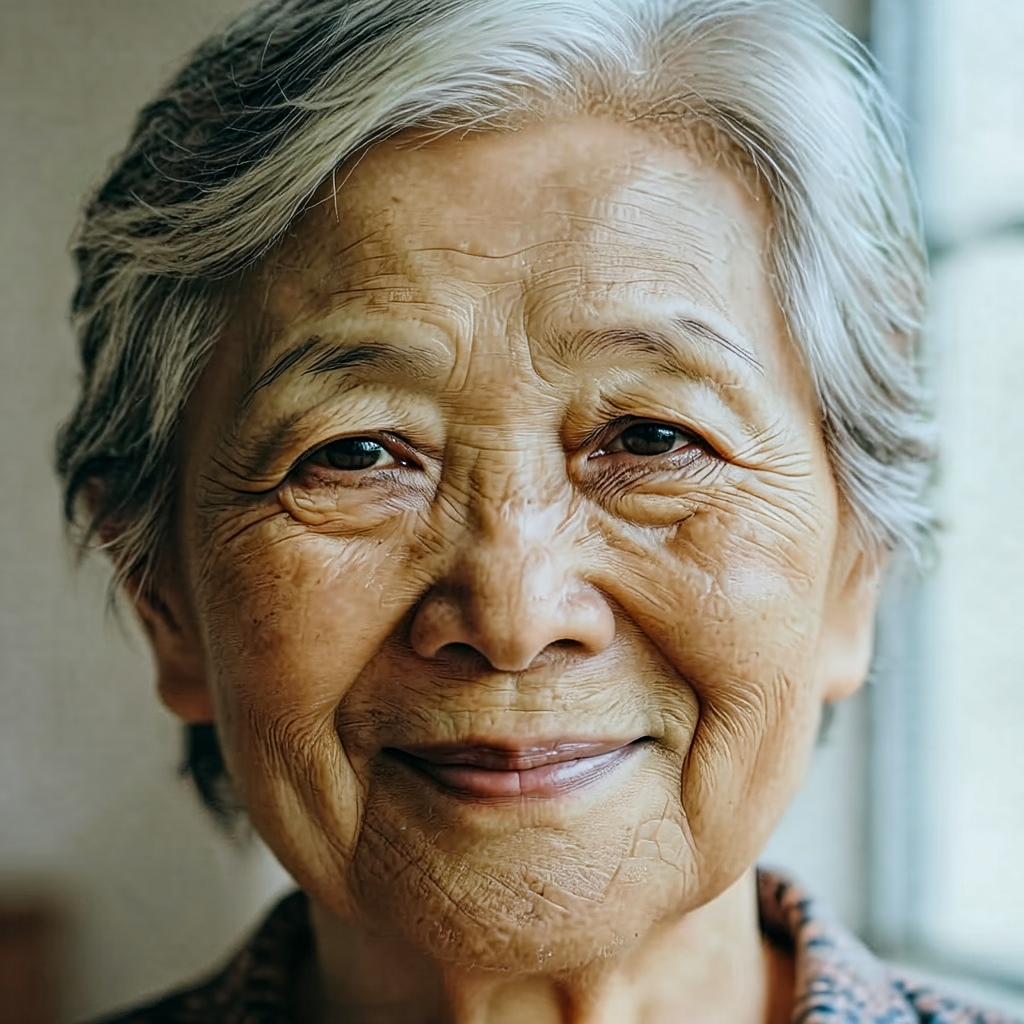 |
| 10 | Viewpoint change | Create a slightly wider portrait crop showing more of the surrounding environment, preserving the subject. | 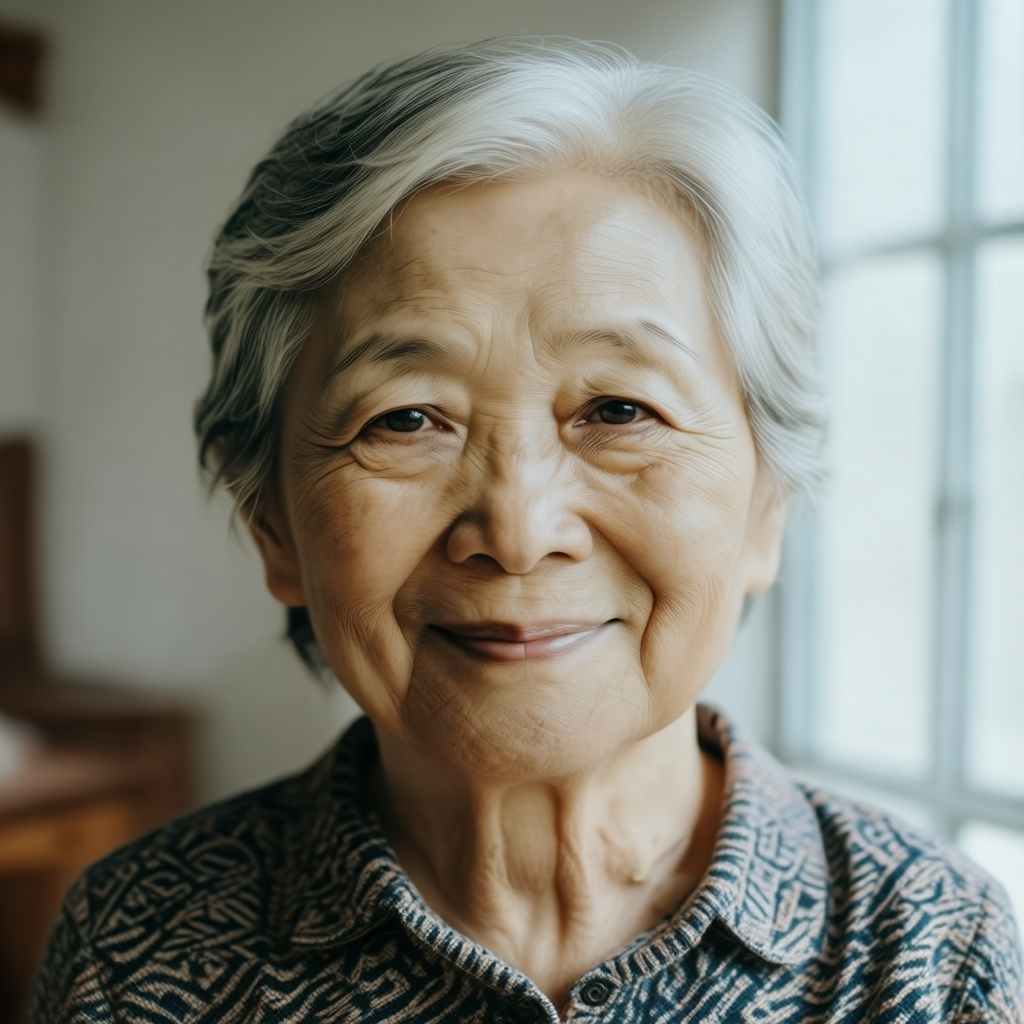 |
Text-to-image quality
Base: the quality-first choice
Base produced the strongest overall detail in my matrix. The portrait had convincing hair strands, skin texture, wrinkles, soft window light, and a stable face. The product sample held the shoe silhouette, mesh upper, sole structure, and acrylic pedestal together well enough for a concept product image. Base also handled ordinary landscape and architectural composition with a calm, photographic look.
The downside is speed. At 28.36 seconds per image, Base is not the checkpoint I would place behind a live preview widget. It also does not solve the classic hard cases. The English sign was more controllable than random text generation, but text still needs inspection. Chinese characters were not guaranteed to be exact. In some portraits, skin or hair received an overly crisp, sharpened treatment, especially around highlights. I would use Base for a final candidate when I am willing to generate a small number of carefully reviewed variations, not for a large exploratory sweep.
RL-aligned: the most balanced default
RL-aligned is the model I would start with when no requirement clearly favors the other two. It was faster than Base at 21.22 seconds per image, while keeping a polished overall look. Its main practical benefit was steadier interpretation of the prompt: the requested subject, mood, camera language, and high-level composition generally appeared without extensive prompt surgery.
The tradeoff is that it can settle into familiar photographic templates. A long description containing several spatial constraints or unusual material details may be simplified into a plausible but less exact scene. This is not a failure for ordinary marketing moodboards, portraits, food images, or initial art direction. It becomes a problem when a client expects a strict layout or wants every small material property to remain distinguishable. In those cases I would try Base, simplify the prompt into explicit spatial clauses, and compare several seeds.
Turbo: the useful iteration engine
Turbo completed the generation set in 64.3 seconds, or 6.43 seconds per image. Four steps are enough to produce clear, usable basic portraits, products, and scenes. That changes how the model feels: instead of waiting nearly half a minute for every idea, I can explore composition, choose a direction, and only then switch to a slower checkpoint for a final pass.
Turbo is not simply a smaller-quality switch. It has a recognizable failure boundary. Complex spatial relationships, distant people, small textures, and exact typography are less stable than in Base or RL-aligned. The product sample is a good example of the positive case: it is visually clean, has a convincing studio setup, and is ready for a concept board. That does not mean it is ready for a catalog without checking edge geometry, branding, and product-specific details. I would use Turbo for thumbnails, batch previews, interactive prototypes, and first-pass image search, then rerun selected prompts with Base or RL-aligned.
Image-editing quality
Edit Base: best when the edit must survive inspection
Edit Base was the slowest variant overall at 29.99 seconds per edited image, but it also gave the most convincing high-fidelity behavior in the test. Background replacement generally kept the face and main pose stable. The editing task remained recognizably an edit rather than a complete redraw. That is important for portraits, product retouching, and any workflow where the source image has value that should not be discarded.
Object addition exposed the limits clearly. The red umbrella was inserted and visually plausible enough to demonstrate the operation, but it occupied the face-adjacent region and changed the local visual balance. Hand-object contact, occlusion, and edge interaction still deserve a manual pass. The lesson is not that the model cannot add objects; it is that an instruction like “add an object” does not guarantee perfect local compositing.
Edit RL-aligned: the practical editing default
Edit RL-aligned finished the ten edits in 180.2 seconds, or 18.02 seconds per image. It was a strong compromise for routine editing: background and color changes, broad scene changes, style conversion, and natural-language instructions were usually easy to express. Its restoration output kept the identity and composition recognizable, but the skin texture became highly emphasized. The model interpreted “restore detail and sharpness” aggressively.
That behavior is useful when the desired result is a visibly enhanced image, but it is risky for conservative restoration. I would write the instruction more narrowly: preserve the original colors, lighting, skin texture, face shape, background, and all regions outside the damaged area. Even then, I would compare the output against the source at 100 percent and check whether the model changed areas I did not ask it to change.
Edit Turbo: fast previews, not blind finalization
Edit Turbo was the fastest model in the entire matrix at 4.21 seconds per image. The background replacement sample shows why the checkpoint is useful: the subject remains readable while a large semantic change is applied almost immediately. This is a good fit for interactive controls, draft variations, and batch preselection.
The 4-step budget leaves less room for precise local control. Object removal, hand edits, edge-sensitive changes, and small restoration tasks are the situations where I would be most cautious. Turbo can tell me whether an idea is worth pursuing; it is not the model I would trust without inspection for a final portrait retouch or a product image with strict boundaries.
What the images say about text, hands, and structure
The test deliberately included English text, Chinese text, three-vase spatial arrangement, portraits, and edits near a face and hand. This is more informative than showing ten similar landscapes.
Text rendering was mixed. The English “MAGE FLOW” sign was readable in the selected RL-aligned example, but one success does not make typography deterministic. Chinese text is a harder edge case, and I would not use Mage-Flow as a typesetting engine for final posters, labels, or UI screenshots without a separate text-rendering step.
Spatial relationships were generally understandable at a high level, but exact order, count, distance, and small-object geometry remained less reliable. This matters for diagrams, packaging mockups, furniture layouts, and scenes with several people. A generated image can look attractive while still violating the requested arrangement.
Hands and face-adjacent edits need close inspection. The model can make a convincing portrait and can add or remove an object, but it may alter a nearby eye, hand, edge, highlight, or shadow. This is typical of instruction-based generative editing: semantic success is not the same as pixel-level isolation.
Comparison with similar choices
I did not run a matched FLUX, Qwen-Image, Z-Image, or Stable Diffusion comparison under the same prompts and hardware, so this is selection guidance rather than a leaderboard claim.
| If your priority is… | Start with… | Why |
|---|---|---|
| One compact family covering generation and editing | Mage-Flow | The official model zoo provides three generation and three editing variants, with the same broad Base/RL/Turbo idea. |
| Highest quality from the six tested variants | Mage-Flow Base or Edit Base | My 4090 inspection found the strongest detail and conservative editing behavior here. |
| Fast draft generation or editing | Mage-Flow Turbo or Edit Turbo | Four steps produced 6.43 and 4.21 seconds per image in this test. |
| A large community ecosystem and mature adapters | Stable Diffusion family | This is an ecosystem choice, not a result measured in this review. |
| A separate workflow optimized around another model's text or speed behavior | Compare Qwen-Image, Z-Image, or FLUX variants directly | Their licenses, memory profiles, and control tools differ, so a matched test is necessary. |
Mage-Flow vs Nano Banana 2
Nano Banana 2 is Google's Gemini 3.1 Flash Image (gemini-3.1-flash-image). It is a managed Gemini image-generation and editing model rather than an open-weight checkpoint that can be downloaded for local inference. Google positions it as the general-purpose workhorse in the current Gemini image family: it balances speed and cost with 4K image generation, native multimodal understanding, real-world knowledge, text rendering, and multiple-reference image consistency. Google also supports conversational refinement and adds an invisible SynthID watermark to generated images. See Google's image generation guide and Nano Banana 2 overview.
This is a different product decision from choosing among Mage-Flow checkpoints. Mage-Flow is a locally runnable, open-weight family whose resource requirements can be measured on hardware you control. Nano Banana 2 is accessed through Gemini products or Google APIs, so there is no local VRAM requirement to report and no direct way to equate a cloud response time with the 4090 timings above.
| Decision factor | Mage-Flow | Nano Banana 2 |
|---|---|---|
| Deployment | Local weights and a local inference stack | Gemini app, Google AI Studio, Gemini API, or Vertex AI |
| Local GPU requirement | Yes; my six-model run used 16.94–17.78 GiB allocated VRAM at 1024×1024 | No local GPU requirement; service latency and cost depend on the selected Google model and API route |
| Generation and editing | Separate Base, RL-aligned, and Turbo variants for both tasks | Conversational image generation and editing in the Gemini ecosystem |
| Multiple references and conversation | The tested workflow is primarily one prompt or one source image plus an instruction | Google explicitly positions Nano Banana 2 for multimodal, conversational workflows, multiple-reference processing, and consistency |
| Text and world knowledge | Text can succeed but was not deterministic in my 60-case test, especially for Chinese text | Google positions Nano Banana 2 around reliable text rendering, real-world knowledge, and supported web-search grounding |
| Privacy and control | Better fit for on-premise processing, reproducible seeds, and custom local pipelines | Better fit when a managed service, conversational iteration, and Google's model ecosystem are acceptable |
| Output resolution | This review used the official 1024×1024 Mage-Flow setting | Google documents 4K generation for Nano Banana 2; that is not a matched resolution against this review |
| Cost model | GPU, storage, electricity, and maintenance are the main local costs | API or product usage pricing, quotas, and service availability apply |
My practical choice is therefore conditional. I would choose Mage-Flow when the workflow must run locally, when the team needs direct control over weights and inference, or when a reproducible 4090 pipeline matters. I would choose Nano Banana 2 when the priority is conversational editing, multimodal understanding, multiple-reference consistency, reliable in-image text, 4K output, or avoiding GPU deployment work. This review does not claim that one produces universally better images: I did not run Nano Banana 2 against the same 60 prompts under a matched protocol.
The useful distinction is not “which model is universally best?” It is “how much of the image may change, how exact must the result be, and how many variations do I need?” Mage-Flow is especially attractive when the same project needs new images and natural-language edits, and when a 4B-scale local model is preferable to a much larger checkpoint.
Limitations and responsible use
The official model materials position Mage-Flow for research use and warn that outputs can be biased, incorrect, or inappropriate. A production application should add content moderation, prompt and output validation, logging, and human review where the result affects people or decisions. The model should not be treated as a source of factual imagery, identity verification, or guaranteed restoration.
The practical limitations from my own outputs are:
exact in-image text, especially Chinese text, is not guaranteed;
hands, face-adjacent objects, and narrow boundaries need inspection;
complex spatial layouts can be semantically plausible but geometrically wrong;
Base quality comes with a noticeable latency cost;
Turbo's four-step speed is valuable, but it is not a free quality upgrade;
image editing can change lighting, texture, or edges outside the requested area;
the official A100 latency numbers should not be presented as RTX 4090 results.
For portraits and real people, use images only with appropriate consent and rights. For commercial use, verify the current checkpoint license and the terms of any source image, training asset, or downstream service before deployment. The official repository lists Mage-Flow under the MIT license, but license suitability does not remove the need for privacy, copyright, safety, and provenance checks.
Scorecard
| Dimension | My assessment |
|---|---|
| Generation quality | Strong for ordinary portraits, products, food, and scenes; not consistently exact in hard cases |
| Prompt following | RL-aligned is the best default among the tested generation variants |
| Editing fidelity | Edit Base is strongest for high-fidelity work; Edit RL-aligned is the practical compromise |
| Speed | Turbo variants are clearly faster and useful for real iteration |
| VRAM fit | All six ran at 1024×1024 within the measured 16.94–17.78 GiB allocated range |
| Text rendering | Can succeed, but not reliable enough for final typography without verification |
| Spatial and small-detail control | Adequate for concepts, weaker for strict layouts and tiny structures |
| Local usability | Good if the environment can use the pinned dependencies or SDPA fallback |
| Overall | A well-rounded 4B family with meaningful model choice, not a single one-size-fits-all checkpoint |
Installation on a single GPU
The commands below follow the current official quick start. This Mage-Flow setup on an RTX 4090 uses uv for the isolated environment. Exact Torch and CUDA wheels should match the installed driver and CUDA toolkit.
```bash
git clone https://github.com/microsoft/Mage.git
cd Mage/mage_flow
uv venv
source .venv/bin/activate
uv pip install -r requirements.txt
uv pip install -e . --no-deps
Optional official fast path. The CUDA toolkit must match the Torch build.
uv pip install setuptools wheel ninja
uv pip install --no-build-isolation flash-attn==2.8.3
```
If flash-attn cannot be built because nvcc is unavailable or the CUDA major versions do not match, the tested fallback is SDPA with CPU offload:
```bash
export MAGEFLOW_ATTN_BACKEND=sdpa
export MAGEFLOW_CPU_OFFLOAD=1
export MAGEFLOW_HF_DIR=./models
export PYTORCH_CUDA_ALLOC_CONF=expandable_segments:True
```
The official command names include mage-flow, mage-flow-edit, and mage-flow-app. A minimal Turbo application run looks like this:
```bash
mage-flow-app \
--host 0.0.0.0 \
--port 7861 \
--preload ./models/Mage-Flow-Turbo
```
The first load downloads or reads the checkpoint and may take much longer than a warm generation. Keep the first-load time separate from the per-image timing. For a reproducible comparison, use one resolution, one image at a time, fixed seeds, and the model's intended step and CFG presets.
FAQ
Is Mage-Flow one model or six models?
It is a model family with six official checkpoints in the evaluation used here: three text-to-image variants and three image-editing variants. The Base, RL-aligned, and Turbo names describe different quality, alignment, and speed tradeoffs.
Which Mage-Flow model should I use first?
Use RL-aligned for ordinary text-to-image work, Edit RL-aligned for routine instruction-based editing, Turbo for fast exploration, and Base when you are preparing a smaller number of final candidates.
Can an RTX 4090 run the official 1024×1024 size?
Yes. In this evaluation, all six variants completed ten 1024×1024 cases. Peak allocated VRAM was 16.94 GiB for the generation variants, 17.78 GiB for Edit Base and Edit RL-aligned, and 16.96 GiB for Edit Turbo.
Is Turbo always the best choice because it is faster?
No. Turbo is the best choice when iteration speed matters. Base or RL-aligned is a better choice when small textures, complex structure, typography, or final editing fidelity matters more than latency.
Can Mage-Flow generate accurate Chinese text?
It can produce readable examples, but the test did not show deterministic typography. Treat Chinese text as a draft and add a separate design or typesetting step for final assets.
Is image editing pixel-perfect?
No. The model follows semantic instructions well enough for many edits, but it can change nearby light, skin texture, hands, or edges. Compare the edited image with the original at full resolution before delivery.
Do the official A100 speed figures apply to my RTX 4090?
No. The official project page reports A100 measurements. The RTX 4090 figures in this review were measured separately with SDPA fallback and CPU offload, so they should be kept as two different reference points.
Where do the images in this review come from?
They are selected from a 60-image local evaluation: ten generation or editing directions for each of the six official variants. The linked PNG files are the original 1024×1024 outputs copied into this article's asset folder.
Sources
Best Open-Source Image Generation Models, Thunder Compute — category-level comparison context; not a matched Mage-Flow benchmark
Lance 3B on one RTX 4090 — an example of a first-hand single-GPU model evaluation
HiDream-O1-Image on one GPU — comparison context for local image-generation reviews