Workflow comparison · Updated October 12, 2026
Nano Banana 2.1vs Nano Banana 2
Both models are available in our image editor. Compare the settings and credit costs first, then test the same product, poster, or editing brief before choosing a workflow.
On this page
Nano Banana 2.1 vs Nano Banana 2: At a Glance
| What matters | Nano Banana 2.1 | Nano Banana 2 |
|---|---|---|
| Access on this site | Available in the homepage model menu | Available in the model menu and dedicated editor |
| Text-to-image and editing | Both supported | Both supported |
| Reference images | Up to 14 | Up to 14 |
| Output resolution on this site | 1K, 2K and 4K | 1K, 2K and 4K |
| Output formats | PNG or JPG | PNG or JPG |
| Web and image search | Two optional switches; off by default | No search switches in this editor |
| Base credits at 1K / 2K / 4K | 1 / 2 / 4 per request | 2 / 2 / 4 per request |
| Reference fee | 0 for one; +1 for two or more | No extra reference fee in the displayed estimate |
| Search fee | +1 for each enabled switch | Not applicable |
| Quality and speed verdict | No matched benchmark reported here | No matched benchmark reported here |
Nano Banana settings and credits describe this site's editor. Output quality and completion time still need a matched test on your own task.
Image comparison
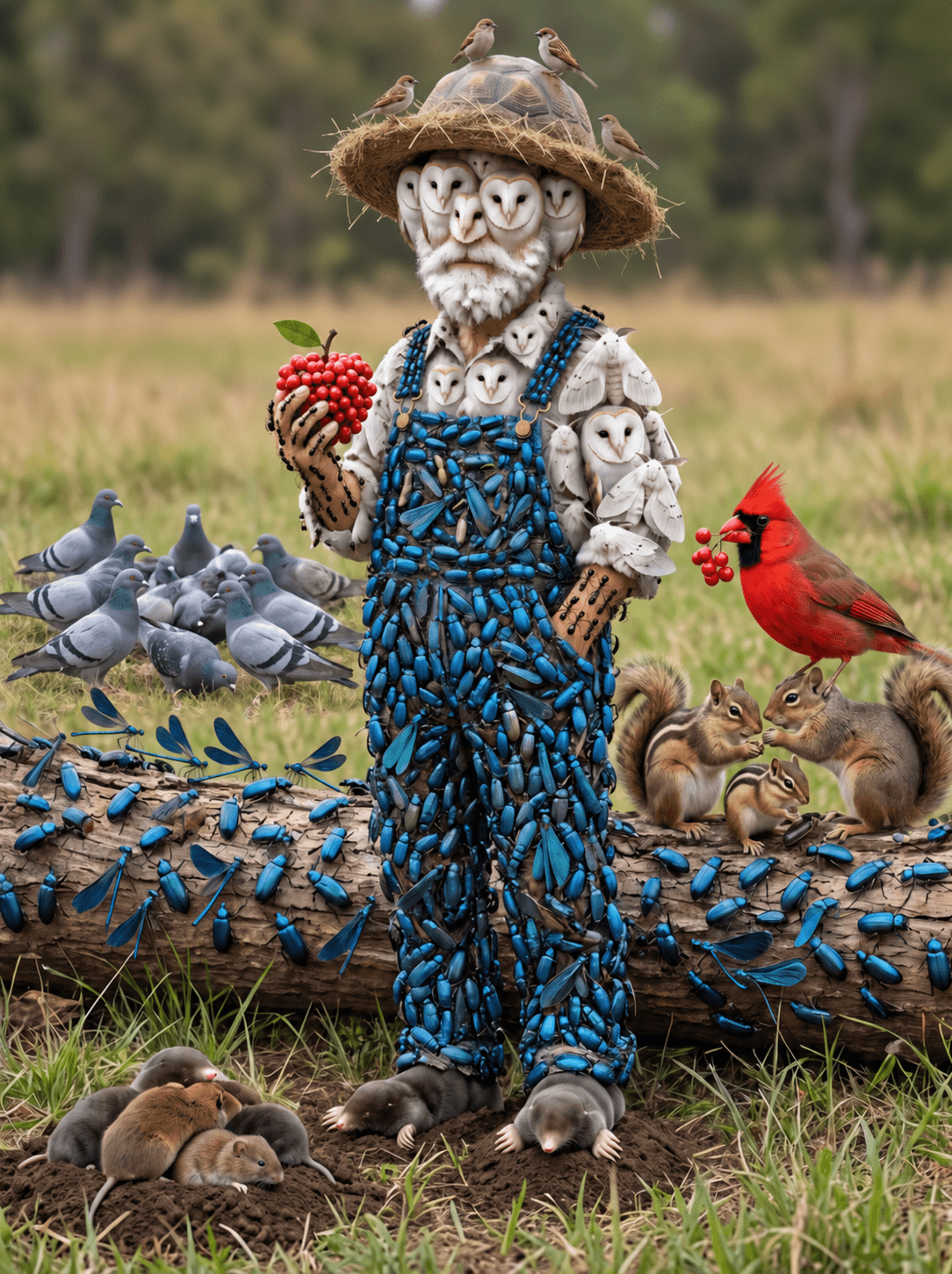
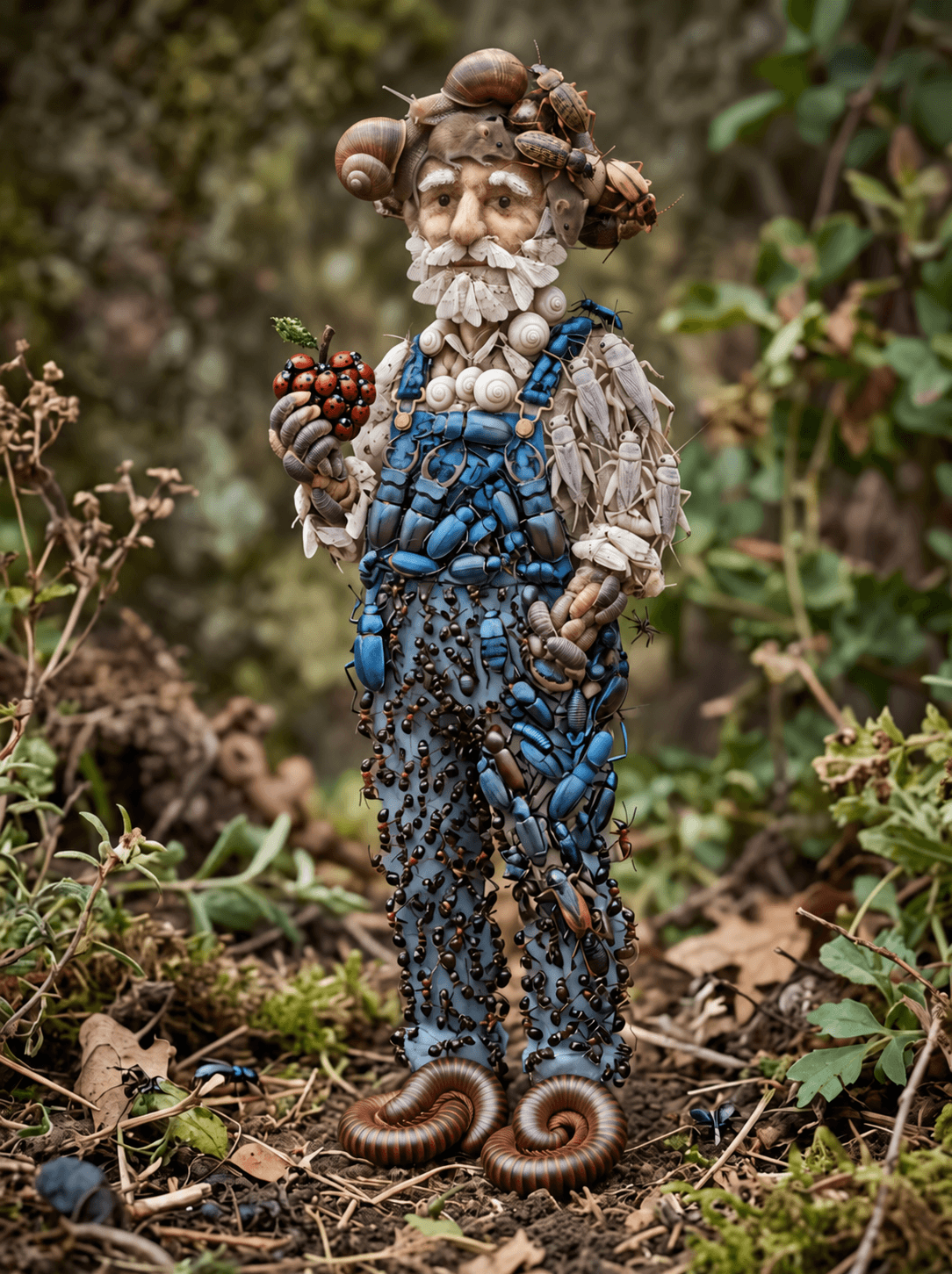
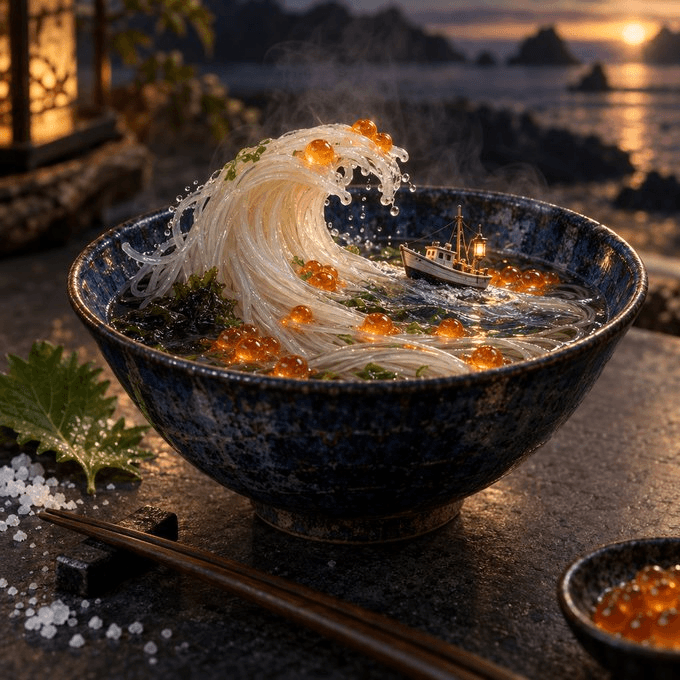
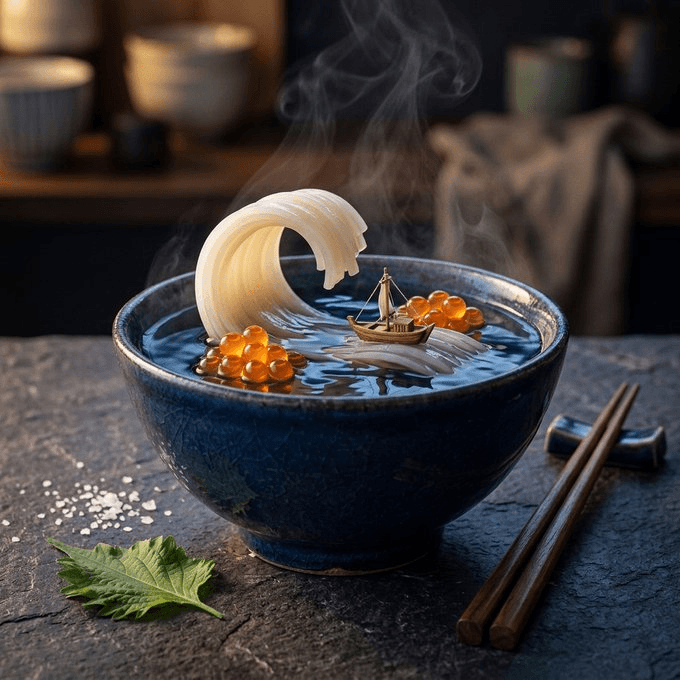
Nano Banana 2.1 vs Nano Banana 2: Visual Examples
Explore two creative scenes side by side. Look closely at the composition, small details, material textures, and lighting in each version.
These supplied pairs retain their model labels. Original prompts, settings, and generation logs are not included here, so they are visual examples rather than a controlled benchmark.
Character Detail and Complex Composition
Compare how each image arranges the character, small creatures, clothing textures, and surrounding environment.
Materials, Lighting and Surreal Food
Compare the shape of the noodle wave, the miniature boat, steam, reflections, and the lighting across the bowl.
What Changes in the Editor?
Select Nano Banana 2.1 or Nano Banana 2 in the model menu. Enter text without a reference to generate a new image; upload images to use the corresponding editing workflow. Both expose aspect ratio, PNG/JPG export, and 1K, 2K, or 4K resolution.
Nano Banana 2.1 adds separate Web search and Image search switches. They default to off and are optional for both generation and editing. These differences describe this website's controls, not every capability of the underlying providers.
Compare the Details Your Task Requires
For product images, inspect the outline, label, cap, material, and viewing angle. For posters, check the exact wording and hierarchy at both thumbnail and full size. For recurring characters, compare the face, silhouette, clothing, and accessories against the approved reference.
Use matching briefs and the same reference files. Record aspect ratio, resolution, search settings, and attempt count. Higher resolution is not a substitute for checking accuracy. This article does not establish a universal quality winner or a measured speed advantage.
Editing: Change One Thing and Check What Stayed
Use the original source image and ask for one clear change. State what must remain unchanged, then inspect those details beside the source. A convincing new background is not enough if the product label or proportions drift.
Keep intermediate versions when testing a sequence of edits. Judge both the requested modification and unintended changes. The comparison briefs below provide checks you can repeat on your own assets.
Credits and the Cost of an Approved Image
On this site, Nano Banana 2.1 costs 1 / 2 / 4 credits at 1K / 2K / 4K. One reference is included; two to fourteen references add a fixed 1 credit. Web search and Image search each add 1 credit when enabled. For example, a 2K request with two references and both searches costs 5 credits. These are site credits, not a quoted provider API price.
Track the cost of all attempts and edits, then divide by the number of approved assets. Keep manual review time separate. A lower request cost does not prove a lower cost per usable result.
Nano Banana 2 costs 2 credits at 1K or 2K and 4 credits at 4K in this editor. A 1K 2.1 request with zero or one reference and no search costs 1 credit, compared with 2 credits for Nano Banana 2. At 2K, a two-reference 2.1 request costs 3 credits without search, compared with 2 for Nano Banana 2. Compare the actual combination you intend to use.
Which Model Fits Your Workflow?
Start with Nano Banana 2.1 for a 1K draft using zero or one reference when request cost matters, or when you need the optional search controls. Keep search off for an ordinary baseline and enable it only when it serves the brief.
Consider Nano Banana 2 for an existing workflow you already trust, or for a 2K multi-reference request when its displayed cost is lower. At 4K, both have the same base cost before 2.1 extras.
For demanding product edits or repeated characters, choose from reviewed outputs rather than the version number. Use the prompt guide to build a repeatable brief, and keep the approved reference and settings with each result.
Run a Repeatable Image Comparison
Use these original briefs as a starting point for your own evaluation. They are test instructions, not prompts behind the external image examples above. Run them only with models and input modes you can actually access. Keep every result labeled with the exact model selected.
1. Product identity
Use the supplied product photograph. Replace the background with a charcoal studio setting and add a soft contact shadow. Preserve the product outline, label wording, cap, color, viewing angle, and size within the frame.
Place the source and output at the same display size. Inspect the product outline and every readable label before judging the background. Record any unauthorized change as a failure of this task, even if the new setting is attractive.
2. Layout and typography
Create a square poster for a community plant exchange. Put the exact words GROW TOGETHER across the top. Arrange three potted plants along the bottom. Use an ivory background, dark text, and yellow pots. Include no other writing.
Count the plants, read the headline, and check the hierarchy. Test the poster at thumbnail size and inspect the full-resolution image separately. Record spelling errors and layout issues independently so a strong composition does not hide incorrect text.
3. Revision consistency
Starting from the last approved image, change only the left plant pot from yellow to dark green. Keep the other two pots, all plants, headline, spacing, and background unchanged.
Compare this output with the approved version rather than relying on memory. Look at the two untouched pots and all lettering. Save both images so another reviewer can understand which elements changed and whether those changes were requested.
Keep a small approval log
For each task, record the prompt, source image, model, provider, dimensions, selected quality, attempt count, and total time. Ask a reviewer to decide whether the output meets the brief before showing them the model label. Keep any disagreements with the record rather than turning a subjective preference into a numerical score without context.
Use more than one example of an important task before changing a production workflow. A model may handle one label or one pose well and struggle with another. Repeat the same review process across the kinds of images your customers actually need. The goal is to understand where a tool works for you, not to manufacture a universal winner from a small sample.
Select Nano Banana 2.1 in the homepage editor and save its result with the final prompt and settings. Keep your existing baseline intact, use the same reference files, and turn search off for the initial comparison. If you later enable search, record that as a separate configuration so the difference remains clear.
Frequently Asked Questions
Can I use both models now?
Yes. Select either model in the homepage editor. Nano Banana 2 also has a dedicated editor page.
Is Nano Banana 2.1 always cheaper?
No. Its 1K base cost is lower, but multiple references and enabled searches add fees. At 2K or 4K, compare the complete request total.
Does one uploaded reference cost extra?
No. For 2.1, a fixed 1-credit reference fee applies only when two or more images are uploaded.
Does 2.1 always produce better images?
This article makes no universal quality claim. Run matching briefs and inspect the details that determine whether an image is usable.