Model comparison · Reviewed September 15, 2026
Nano Banana 2.5vs Nano Banana 2
Should you start creating now or wait for the next generation? Compare the available Nano Banana 2 workflow with the anticipated Nano Banana 2.5 experience, then decide what matters for your next project.
On this page
Nano Banana 2.5 vs Nano Banana 2: At a Glance
| What matters | Nano Banana 2.5 | Nano Banana 2 |
|---|---|---|
| Access on this site | Not currently available | Available in our image editor |
| Model identity | Anticipated name; final identity unconfirmed | Gemini 3.1 Flash Image |
| Text-to-image | Exact capabilities awaiting verification | Documented generation workflow |
| Image editing | Expected area of interest; not verified here | Documented editing workflow |
| Output sizes | No verified specification in this review | Google documents 512px, 1K, 2K and 4K |
| Text in images | No reproducible comparison here | Google documents text rendering and localization |
| Speed advantage | No measured advantage established | Evaluate using your chosen settings |
| Price comparison | No verified price for this site | See current site plans and editor credits |
| Best next step | Prepare a repeatable evaluation brief | Create a baseline with your own images |
Available controls may differ by editor. “Unverified” is not a claim that a feature is absent.
Image comparison
Nano Banana 2.5 vs Nano Banana 2: Visual Examples
Explore two creative scenes side by side. Look closely at the composition, small details, material textures, and lighting in each version.
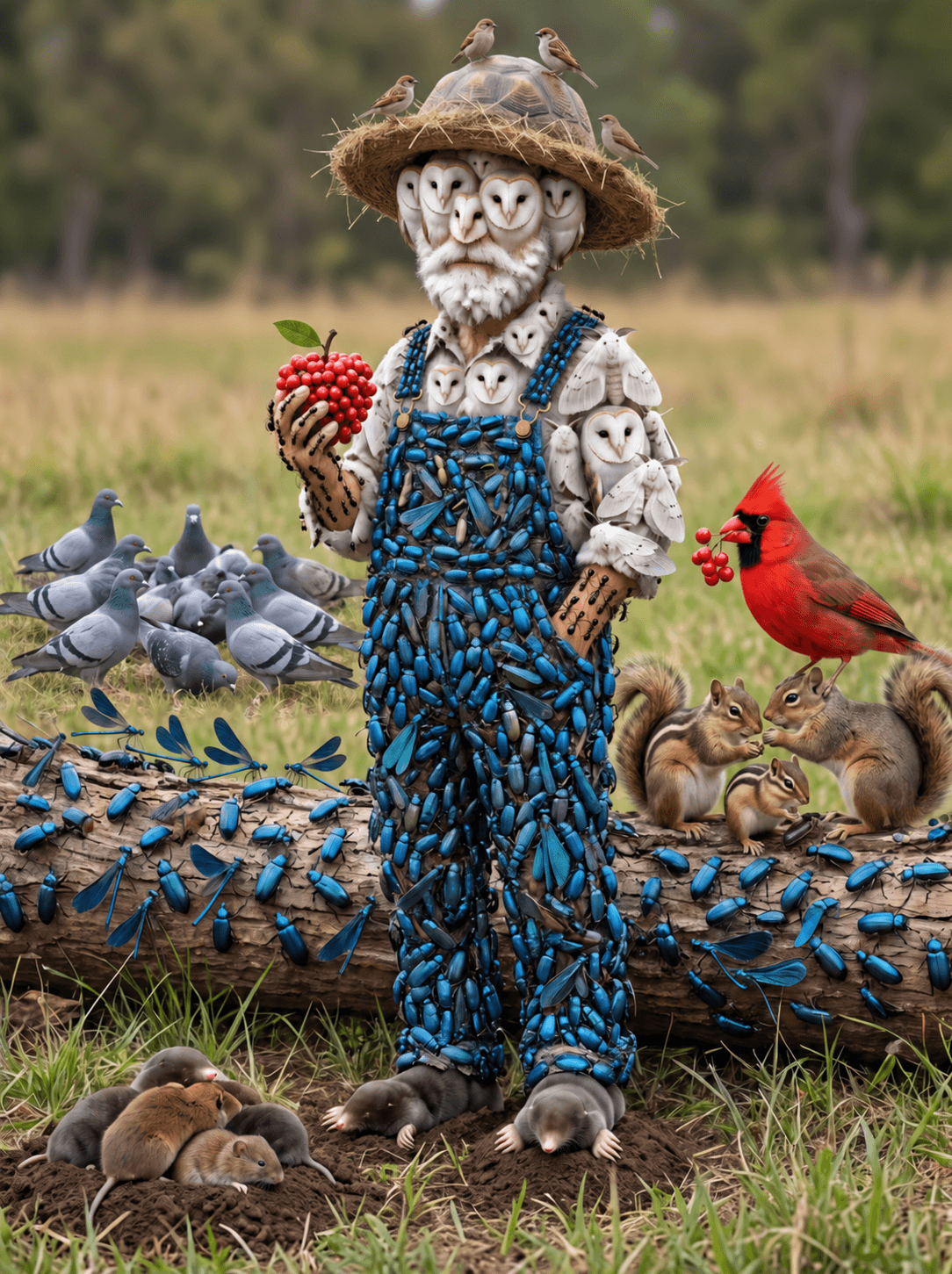
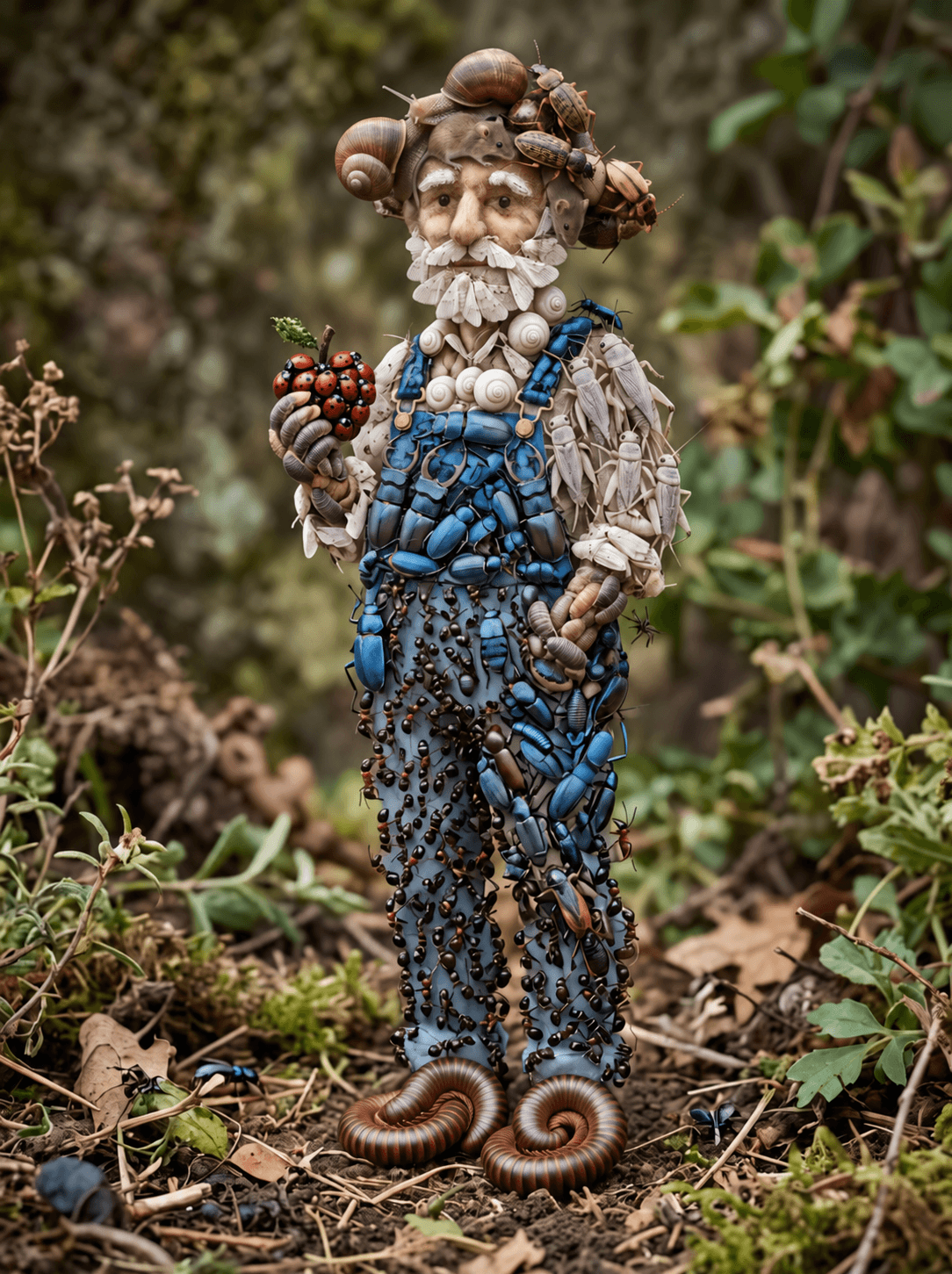
Character Detail and Complex Composition
Compare how each image arranges the character, small creatures, clothing textures, and surrounding environment.
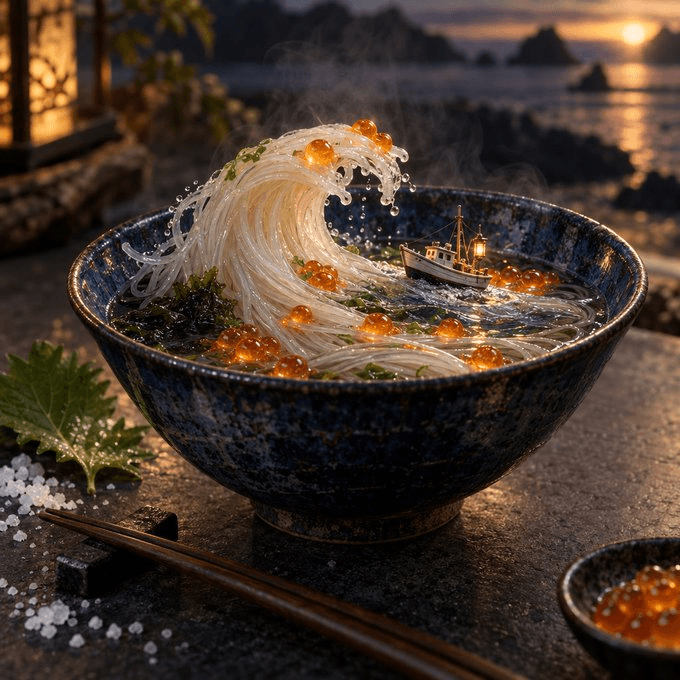
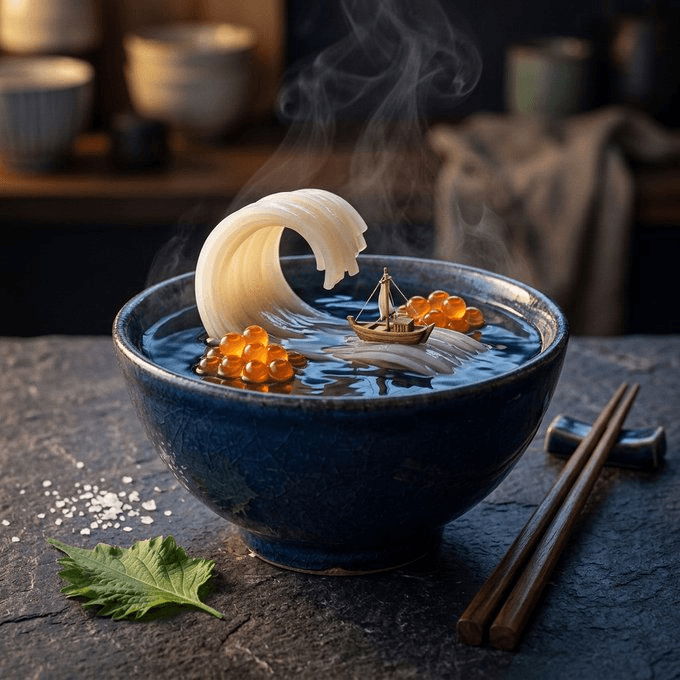
Materials, Lighting and Surreal Food
Compare the shape of the noodle wave, the miniature boat, steam, reflections, and the lighting across the bowl.
What Is the Actual Difference Today?
The immediate difference is whether you can run the workflow you need. This site offers a Nano Banana 2 editor, while Nano Banana 2.5 remains an anticipated addition. That makes the current choice practical: start a real project with an available tool, and keep a reusable brief for evaluating a future option.
Google identifies Nano Banana 2 as Gemini 3.1 Flash Image and documents generation and editing. Its developer announcement also describes image sizes from 512px to 4K and text localization. Those are model-level descriptions; the controls exposed by a particular website can differ.
Community discussion associates the name Nano Banana 2.5 with an emerging model, but this review did not establish a confirmed public specification for it. A reliable comparison requires a stable model identifier and an accessible product.
For a deadline this week, create your assets now. For a longer project, set aside a small group of representative briefs so you can revisit the decision later without rebuilding your evaluation from scratch.
Image Quality: Evaluate the Deliverable
An attractive image is only one part of a successful result. A product photograph needs believable geometry. A poster needs readable hierarchy. A character sheet needs recognizable features across its variations. Decide which of these requirements is essential before comparing images.
For a product campaign, place the output beside a trusted product reference. Check the outline, cap, label placement, materials, and any identifying features. Then inspect the image at the size a customer will actually see. A tiny distortion may disappear in a thumbnail but remain unacceptable in a large product detail view.
For an illustration, judge the requested style on its own terms. A flat drawing should not lose simply because another output looks more photographic. Look for a deliberate silhouette, coherent shapes, and an appropriate level of detail. The version that fits the design may be simpler than the version with the most texture.
There is no new Nano Banana 2.5 image-quality benchmark in this article. When a verifiable version becomes available, use these checks on matched tasks. Until then, claims about a universal quality upgrade remain expectations rather than results from this site.
Editing: Count What Changed and What Drifted
Editing has two separate requirements: make the requested change and preserve everything that the brief says to keep. A new background may look excellent while the product label changes without permission. That result needs another pass even if it is visually impressive.
Start with a source image you are permitted to use. Ask for one clear modification, such as changing the backdrop from white to charcoal. Save the output next to the source. Inspect object boundaries, shadows, small text, and background areas that were not part of the request.
Next, request a second change from the edited image. You might adjust the background brightness while keeping the product fixed. Check whether the first approved change survives. This turns a vague idea of consistency into a short sequence you can actually inspect.
Keep the original source available throughout the process. If the image drifts, returning to that source can be more useful than repeatedly editing an inaccurate version. Record the number of attempts needed to obtain an acceptable result, since this affects both turnaround time and practical cost.
Speed and Cost: Compare Finished Assets
A model that returns an initial image quickly can still take longer to produce a finished asset if it requires several corrections. For a meaningful comparison, record the time from submitting the first prompt to accepting a usable final image. Include the revisions that your workflow normally needs.
Use similar output dimensions and record every setting you can control. A small draft and a large final render serve different purposes. Comparing their raw response times without noting that difference can lead you to select a workflow that does not fit your actual deliverable.
For budgeting, divide the total generation spend by the number of images you approve. Include unsuccessful attempts and edits when they consume credits. If your team spends substantial time reviewing or repairing images, track that separately too. A nominally inexpensive first image may not be the least expensive finished result.
Our pricing page and editor show this site’s available plans and generation credits. They should not be read as official Nano Banana 2.5 pricing. This comparison does not assign a future price or calculate savings for a model that is not available here.
Which Model Should You Choose?
Choose Nano Banana 2 when you have a current task and want to establish a working process. Product concepts, social graphics, layout exploration, and everyday edits all benefit from testing a real brief against an available editor. Start with a small batch before committing to a large campaign.
Watch Nano Banana 2.5 when your existing workflow has a specific limitation worth revisiting. Perhaps you spend too much time correcting labels, or a recurring character changes between scenes. Save examples of those failures. They will be more useful for evaluating a future model than unrelated demonstration images.
You do not need to move every task to the same model. A future comparison may show that one option suits initial concepts while another suits a difficult edit. Make that decision from the work, the settings, and the cost of approved results rather than the version number.
If you are preparing briefs now, use our Nano Banana 2.5 Prompt Guide. Its examples are planning tools that can be adapted to the available Nano Banana 2 editor; they are not claimed to be tested 2.5 outputs.
Prepare Your Nano Banana 2.5 Comparison
Use these original briefs as a starting point for your own evaluation. They are test instructions, not prompts behind the external image examples above. Run them only with models and input modes you can actually access. Keep every result labeled with the exact model selected.
1. Product identity
Use the supplied product photograph. Replace the background with a charcoal studio setting and add a soft contact shadow. Preserve the product outline, label wording, cap, color, viewing angle, and size within the frame.
Place the source and output at the same display size. Inspect the product outline and every readable label before judging the background. Record any unauthorized change as a failure of this task, even if the new setting is attractive.
2. Layout and typography
Create a square poster for a community plant exchange. Put the exact words GROW TOGETHER across the top. Arrange three potted plants along the bottom. Use an ivory background, dark text, and yellow pots. Include no other writing.
Count the plants, read the headline, and check the hierarchy. Test the poster at thumbnail size and inspect the full-resolution image separately. Record spelling errors and layout issues independently so a strong composition does not hide incorrect text.
3. Revision consistency
Starting from the last approved image, change only the left plant pot from yellow to dark green. Keep the other two pots, all plants, headline, spacing, and background unchanged.
Compare this output with the approved version rather than relying on memory. Look at the two untouched pots and all lettering. Save both images so another reviewer can understand which elements changed and whether those changes were requested.
Keep a small approval log
For each task, record the prompt, source image, model, provider, dimensions, selected quality, attempt count, and total time. Ask a reviewer to decide whether the output meets the brief before showing them the model label. Keep any disagreements with the record rather than turning a subjective preference into a numerical score without context.
Use more than one example of an important task before changing a production workflow. A model may handle one label or one pose well and struggle with another. Repeat the same review process across the kinds of images your customers actually need. The goal is to understand where a tool works for you, not to manufacture a universal winner from a small sample.
When Nano Banana 2.5 becomes verifiably available, add it to the same process. Keep the existing baseline intact, note the date and new model identifier, and describe any differences in settings. This makes the updated comparison useful even if the new workflow does not expose exactly the same controls.
Frequently Asked Questions
Is Nano Banana 2.5 better than Nano Banana 2?
This page does not establish an overall winner. Nano Banana 2 is available here; Nano Banana 2.5 needs verified access and reproducible testing before we can compare its results.
Can I use Nano Banana 2.5 on this website?
Not currently. The Try to Nano Banana 2.5 buttons take you to our homepage to explore the anticipated model and currently available workflows.
Does Gemini 2.5 Flash Image mean Nano Banana 2.5?
Do not infer model identity from matching numbers. Check the provider’s exact model name and identifier. This page uses Nano Banana 2.5 for the anticipated model discussed on our homepage.
Will I need to rewrite my prompts for an upgrade?
Keep the purpose, subject, and acceptance criteria of a useful brief. Then adapt the instructions to the new editor’s actual inputs and controls. Reusing a brief does not guarantee identical outputs.
Related Comparisons and Guides
Related comparisonNano Banana 2.5 vs GPT Image 2.5ResourceNano Banana 2.5 Prompt GuidePrepare Your Next Nano Banana 2.5 Project
Develop your prompts and visual direction today, ready to explore Nano Banana 2.5 when it becomes available.
Try to Nano Banana 2.5